
Ok so you want to learn How To List Your Property on Booking.com. Convinced yet to add your property as a listing on Booking or in Mondosol?
To list your property on Booking.com, you need to register it first. This process is quick and easy, but it’s important to double-check that your property information is accurate.
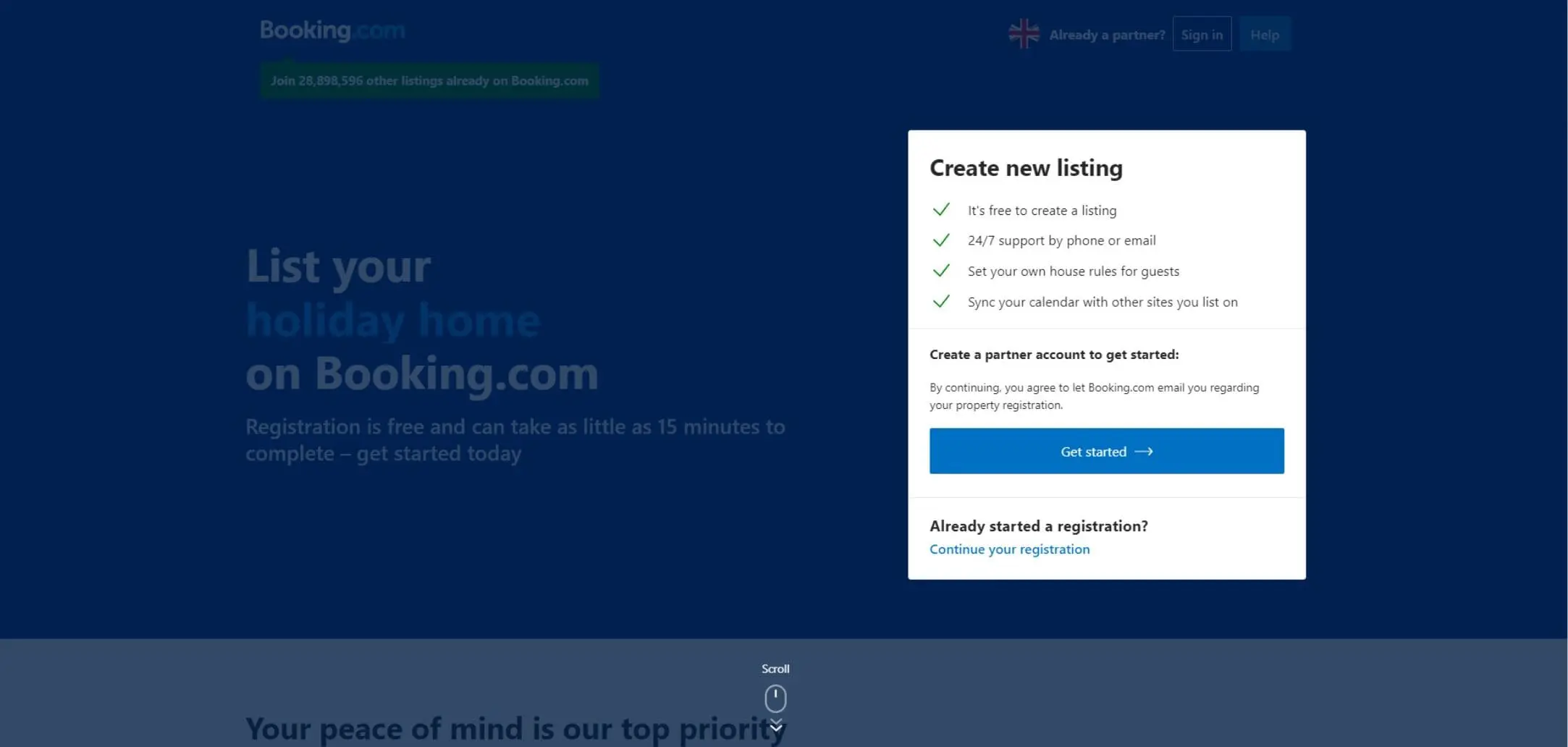
First thing first: how to register a property on Booking.com? To start, you’ll need to visit join.booking.com.
To start, click the “Get Started” button. Then, follow the prompts to create your account by providing your email address, password, and contact information.
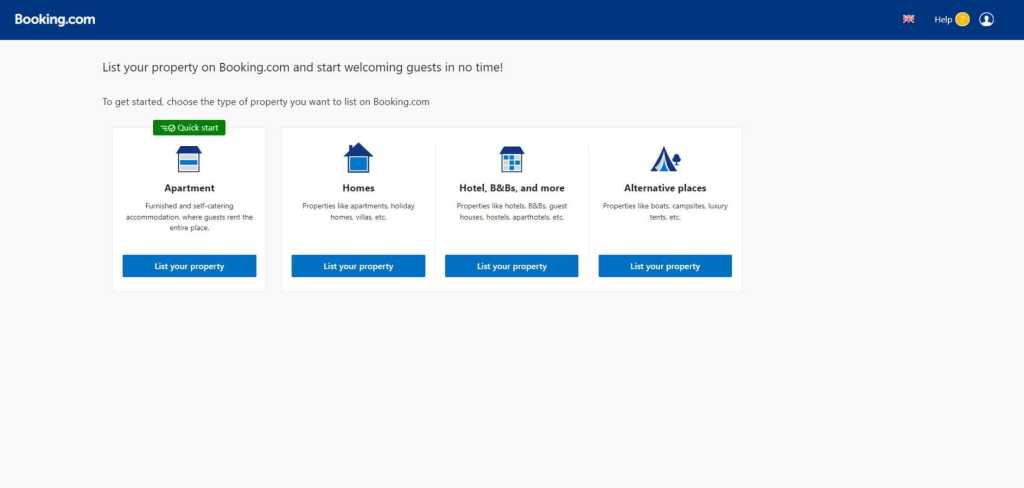
To start listing your property, choose the type of property you want to list from the provided categories on Booking.com.
- Apartment: these are single, self-catered units that are rented in their entirety.
- House: similar to the apartment category, these independent homes might be distinguished by the fact that they are detached and perhaps also come with some private perks outside, such as an exclusive yard or beachfront.
- Hotels, B&Bs, and More: this category is for those who want to rent out multiple rooms within the same building or unit. If, for example, your three bed & breakfast rooms are part of your own private dwelling, you should pick this option.
- Alternative Places: staying on trend with the current popularity of “experience travel,” Booking.com’s final category caters to those spaces that are more unique, for instance, anything from a yurt to a yacht.
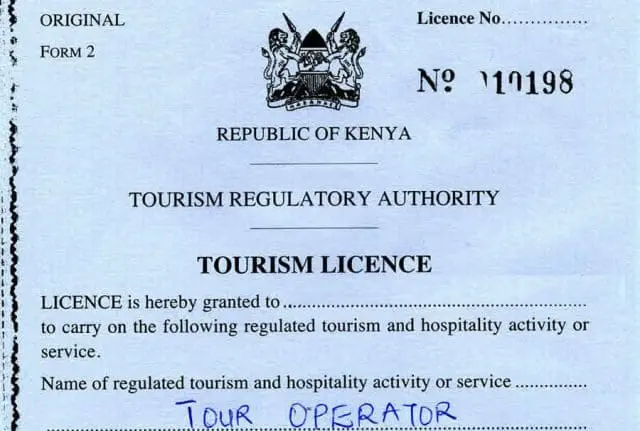
When choosing a property type for your listing, consider where it is located and if you need a license. Different options will affect where your listing appears on the website. Some countries require tourism licenses, so choose the property type that matches your license.
Sure! To add your listing, choose the category and specify the number of apartments you want to list. Enter the property details, including the address and your contact information, and you’re all set to register.

After you are choosing the type of property and the number of unit you can select if you published the property in other sites like Airbnb.

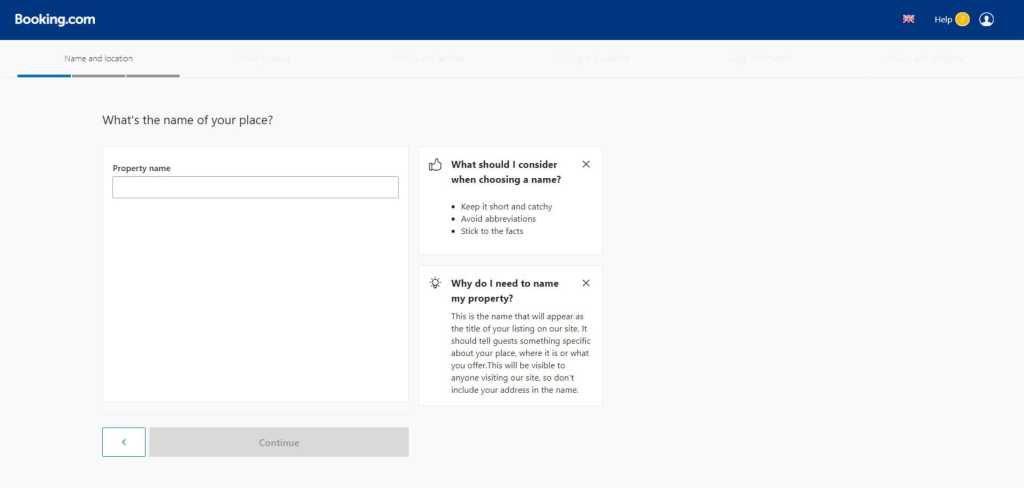
To effectively advertise your property on Booking.com, it’s important to choose a catchy and concise name. Try to highlight the unique features of your rental to attract potential renters. For example, “Riverside High Rise Oasis” suggests peacefulness and amazing views, while “3450 Main Street Two-Bedroom” is less exciting.
Once you complete the registration, your details will be reviewed by the Booking.com team. After approval, you will receive an email with your login credentials. Then, you can fill out your property’s page.
- Add photos of your space that are both accurate and flattering. Warm-up your shutter finger: Booking.com recommends posting at least 24 photos of your property.
- Share the essentials that come with your rental. These can be added under “Facilities & Services” and should include all amenities to which renters can have access (don’t forget the essentials, like a washing machine or air conditioning unit, if you have them!).
- Update the availability calendar so that potential renters will be able to assess quickly when your unit might be free. You can confirm you’ve updated this calendar correctly by visiting the “Rates & Availability” page.
- Share something about yourself under “Your Profile”; this doesn’t need to be your entire life story, but a little backstory can make your property all the more compelling.
- Price your property just right by looking at other listings similar to yours. You don’t want to be the most pricey rental on the block unless you have the unique features to support it. Also look into their cancellation and prepayment policies as they also need to be aligned with the market to increase potential bookings.

When creating content for your block, focus on highlighting the best features of your rental property. Make sure your photos are appealing and accurate, and provide detailed information about the location and amenities.
How to Register Multiple Properties on Booking
To list multiple properties on Booking.com, you can choose the option for “multiple apartments” instead of just “one apartment.” You will be asked if the units are in the same location or different ones, and then you can provide the necessary information for each property.
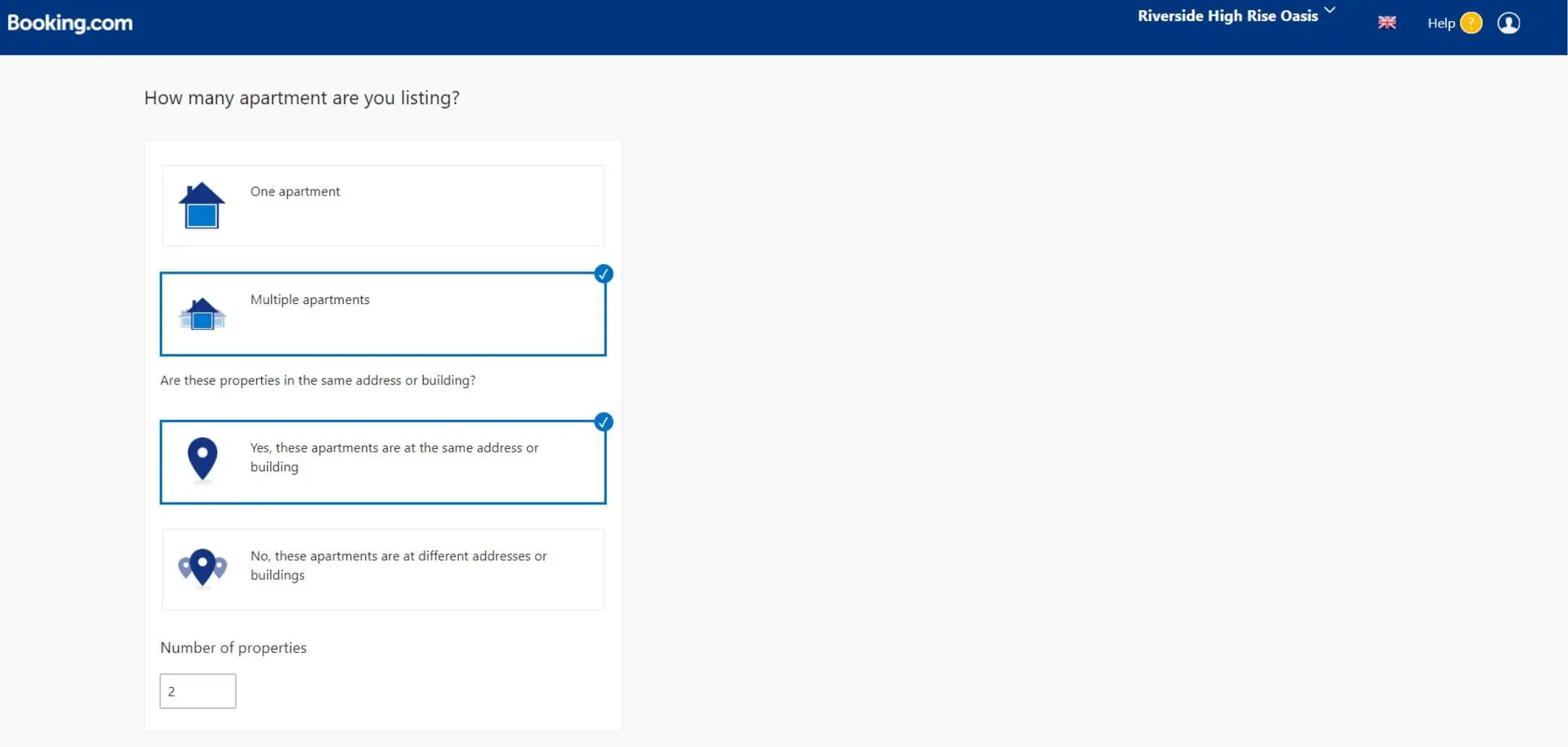
No worries if you don’t want to add all your properties at once on Booking.com. You can add more properties later if you need to. To add a new rental at the same address as another property, just go to “Property Layout” and enter the necessary details. If you have a completely new address, click on “Add Another Property” and follow the registration process again.
How to Create House Rules on Booking.com
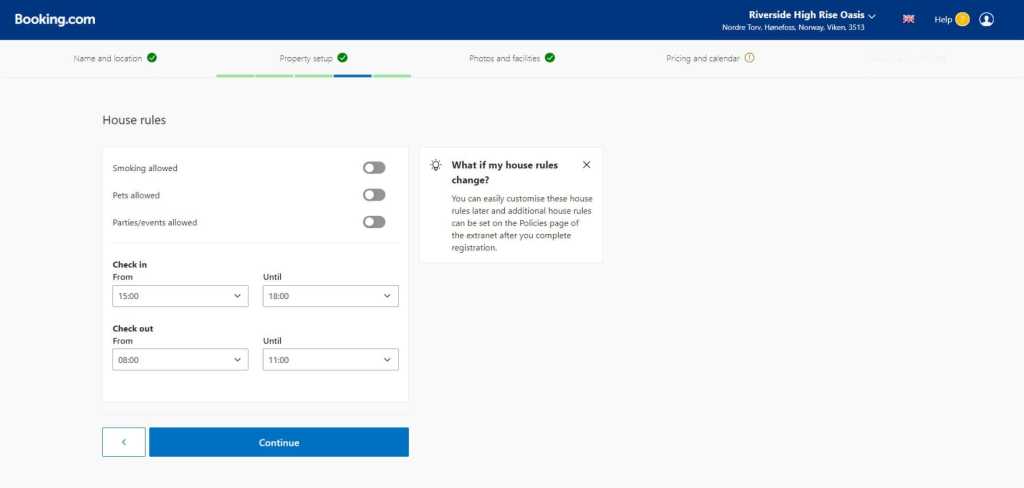
When renting a vacation property, it’s important to set some rules to ensure a pleasant experience for everyone. This may include restrictions on noise, pets, and litter. It’s also important for renters to be respectful to the local community.
Tips for Maximizing your Booking.com Listing
To boost your bookings on Booking.com, make sure you understand each platform you use for advertising. Follow these easy tips for success.
- Respond to any inquiries immediately
Booking.com is a fast booking platform. To save time, use prepared answers for frequently asked questions. Autoresponders help reply quickly to messages.
- Be crystal clear with information
Sure! To reduce the number of questions you receive, make sure your listings provide all the necessary information for potential renters. Put yourself in their shoes and think about what details you would need before making a booking. Explain everything that your property offers in a clear and detailed manner.
- Show it off with photos
When advertising your vacation property, include detailed photos to give guests a clear idea of what to expect. High-quality images can answer questions about amenities, bed types, and more.
- Choose your amenities well
When listing the amenities for your vacation rental, include everything, even the basic ones. Check out your competitors to see what amenities they have and consider offering something unique to make your rental stand out.
Conclusion
Have you ever wondered how to list your property on Booking.com, one of the world’s leading online travel agencies? It’s a fantastic opportunity to showcase your hospitality and attract potential guests from around the globe. Booking.com offers a user-friendly platform that allows property owners to effortlessly create and manage their listings.
Remember, listing your property on Booking.com is just the beginning. You’ll need to continuously monitor and update your listing to stay competitive in the ever-evolving hospitality industry.
If you’re considering expanding your reach beyond Booking.com, you might also want to explore listing your property on Mondosol, another reputable platform that specializes in vacation rentals. By diversifying your online presence, you can maximize your property’s visibility and increase your chances of attracting a steady stream of guests.
So don’t miss out on the opportunity to showcase your property to millions of travelers worldwide. Start listing your property on Booking.com and Mondosol today to open up a world of possibilities for your hospitality business!