

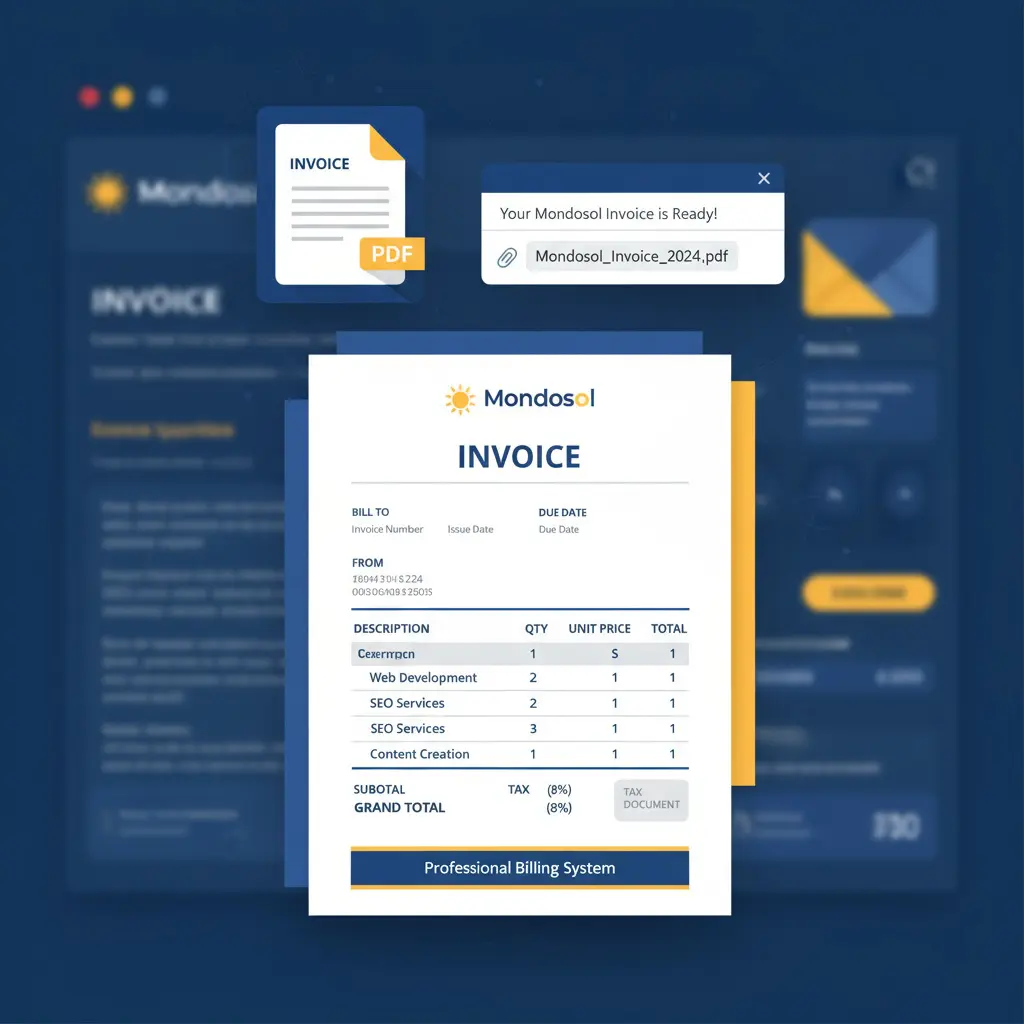
Mondosol provides invoices automatically within 2–4 hours after purchase via email. Download options: log into mondosol.com/my-account, navigate to Orders, download PDF invoice anytime. Request by email: eliomondello@mondosol.com with order number, receive within 1–2 business days. Invoice includes: invoice number, date, billing information, itemized purchase details, payment method, VAT/tax (if applicable), Mondosol business details (Org #997498437).
Estimated reading time: 9 minutes
Last Updated: November 2025. Learn how to get an invoice for your online course with our updated guide.
Quick Answer
Invoices are automatically sent to your email within 2–4 hours after purchase. You can also download invoices anytime from your account dashboard at mondosol.com/my-account or request a copy by emailing eliomondello@mondosol.com.
Key Takeaways
- Invoices are sent automatically via email within 2–4 hours after purchase; you can also download them from your account dashboard.
- To get your invoice, log into mondosol.com, navigate to ‘Orders’, and download the invoice as a PDF.
- If you don’t receive your invoice, check your spam folder or contact support for assistance at eliomondello@mondosol.com.
- You can also request an invoice by email if you need specific details or a VAT invoice for an EU business.
- Invoices include all transaction information, including seller details, payment status, and itemized purchase information.
Table of contents
How to Get Your Invoice
📧 Automatic Email Invoice
After Every Purchase:
- Invoice automatically generated within 2–4 hours
- Sent to your registered email address
- PDF format for easy printing and storage
- Includes all transaction details
- VAT/tax information (if applicable)
Email Subject Line:
- “Your Mondosol Invoice #[Order Number]”
- “Receipt for Your Purchase – Mondosol”
- “Order Confirmation & Invoice – [Course/Coaching Name]”
What’s Included:
- Invoice number and date
- Your billing information
- Itemized purchase details
- Payment method used
- Total amount paid (including VAT if applicable)
- Payment status (Paid/Pending)
- Mondosol business details (Organization Number: 997498437)
Didn’t Receive Your Invoice?
- Check spam/junk folder
- Verify email address in your account settings
- Allow up to 4 hours for processing
- Contact us: eliomondello@mondosol.com
💻 Download from Your Account
Step-by-Step:
1: Log In
- Visit mondosol.com
- Click “My Account” (top-right corner)
- Enter your email and password
- Click “Log In”
2: Navigate to Orders
- Click “Orders” in your account menu
- View all past purchases
- See order dates, amounts, and status
3: Download Invoice
- Find the order you need an invoice for
- Click “View” or “Download Invoice”
- Invoice opens as PDF in new tab
- Save or print as needed
4: Save for Records
- Save PDF to your computer
- Store in accounting/tax folder
- Print physical copy if needed
- Keep for expense reimbursement
Account Access Issues?
- Reset password: mondosol.com/my-account/lost-password
- Contact support: eliomondello@mondosol.com
- Provide order number for assistance
📞 Request Invoice by Email
When to Request:
- Didn’t receive automatic invoice
- Need invoice with specific details
- Require VAT invoice for EU business
- Need invoice in different format
- Lost original invoice
How to Request:
Email: eliomondello@mondosol.comSubject: “Invoice Request – Order #[Your Order Number]”
Include in Your Email:
- Full name
- Order number (if available)
- Purchase date
- Course/coaching package name
- Billing email address
- Any specific requirements (VAT details, company name, etc.)
Response Time:
- Standard requests: 1–2 business days
- Urgent requests: Same day (mention urgency)
- Corporate invoices: 2–3 business days
We’ll Send:
- PDF invoice via email
- Customized with your requirements
- Ready for accounting/reimbursement
- Includes all necessary tax information
Invoice Information Included
Standard Invoice Details
Header Section:
- Invoice Number: Unique identifier (e.g., INV-2025-001234)
- Invoice Date: Date invoice was generated
- Due Date: Payment due date (if applicable)
- Order Number: Your order reference number
Seller Information:
- Business Name: Mondosol
- Owner: Elio Mondello Anzà
- Address: Nordre Torv 5, 3513 Hønefoss, Norway
- Organization Number: 997498437
- Business Registration Number: 916446519
- Email: eliomondello@mondosol.com
- Phone: +47 90167906
Buyer Information:
- Your full name
- Billing address
- Email address
- Phone number (if provided)
- Company name (if applicable)
- VAT number (if applicable)
Purchase Details:
- Course/coaching package name
- Product description
- Quantity
- Unit price
- Subtotal
- VAT/tax (if applicable)
- Total amount paid
Payment Information:
- Payment method (Credit Card, PayPal, Bank Transfer)
- Payment date
- Transaction ID
- Payment status (Paid/Pending/Refunded)
- Currency (EUR, NOK, USD, GBP, etc.)
Footer:
- Payment terms
- Refund policy reference
- Contact information
- Thank you message
Special Invoice Types
🏢 Corporate/Business Invoices
For Business Purchases:
- Company name and VAT number included
- Itemized billing for accounting
- Purchase order (PO) number reference
- Net 30 or Net 60 payment terms
- Multiple payment method options
How to Get Corporate Invoice:
- Email: eliomondello@mondosol.com
- Subject: “Corporate Invoice Request”
- Include:
- Company name
- VAT/Tax ID number
- Billing address
- PO number (if applicable)
- Contact person details
- Receive customized invoice within 2–3 business days
Corporate Invoice Features:
- Professional business formatting
- Detailed line items
- VAT breakdown by rate
- Payment terms clearly stated
- Authorized signature (if required)
🇪🇺 VAT Invoices (EU Businesses)
For EU Business Customers:
- VAT number validation
- Reverse charge mechanism (if applicable)
- VAT breakdown by rate
- Compliance with EU invoicing regulations
Required Information:
- Valid EU VAT number
- Company registration details
- Business address in EU
- Proof of business status (if requested)
How to Request VAT Invoice:
- Provide VAT number at checkout, or
- Email eliomondello@mondosol.com after purchase
- Include:
- Full company name
- VAT number (format: XX123456789)
- Business address
- Order number
- Receive VAT-compliant invoice within 2 business days
VAT Rates:
- Norway: 25% standard rate (if applicable)
- EU: Varies by country (0–27%)
- Reverse charge: 0% (with valid VAT number)
💰 Proforma Invoices
What is a Proforma Invoice?
- Invoice issued before payment
- Used for bank transfers, corporate approvals
- Shows exact amount to pay
- Includes payment instructions
When You Need One:
- Bank transfer payments
- Corporate approval process
- Budget planning
- Customs/import documentation
How to Request:
- Email: eliomondello@mondosol.com
- Subject: “Proforma Invoice Request”
- Specify:
- Course/coaching package
- Quantity (if multiple licenses)
- Billing details
- Payment method preference
- Receive proforma invoice within 1 business day
Proforma Invoice Includes:
- All standard invoice details
- Bank account information
- Payment reference number
- Payment deadline
- Validity period (usually 30 days)
Invoice Formats & Languages
Available Formats
PDF (Standard):
- Most common format
- Easy to print and store
- Compatible with all devices
- Professional appearance
- Suitable for accounting software
Excel/CSV (On Request):
- For accounting integration
- Bulk invoice processing
- Custom formatting needs
- Contact us: eliomondello@mondosol.com
Paper Invoice (On Request):
- Mailed physical copy
- Required for some organizations
- Additional processing time (5–7 days)
- May incur postage fees
Language Options
Available Languages:
- English (default)
- Norwegian (Norsk)
- Italian (Italiano)
- French (Français)
- Other languages on request (102 languages supported)
How to Request Different Language:
- Specify language preference at checkout, or
- Email eliomondello@mondosol.com after purchase
- Receive translated invoice within 2 business days
Common Invoice Scenarios
Scenario 1: Employer Reimbursement
You Need:
- Detailed invoice with course description
- Your name as purchaser
- Itemized breakdown
- Proof of payment
How to Get It:
- Download invoice from your account
- Verify all details are correct
- Submit to employer with reimbursement form
- If employer needs additional info, contact us: eliomondello@mondosol.com
We Can Provide:
- Detailed course syllabus
- Learning objectives
- Certificate of completion (after course)
- Additional documentation as needed
Scenario 2: Tax Deduction
You Need:
- Invoice with your tax ID/VAT number
- Business expense classification
- Proof of payment
- Course relevance to business
How to Get It:
- Provide tax ID at checkout or request update
- Download invoice from account
- Keep for tax records
- Consult tax advisor for deduction eligibility
Invoice Shows:
- Your business name and tax ID
- Course as professional development expense
- Payment date and amount
- All necessary tax information
Scenario 3: Accounting/Bookkeeping
You Need:
- Invoice with all transaction details
- Payment method and date
- VAT breakdown (if applicable)
- Vendor information (Mondosol)
How to Get It:
- Download PDF invoice from account
- Import into accounting software (QuickBooks, Xero, Wave, etc.)
- Categorize as training/education expense
- Match with bank/card statement
Invoice Includes:
- All required accounting fields
- Transaction ID for reconciliation
- VAT/tax breakdown
- Payment status
Scenario 4: Multiple Purchases
You Need:
- Individual invoices for each purchase
- Consolidated statement (optional)
- Bulk download option
How to Get It:
- Log into account: mondosol.com/my-account
- Go to “Orders”
- Download each invoice individually
- For consolidated statement, email: eliomondello@mondosol.com
We Can Provide:
- Individual invoices for each order
- Monthly/quarterly summary statement
- Year-end tax summary
- Custom reporting as needed
Invoice FAQs
Invoices are automatically sent within 2–4 hours after purchase. Check your email and spam folder.
Yes! Provide company details at checkout or email eliomondello@mondosol.com to update your invoice.
VAT is included if applicable based on your location and business status. EU businesses with valid VAT numbers may be eligible for reverse charge (0% VAT).
Invoices show the currency you paid in. For conversion to another currency, contact your bank or use current exchange rates.
You’ll receive an invoice for each installment payment. Download all invoices from your account or request a consolidated invoice.
Yes, contact us within 7 days of purchase: eliomondello@mondosol.com. We’ll issue a corrected invoice.
Our invoices serve as receipts. They include all payment confirmation details required for accounting and reimbursement.
Yes, request a proforma invoice: eliomondello@mondosol.com. It will include payment instructions.
Keep invoices for at least 5–7 years for tax purposes. Consult your accountant for specific requirements in your country.
Free courses don’t generate invoices since no payment was made. You’ll receive a confirmation email and certificate upon completion.
Invoice Troubleshooting
Common Issues & Solutions
Didn’t receive invoice email
- Solution: Check spam/junk folder, verify email in account settings, allow 4 hours, contact support
Invoice has wrong information
- Solution: Contact eliomondello@mondosol.com within 7 days with correct details, we’ll issue corrected invoice
Can’t download invoice from account
- Solution: Try different browser, clear cache, disable ad blockers, contact support for direct email
Need invoice in different format
- Solution: Email eliomondello@mondosol.com specifying format needed (Excel, paper, etc.)
Invoice missing VAT number
- Solution: Provide VAT number via email, we’ll issue updated invoice within 2 business days
Lost invoice from old purchase
- Solution: Log into account to download, or email with order details for resend
Invoice shows wrong currency
- Solution: Invoice reflects currency paid. For different currency, contact your bank for conversion
Need invoice urgently
- Solution: Email eliomondello@mondosol.com with “URGENT” in subject, include order number, we’ll prioritize (same-day response)
Invoice Best Practices
For Personal Use
Organization:
- Create dedicated folder for Mondosol invoices
- Name files clearly: “Mondosol_Invoice_[Date]_[Course].pdf”
- Back up to cloud storage (Google Drive, Dropbox, etc.)
- Keep digital and physical copies
Tax Preparation:
- Categorize as education/professional development expense
- Note business relevance for deductions
- Attach to tax return documentation
- Consult tax professional for eligibility
For Business Use
Accounting Integration:
- Import invoices into accounting software
- Match with bank/card statements
- Categorize as training/education expense
- Assign to correct cost center/department
Reimbursement:
- Submit invoice with reimbursement form
- Include course description and learning objectives
- Attach completion certificate (after course)
- Follow company expense policy
Audit Trail:
- Maintain chronological invoice records
- Document business purpose of training
- Keep correspondence about purchases
- Store securely for required retention period
Need Help with Your Invoice?
We’re here to assist with all invoice-related questions!
- Contact Us:
Email: eliomondello@mondosol.com
Response Time: 1–2 business days (same day for urgent)
Phone: +47 90167906 (Norway, business hours)
Languages: English, Italian, Norwegian, French, and 98 others - Before You Contact Us:
Have your order number ready (if available)
Know what specific invoice information you need
Specify format/language preferences
Note any deadline requirements
Related FAQs:
- How do I pay for courses or coaching?
- What payment methods do you accept?
- What is your refund policy?
- How do I update my billing information?
- Do you offer payment plans or installments?
Professional invoicing for your learning investment – always available when you need it! 📄✨






Leave a Reply