Home » Magazine » How to Leave a Review on Booking.com: The Ultimate Guide

How to Leave a Review on Booking.com: The Ultimate Guide

Elio Mondello Avatar
The Ultimate Guide To write, edit and delete my review on Booking.com

Planning a trip? Want to share your travel experience? Learning to leave a review on Booking.com is a great way to do that. This guide will help you write a review on Booking.com and make your voice heard.

  • The Ultimate Guide To write, edit and delete my review on Booking.com
  • Building Credibility as a Reviewer on Booking.com
  • How to Handle Negative Experiences in Your Review
  • Dos and Don'ts of Writing a Trustworthy Review
  • Tips for Providing Detailed and Unbiased Information
  • Step-by-Step Guide to Writing a Trustworthy Review
  • A non existent help center and a poor forum
  • Understanding the Review Guidelines on Booking.com
  • The Importance of Trustworthy Reviews for Travelers
  • How to Write a Trustworthy Review on Booking.com


How to Write a Trustworthy Review on Booking.com
How to Write a Trustworthy Review on Booking.com

Planning a trip and looking for the perfect accommodation? Booking.com is a trusted platform for booking worldwide. But with countless reviews, how can you make yours stand out? One way is learning how to review your booking effectively.

The Importance of Trustworthy Reviews for Travelers

The Importance of Trustworthy Reviews for Travelers

Reviews are essential for choosing accommodation, as travelers rely on shared experiences to make informed decisions. Trustworthy reviews enhance credibility and offer balanced insights into travel experiences, and understanding how to leave a review on Booking.com helps guarantee it’s helpful to others.

Understanding the Review Guidelines on Booking.com
Understanding the Review Guidelines on Booking.com

Familiarize yourself with Booking.com’s review guidelines. Make sure your feedback is honest, useful, and clear. Focus on specifics like cleanliness and comfort to enhance the credibility of your review. Knowing how to write a review on Booking.com can make all the difference.

A non existent help center and a poor forum
A non existent help center and a poor forum

Some customers have had rough times with Booking.com agents, making it clear that better training and feedback boost service quality. If you understand how to leave a review on Booking.com, you can help highlight these areas for improvement.

Step-by-Step Guide to Writing a Trustworthy Review
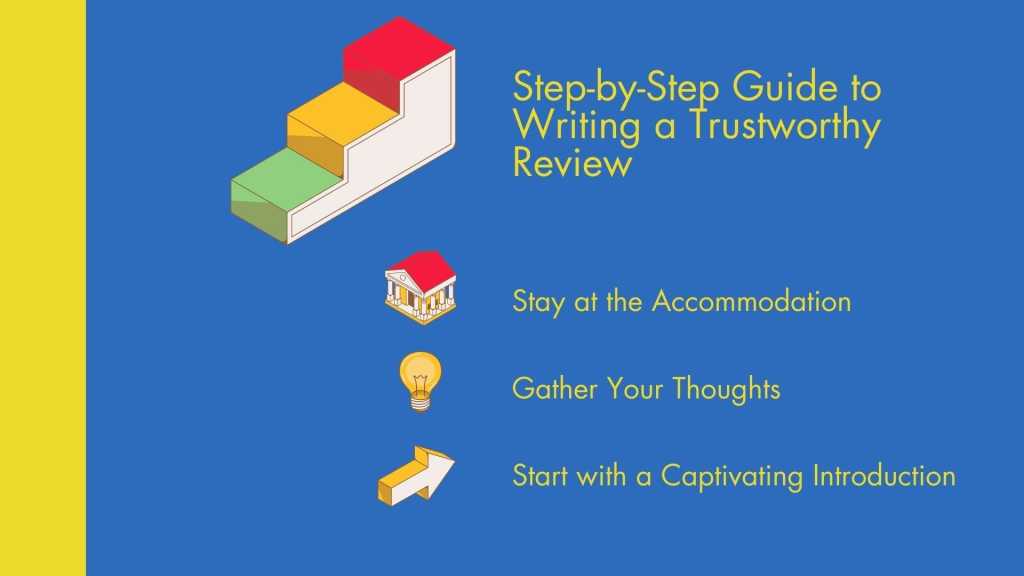
Step-by-Step Guide to Writing a Trustworthy Review

You understand the importance of trustworthy reviews. You also understand the review guidelines. Now, let’s dive into the step-by-step process of writing a review on Booking.com, so you know exactly how to leave your feedback.

  • To write a good review on Booking.com, it’s important to share your personal experiences while adhering to the site’s rules for being precise and helpful.
  • First, think about your stay. Then, start with an interesting introduction. Next, give clear and fair details about your experience to learn how to leave a convincing review on Booking.com.
  • Mention both the good and the bad, using simple language to connect with readers.
  • Finish your review with important points and tips for future travelers.
  • Remember, you can change or remove your review anytime after you send it.

Tips for Providing Detailed and Unbiased Information
Tips for Providing Detailed and Unbiased Information

When writing a trustworthy review, it’s important to give detailed and unbiased information. Here are some tips to help you achieve that, especially when learning how to leave a review on Booking.com:

  1. Be specific: Instead of saying the room was “nice,” describe the specific features that made it stand out.
  2. Use comparisons: Compare the accommodation to others you’ve stayed at. This gives readers a frame of reference when writing your review on Booking.com.
  3. Mention the location: Talk about the proximity of the accommodation to key attractions, transportation, and amenities.
  4. Talk about the staff: Share your interactions with the staff and any memorable experiences you had.
  5. Consider different perspectives: Consider how your experience differ for others based on their preferences. Understand how to send reviews on Booking.com.

Do and Don’t of Writing a Trustworthy Review
Dos and Don'ts of Writing a Trustworthy Review

To make your review reliable and useful, here are some key dos and don’t to remember. Keep these in mind when figuring out how to leave a review on Booking.com:

Do:

  • Be honest and transparent about your experience.
  • Give specific details and examples.
  • Consider your target audience.
  • Proofread for clarity and coherence before you leave a review on Booking.com.

Don’t:

  • Use offensive language.
  • Reveal personal information.
  • Exaggerate your experience.
  • Allow personal biases to influence your review.

How to Handle Negative Experiences in Your Review

How to Handle Negative Experiences in Your Review

Trustworthy reviews influence hotel rankings on Booking.com, with positive reviews enhancing reputation and negative ones detracting from it. Sharing honest feedback aids others in making informed travel decisions, so learning how to leave a review on Booking.com is key.

Building Credibility as a Reviewer on Booking.com

Building Credibility as a Reviewer on Booking.com

If you love sharing travel experiences, focus on establishing yourself as a credible reviewer on Booking.com with these tips on how to leave great reviews.

  • Post regularly: Keep sharing your experiences and tips on the platform.
  • Write useful reviews: Make your reviews helpful and full of important details.
  • Connect with others: Talk to other travelers and answer their questions and comments. Show them how to leave similar reviews on Booking.com.
  • Follow the rules: Stick to the review guidelines to keep your reviews trustworthy.
  • Be honest and open: Share your true experiences and thoughts to earn trust with other travelers.

Wrapping It Up

abandoned antique architecture building

To write an effective review on Booking.com, share your experiences while adhering to guidelines for accuracy and helpfulness. Send your review after your stay, knowing you can edit or remove it if needed. Understanding how to leave a review on Booking.com ensures your feedback is valuable and effective.


People Also Read


Discover more from Mondosol

Subscribe to get the latest posts sent to your email.

Get yourself a cake

Sign Up on our AFFILIATE program to get €2 and up to €100 in cash with the Welcome Bonus! Earn up to €100.000 per month

Editorial Process:

We test and review products using an independent, multi-point methodology. When you make a purchase using our links, we receive a commission. Please read our editorial process and disclosures.

From the blog

Stay up to date with the latest from our blog.

Comment Share Like Subscribe

Responses

  1. Vijay Avatar
    Vijay

    Remove review posted on booking.com today.

  2. Anne Mcilwraith Avatar
    Anne Mcilwraith

    I recently stayed at forest guest house in South Shields. I posted a good review about room but forgot to mention the great vegetarian breakfast I had and how clean the place was nothing was too much for the hosts and would definitely stay there again my review only got 7.5 and should of got 10. Please can this be changed as soon as possible. Thank you.

  3. Athari Avatar
    Athari

    They remove my review!!!! For the first time!!!
    i think property owner pay them money to remove!! They told me u add names!!!! Every one add names!!! But they only remove my review!!!
    I will remove my account with them and booked directly with hotels and people they are cheaper than them any way..

  4. Barbara brodie Avatar
    Barbara brodie

    Can I alter my comments on recent trip to TSH Florence with bookings.com 20th September for 3 nights,name,Barbara Brodie thanku very much

  5. Judith Wilkins Avatar
    Judith Wilkins

    The other day, I wrote a review of my few days at Doongarra in Queenscliff. The comments I made should have been only for the owner to see. I would like to amend my comments to: The location was ideal and the accommodation very comfortable and convenient.

  6. Dumisani Avatar
    Dumisani

    Hi my name is Dumisani, I recently stayed at Villa Manor and Spa, I gave them a bad review because they told me they don’t serve dinner and they served other guests and we had a misunderstanding about a deposit that I believed they owe me. So they were rude to me and I acted out of emotions. I would like to delete that review or change it if possible..

    1. Elio Mondello Avatar
      Elio Mondello

      Yes if you ask booking

  7. House Rentals Peterborough Ontario Everything You Need to Know – Mondosol

    […] How to write, edit and delete my review on Booking.com […]

  8. Ann Harris Avatar
    Ann Harris

    An entire trip was booked through Southwest Airlines, including the hotel, which was not satisfactory. In the future, all reservations will be made separately, especially the hotel. After completing the trip, talking to Southwest Airlines, which was helpful, instructions were sent to notify Booking.Com. Instructions were followed as provided, including submitting a refund request for the lodging. On June 17, 2024, the Booking.Com representative assured me all paperwork was in order, and a full refund would be posted back on the credit card used for booking within a 10-15 day period. It has now been 23 days, and no refund received. I have tried every day for the past 4 days to contact Booking.Com, but with no success.

    I did advise Southwest Airlines of the problem, and suggested they discontinue all ties with Booking.Com. Booking.Com will NEVER be used or recommended for use in my future travels.

    1. Elio Mondello Avatar
      Elio Mondello

      I understand and feel you it can be very frustrating talking with the customer service sorry to hear that.

    2. Elio Mondello Avatar
      Elio Mondello

      Dear Ann,

      Thank you for sharing your experience with us. I sincerely apologize for the frustration you’ve encountered with your refund request and the subsequent difficulties in reaching customer service.

      I understand that you were promised a refund within 10-15 days on June 17, 2024, and it’s concerning that you haven’t received it after 23 days. This is not the level of service we aim to provide to our readers and community members.

      While we are not directly affiliated with Booking.com, I want to help you resolve this situation. Here are some additional steps you can take:

      1. Document everything in writing, including:
      – Your original booking reference number
      – The June 17 conversation details
      – The name of the representative you spoke with
      – Any confirmation numbers for the refund request

      2. You can escalate this issue through:
      – Your credit card company – file a dispute for the charge
      – The Better Business Bureau (BBB)
      – Your local consumer protection office

      3. Try reaching Booking.com through their social media channels (Twitter/Facebook), as some customers have had success getting responses there.

      Thank you for warning our community about your experience. Your feedback helps other travelers make informed decisions about their booking methods.

      Would you mind keeping us updated on the resolution? Your experience could help us better guide other readers facing similar situations.

      Best regards,
      Elio
      Customer Support Team

  9. Jessica Cusumano Avatar
    Jessica Cusumano

    Extremely Disappointing Customer Service Experience with Booking.com

    Dear Booking,

    I am extremely frustrated and disappointed with your customer service. For over a month, I have been trying to reach you via email, only to receive automated responses from a chatbot. When attempting to call, I am unable to get through as the system fails to recognize my input, continually prompting me to “please choose an option” without allowing me to proceed.

    I am seeking a refund for a rental car but have been met with nothing but obstacles. Here’s the situation:

    On 31 May, I made a car reservation with full cover protection for the period from 1 to 6 June at Palermo Falcone-Borsellino airport. The only confirmation email I received contained the booking number for rentalcover, not the car. Upon landing at Palermo airport on 1 June at around 9:30 pm, I was told I needed the booking number for the car, which I never received.

    After calling customer service and providing my details, I was told to wait for an email with the confirmation number. After waiting 30 minutes without receiving anything, I called back and finally, after two hours, I received the booking confirmation email at 11:52 pm, just 8 minutes before the car pick-up point closed, leaving me at risk of being stranded at the airport.

    Upon pick-up, I was charged a €60 late fee, which is unjust as the delay was due to your team’s failure to send the booking number in a timely manner. I have attached the rentalcover booking confirmation email from 31 May, the car booking email received at 11:52 pm, and the receipts for the deposit, the €60 late fee, the insurance, and the car payment.

    Furthermore, I made another reservation to rent a car in Naples from the Central Train Station Garibaldi from 25 to 30 June. Due to your system not accepting my card (which a week before was accepted to rent a car in Palermo with the same company -italycarrent) I was unable to get the car. Attempts to change the driver failed due to a system issue, and I was advised to make a new reservation and request a refund for the original booking.
    I have called customer service multiple times and sent emails without any resolution.

    This level of service is unacceptable. I demand a full refund for both instances immediately.

    Regards,
    Jessica

    1. Elio Mondello Avatar
      Elio Mondello

      I understand that frustrating experience. When you say your company do you refer to Booking.com? I don’t own the company Booking.com but Mondosol.com. I am a journalist informing you how to leave a review on Booking.com

    2. Elio Mondello Avatar
      Elio Mondello

      Dear Jessica,

      Thank you for sharing your experience. However, I need to clarify that we are Mondosol, not Booking.com. We noticed you posted this comment on our platform, but we are unable to process refunds or handle issues related to Booking.com reservations as we are a separate company.

      For your car rental refund and related issues, you’ll need to:
      1. Contact Booking.com directly through their official website
      2. Use their customer service channels at booking.com/customer-service
      3. Or reach out to them through their official social media channels

      I understand your frustration, and I hope you’re able to resolve this situation with Booking.com’s customer service team directly.

      Best regards,
      Elio
      Mondosol Customer Care

Leave a Reply

Your email address will not be published. Required fields are marked *

Get Happy in 5 minutes, for free

Our 😀Happy newsletter is designed to give you the 📰newest updates, help you overcome mental challenges and find your hidden 💪potential.

Free newsletter. Unsubscribe 🕙anytime.

Join 172.5K other subscribers

Discover more from Mondosol

Subscribe now to keep reading and get access to the full archive.

Continue reading