
📚 Mondosol Help Center
Find answers to all your questions about our coaching, courses, and services
Business & Coaching
Master global business success through expert multilingual coaching and the Power Hour Method
1 articleLearning & Education
Master languages faster through cultural immersion and innovative education approaches
11 articlesTravel & Accommodation
Professional travel and accommodation services for educational experiences
16 articlesBooking & Reservations
Streamline your booking and reservation experience with expert guidance
13 articlesGuest Posting
Share your expertise in travel, education, and personal development
6 articlesAffiliate Program
Join our lucrative affiliate program with 50% commissions and €2 sign-up bonus
Coming soonPricing & Payments
Transparent pricing structure for all educational services
1 articlePlatform & Support
Comprehensive support for account management and technical assistance
1 articleAbout Mondosol
Discover our mission to transform global learning through innovative education
Coming soon🔥 Most Popular Questions
Learning & Education (2)
Content & Resources (2)
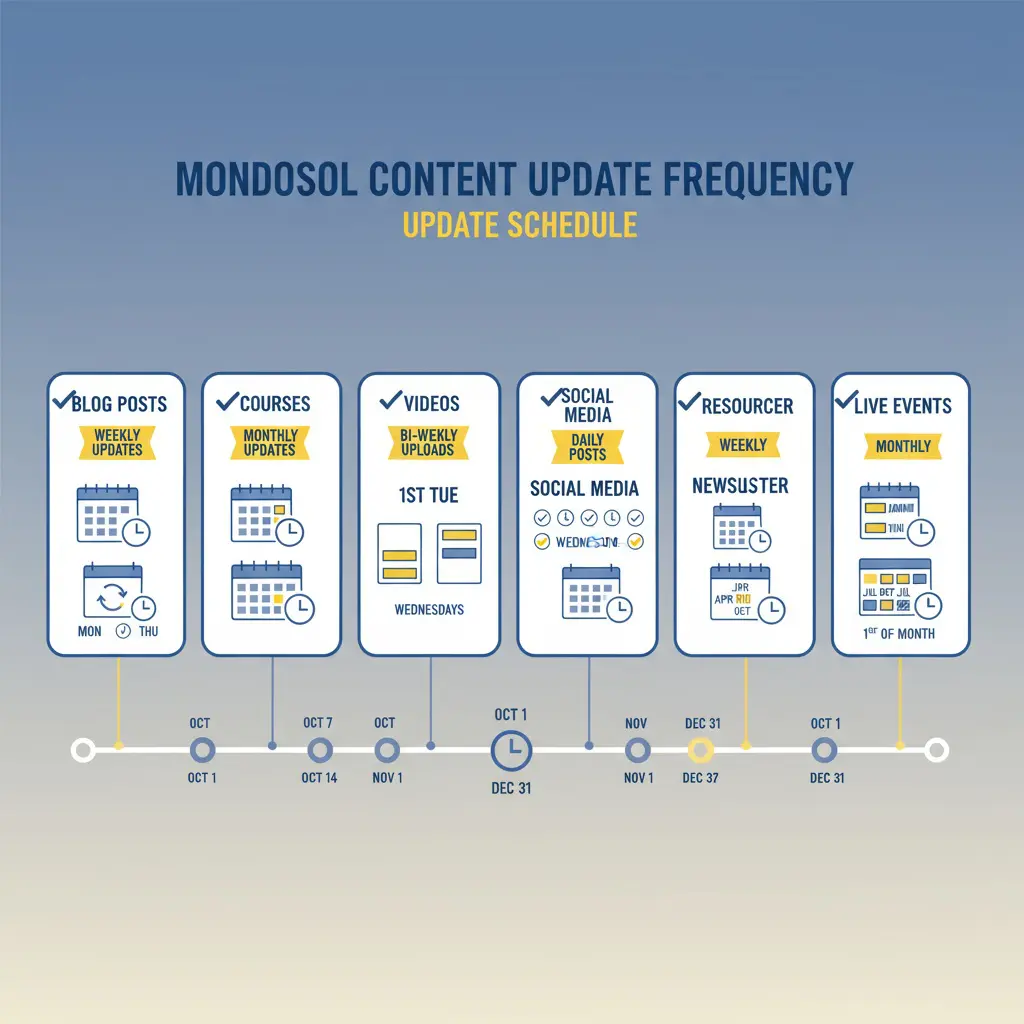
We prioritize keeping diverse learning resources relevant and fresh. Content update schedule varies by type: blog posts weekly (Fridays), courses monthly with 6-month reviews, videos bi-weekly (2-4 per month), social media daily (1-2 posts daily on Facebook, daily on Instagram, 3-5 per week on LinkedIn), email newsletter weekly (Fridays), and resources quarterly (5-10 per quarter). Every update includes fact-checking, grammar review, link verification, SEO optimization, mobile responsiveness, accessibility compliance, and user feedback integration. Quality assurance process includes content creation, peer review, fact verification, SEO optimization, link checking, final approval, publication, and monitoring. We monitor page views, engagement, user comments, search rankings, social engagement, email metrics, course completion, and satisfaction scores. High-performing content gets promoted, low-performing content revised, and feedback integrated. All content is original or properly attributed, sources cited and verified, no plagiarism, professional grammar, links maintained, mobile-friendly, accessible, GDPR compliant, and SEO optimized.
Estimated reading time: 6 minutes
We prioritize keeping our diverse learning resources relevant and fresh. Our content update schedule varies by type—blog posts weekly, courses monthly, videos bi-weekly, and social media daily. Every resource is regularly reviewed and updated to reflect the latest trends, best practices, and user feedback.
Key Takeaways
- Mondosol updates diverse learning resources regularly, including blog posts, courses, videos, social media, and newsletters.
- Blog posts get weekly updates, courses monthly, and videos bi-weekly, ensuring fresh and relevant content.
- They follow a strict quality assurance process that includes fact-checking, grammar reviews, and user feedback integration.
- Users can stay informed about updates through email newsletters, social media, and direct notifications.
- Feedback is actively incorporated, and older content is archived, updated, or removed as necessary.
Stay assured that you’re always learning from current, accurate, and high-quality content.
Table of contents
- 📅 Content Update Schedule
- 🔍 Quality Assurance Process
- 📊 Update Frequency by Content Type
- 🔔 How to Know When Content is Updated
- 🎯 Why We Update Content Regularly
- 📈 Content Performance Tracking
- 🔐 Maintaining Content Quality
- 📝 Outdated Content Policy
- ❓ Common Questions
- 🔗 Related FAQs
- 📞 Questions About Content Updates?
📅 Content Update Schedule
Blog Posts
- Frequency: Weekly (Fridays)
- New articles: 1-2 per week
- Updates to existing: Ongoing (SEO, links, data)
- Review cycle: Every 3-6 months
- Refresh: Updated with latest data, trends, examples
What gets updated:
- Statistics and research data
- Links and resources
- Examples and case studies
- SEO optimization
- Formatting and readability
Video Content
- Frequency: Bi-weekly (every 2 weeks)
- New videos: 2-4 per month
- YouTube uploads: Consistent schedule
- Playlist updates: Monthly
- Transcripts: Updated with new videos
Content types:
- Educational tutorials
- Documentary-style content
- Expert interviews
- How-to guides
- Motivational and inspirational videos
Courses
- Frequency: Monthly updates
- New courses: 1-2 per quarter
- Lesson updates: Ongoing
- Material refresh: Every 6 months
- Feedback integration: Continuous
What gets updated:
- Video content and transcripts
- Lesson materials and worksheets
- Quizzes and assessments
- Examples and case studies
- Course structure and flow
Social Media
- Frequency: Daily posts
- Facebook: 1-2 posts daily
- Instagram: Daily stories and posts
- LinkedIn: 3-5 posts per week
- YouTube: New videos bi-weekly
- X/Twitter: Regular updates
Content types:
- Daily tips and insights
- Article announcements
- Community engagement
- Event promotions
- Behind-the-scenes content
Email Newsletter
- Frequency: Weekly (Fridays)
- Content: Curated updates
- Segments: Personalized by interest
- Archive: All past newsletters available
- Frequency: Consistent weekly schedule
What’s included:
- New article announcements
- Course updates and launches
- Exclusive subscriber content
- Special offers and discounts
- Community highlights
Resources & Downloads
- Frequency: Quarterly updates
- New resources: 5-10 per quarter
- Template updates: As needed
- Guide revisions: Every 6 months
- Tool recommendations: Ongoing
Resource types:
- PDF guides and eBooks
- Excel templates and spreadsheets
- Checklists and worksheets
- Toolkits and bundles
- Tool recommendations
🔍 Quality Assurance Process
Every Update Includes:
- ✅ Fact-checking and verification
- ✅ Grammar and spelling review
- ✅ Link verification (no broken links)
- ✅ SEO optimization
- ✅ Mobile responsiveness check
- ✅ Accessibility compliance
- ✅ User feedback integration
Review Cycle
- Content creation – Original research and writing
- Peer review – Quality check by team
- Fact verification – Verify all claims and data
- SEO optimization – Yoast compliance and keyphrases
- Link check – Ensure all links work
- Final approval – Ready for publication
- Publication – Goes live on schedule
- Monitoring – Track performance and feedback
📊 Update Frequency by Content Type
| Content Type | Frequency | Review Cycle | Last Updated |
|---|---|---|---|
| Blog Posts | Weekly | Every 3-6 months | Every Friday |
| Courses | Monthly | Every 6 months | Monthly |
| Videos | Bi-weekly | Ongoing | Every 2 weeks |
| Social Media | Daily | N/A | Daily |
| Newsletter | Weekly | N/A | Every Friday |
| Resources | Quarterly | Every 6 months | Quarterly |
| Live Events | Monthly | Ongoing | Monthly |
🔔 How to Know When Content is Updated
Notification Methods
Subscribe to updates:
- Email newsletter (weekly)
- Blog notifications (as published)
- Social media (daily)
- RSS feed (automatic)
- Browser notifications (real-time)
- Course platform alerts (when enrolled)
Check update dates:
- “Last updated” date on every article
- Publication date on blog posts
- Video upload dates on YouTube
- Course lesson dates
- Resource modification dates
Follow our channels:
- Facebook (daily updates)
- Instagram (daily stories)
- LinkedIn (3-5x per week)
- YouTube (bi-weekly uploads)
- Twitter (regular updates)
🎯 Why We Update Content Regularly
Benefits of Fresh Content
- Accuracy – Latest data, trends, and best practices
- Relevance – Current examples and case studies
- SEO – Better search rankings with updated content
- User experience – Improved formatting and readability
- Compliance – Meets current standards and regulations
- Engagement – Higher user satisfaction and retention
- Authority – Establishes expertise and credibility
What Triggers Updates
- New research or data – Latest statistics and findings
- Industry changes – New trends or best practices
- User feedback – Suggestions for improvement
- Broken links – Fix outdated or dead links
- SEO improvements – Optimize for search rankings
- Formatting issues – Improve readability and mobile
- Accuracy corrections – Fix errors or outdated info
- New examples – Add current case studies
📈 Content Performance Tracking
We Monitor:
- Page views and engagement
- Time on page and bounce rate
- User comments and feedback
- Search rankings and traffic
- Social media engagement
- Email open and click rates
- Course completion rates
- User satisfaction scores
Based on Performance:
- High-performing content gets promoted
- Low-performing content gets revised
- Feedback is integrated into updates
- Outdated content is refreshed
- Popular topics get expanded
- Underperforming sections are improved
🔐 Maintaining Content Quality
Our Commitment
- ✅ All content is original or properly attributed
- ✅ Sources are cited and verified
- ✅ No plagiarism or copied content
- ✅ Grammar and spelling are professional
- ✅ Links are checked and maintained
- ✅ Mobile-friendly and accessible
- ✅ GDPR and privacy compliant
- ✅ SEO optimized for search
Standards We Follow
- Yoast SEO best practices
- Content Marketing Institute guidelines
- Google E-E-A-T standards
- Accessibility (WCAG) compliance
- Mobile-first design principles
- User experience best practices
📝 Outdated Content Policy
What We Do With Old Content
- Archive – Keep old versions for reference
- Update – Refresh with new information
- Redirect – Point to newer, better content
- Remove – Delete if no longer relevant
- Consolidate – Merge similar topics
- Expand – Add more depth and detail
How Long Content Stays Current
- Blog posts – Reviewed every 3-6 months
- Courses – Updated every 6 months minimum
- Videos – Kept current with annotations
- Resources – Refreshed quarterly
- Tools/links – Checked monthly
- Statistics – Updated annually or as new data available
❓ Common Questions
Check the “Last updated” date at the top or bottom of articles. Blog posts show publication dates. Videos show upload dates.
Yes. We update courses every 6 months and keep outdated material archived. Current content is always available.
Subscribe to our newsletter (weekly), enable blog notifications, follow social media, or enable RSS feeds for automatic updates.
Email us at eliomondello@mondosol.com with the article title and specific information that needs updating.
Absolutely! We integrate user feedback into our update cycle. Your suggestions help us improve.
We launch 1-2 new courses per quarter. Subscribe to stay informed of new course launches.
Yes. Older courses remain available but may have outdated content. We recommend taking current courses for latest information.
Most articles show the current version. For historical versions, contact us at eliomondello@mondosol.com.
🔗 Related FAQs
- How do I stay informed about new content?
- What types of content does Mondosol offer?
- How is course content organized?
📞 Questions About Content Updates?
Email us at eliomondello@mondosol.com to:
- Report outdated information
- Suggest content updates
- Request new content topics
- Ask about specific content
- Provide feedback on quality
We’re committed to keeping your learning experience fresh, relevant, and valuable! 🚀
- Regular content reviews:
Scheduled checks to ensure accuracy and relevance.
- New course additions:
Expanding offerings based on emerging trends and user needs.
- Current industry standards:
Keeping materials aligned with the latest practices and guidelines.
- User feedback integration:
Actively incorporating suggestions from you.
- Quality assurance checks:
Rigorous assessments before new content goes live.
Yes, you can access materials offline through various methods. Download PDFs, eBooks, videos, and course materials to your device and access them anytime—with or without internet. Save resources locally, use offline mode on our platform, or sync across multiple devices for seamless learning anywhere. PDF downloads available for articles, guides, eBooks, and checklists (1-5 MB typically). Video downloads for course videos, tutorials, and webinars (100 MB – 1 GB per video, HD or Standard quality). Full course downloads include all lessons, materials, quizzes (view-only), transcripts, and resources (50 MB – 2 GB). eBook and guide downloads in PDF or EPUB format (1-10 MB). Resource library downloads include templates, checklists, worksheets in Excel, Word, PDF, or Google Sheets (editable). Device compatibility includes Windows, Mac, iPad, iPhone, Android, Kindle, and external drives. Sync across devices using cloud storage (Google Drive, Dropbox, OneDrive, iCloud) or platform sync. Learn at your own pace anywhere.
Estimated reading time: 8 minutes
Yes, you can access materials offline through various methods. Download PDFs, eBooks, videos, and course materials to your device and access them anytime—with or without internet. Save resources locally, use offline mode on our platform, or sync across multiple devices for seamless learning anywhere.
Key Takeaways
- You can access materials offline by downloading PDFs, videos, eBooks, and course materials for anytime use.
- Various offline access methods include PDF downloads, video downloads, course downloads, and resource library downloads.
- Ensure you have enough device storage for the content you wish to download, as file sizes vary.
- Use cloud storage to sync your downloaded content across multiple devices automatically.
- Enjoy learning at your own pace by preparing your study materials before traveling or in areas with limited connectivity.
Learn at your own pace, even when you’re traveling, commuting, or in areas with limited connectivity.
Table of contents
📱 Offline Access Methods
PDF Downloads
- Available for: Articles, guides, eBooks, checklists
- How to download: Click “Download PDF” button on article
- File size: Varies (typically 1-5 MB)
- Compatibility: All devices (computer, tablet, phone)
- Readers: Adobe Reader, Preview, any PDF app
- Storage: Save to computer, cloud, or device
What you get:
- Full article or guide in PDF format
- Formatted for printing
- Includes images and graphics
- Clickable links (if supported by reader)
- Searchable text
Video Downloads
- Available for: Course videos, tutorials, webinars
- How to download: Click download icon on video player
- Video quality: HD (1080p) or Standard (720p)
- File size: 100 MB – 1 GB per video
- Formats: MP4, WebM (device dependent)
- Storage: Requires adequate device storage
Download options:
- HD quality – Best for large screens, more storage needed
- Standard quality – Good for mobile, less storage
- Auto-quality – Adjusts based on device and connection
- Batch download – Download multiple videos at once
Course Downloads
- Available for: Entire courses or individual lessons
- How to download: Course settings → Download for offline
- What’s included: All lessons, materials, quizzes (non-interactive)
- File size: Varies by course (50 MB – 2 GB)
- Access: View lessons, read materials, take notes
- Limitations: Quizzes non-interactive, no progress sync until online
Download includes:
- All video lessons
- Lesson transcripts
- Downloadable materials (PDFs, worksheets)
- Course structure and navigation
- Quizzes (view only, can’t submit offline)
- Notes and bookmarks
eBook & Guide Downloads
- Available for: All eBooks, guides, templates, checklists
- Formats: PDF, EPUB (where available)
- How to download: Click “Download” on product page
- File size: 1-10 MB typically
- Devices: Computer, tablet, e-reader, phone
- Readers: Any PDF/EPUB reader app
What’s included:
- Full eBook or guide content
- Images and graphics
- Table of contents (clickable in EPUB)
- Bookmarks and highlights (in EPUB)
- Searchable text
- Print-friendly formatting
Resource Library Downloads
- Available for: Templates, checklists, worksheets, toolkits
- Formats: Excel, Word, PDF, Google Sheets
- How to download: Click resource → Download button
- Editable: Yes (for Word, Excel, Google formats)
- Customizable: Edit and save your own versions
- Storage: Save locally or to cloud
Resource types:
- Excel spreadsheets and calculators
- Word document templates
- PDF checklists and worksheets
- Google Sheets (can edit online)
- Presentation templates
- Planning and tracking tools

💾 Device Storage & Management
Storage Requirements
Typical file sizes:
- PDF article: 1-5 MB
- Video lesson: 100 MB – 1 GB
- Full course: 500 MB – 2 GB
- eBook: 5-20 MB
- Resource template: 1-5 MB
Storage Tips
- Check available space – Ensure device has enough storage
- Delete old files – Remove content you no longer need
- Use cloud storage – Save to Google Drive, Dropbox, OneDrive
- Organize folders – Create folders by course or topic
- Use external storage – USB drive, SD card, external hard drive
- Archive old courses – Move completed courses to archive
- Compress files – Use ZIP to save space if needed
Device Compatibility
| Device Type | Video | Courses | eBooks | Resources | |
|---|---|---|---|---|---|
| Computer (Windows) | ✅ | ✅ | ✅ | ✅ | ✅ |
| Computer (Mac) | ✅ | ✅ | ✅ | ✅ | ✅ |
| iPad/Tablet | ✅ | ✅ | ✅ | ✅ | ✅ |
| iPhone/Android | ✅ | ✅ | ✅ | ✅ | ✅ |
| Kindle/e-reader | ✅ | ❌ | ❌ | ✅ | ❌ |
| USB/External Drive | ✅ | ✅ | ✅ | ✅ | ✅ |
🔄 Syncing Across Devices
How to Sync Content
1: Cloud Storage
- Download content to cloud service (Google Drive, Dropbox, OneDrive)
- Access from any device with internet
- Automatic sync across devices
- No manual updates needed
2: Manual Sync
- Download on primary device
- Transfer via USB, email, or cloud
- Open on secondary device
- Update manually when new versions available
3: Platform Sync
- Log into your Mondosol account on any device
- Access downloaded content from account
- Automatic sync of progress and bookmarks
- Resume learning on any device
Cloud Storage Options
- Google Drive – Free 15 GB, automatic sync, accessible anywhere
- Dropbox – Free 2 GB, seamless sync, all devices
- OneDrive – Free 5 GB (Microsoft), integrated with Windows
- iCloud – Free 5 GB, Apple devices, automatic sync
- Amazon Drive – Free unlimited for photos, paid for other files
📖 Reading Offline Content
PDF Readers
Computer:
- Adobe Acrobat Reader (free, all platforms)
- Preview (Mac built-in)
- Microsoft Edge (Windows built-in)
- Google Chrome (built-in viewer)
Mobile:
- Adobe Acrobat Reader (iOS, Android)
- Apple Books (iOS)
- Google Play Books (Android)
- Microsoft Edge (iOS, Android)
Video Players
Computer:
- VLC Media Player (free, all platforms)
- Windows Media Player (Windows)
- QuickTime (Mac)
- Any web browser
Mobile:
- VLC (iOS, Android)
- Apple TV app (iOS)
- Google Play Movies (Android)
- Built-in video app (most devices)
eBook Readers
EPUB format:
- Apple Books (iOS, Mac)
- Google Play Books (Android)
- Calibre (computer, free)
- Kindle (convert EPUB to MOBI first)
PDF format:
- Any PDF reader (see above)
- Kindle (convert PDF first)
- Most e-readers support PDF
🔐 Offline Access & Licensing
Your Rights
- ✅ Download for personal use
- ✅ Access offline on your devices
- ✅ Print materials for personal use
- ✅ Share with family members (single household)
- ✅ Use for personal learning and reference
Restrictions
- ❌ Don’t share downloads with others outside household
- ❌ Don’t redistribute or resell content
- ❌ Don’t remove copyright or attribution notices
- ❌ Don’t use for commercial purposes without license
- ❌ Don’t modify or create derivative works
License Terms
All downloaded content is licensed for personal use only. You retain the right to:
- Access content offline indefinitely
- Print for personal reference
- Use on multiple personal devices
- Share with immediate family
- Delete and re-download anytime
🎓 Offline Course Learning
Taking Courses Offline
- Download course – Go to course settings → Download for offline
- Wait for download – May take several minutes depending on size
- Access offline – Open course from device storage
- View lessons – Watch videos, read materials, take notes
- Complete quizzes – View quizzes (can’t submit offline)
- Go online – Sync progress when reconnected to internet
- Submit work – Upload assignments and quiz answers online
Offline Course Features
Available offline:
- ✅ Video lessons (downloaded)
- ✅ Lesson materials and PDFs
- ✅ Course structure and navigation
- ✅ Notes and bookmarks
- ✅ Transcripts and captions
- ✅ Quizzes (view only)
- ✅ Downloadable resources
Requires internet:
- ❌ Submit quiz answers
- ❌ Upload assignments
- ❌ Post to community forum
- ❌ Live Q&A sessions
- ❌ Sync progress (until reconnected)
- ❌ Access new course updates
Progress Tracking
- Offline: Progress saved locally on device
- Online: Progress syncs to your account
- Resuming: Continue from where you left off
- Completion: Mark complete when online to earn certificate
📝 Tips for Offline Learning
Best Practices
- Download before travel – Get content before losing connectivity
- Use high-quality videos – Download HD for better viewing
- Organize by topic – Create folders for easy navigation
- Take notes – Use note-taking app while learning offline
- Set learning goals – Plan what to study offline
- Use bookmarks – Mark important sections in PDFs
- Print if needed – Print materials for reference
- Backup files – Keep copies in cloud storage
Storage Management
- Delete videos after completing course
- Archive old courses to external drive
- Use cloud storage for backup
- Compress large files to save space
- Remove duplicate downloads
- Clean up old notes and files
❓ Common Questions
Yes! Download videos from course lessons or individual video pages. They’ll play on any device with a compatible video player.
Yes. Your notes, bookmarks, and completed lessons sync automatically when you reconnect to the internet.
Yes. Go to course settings and select “Download for offline.” All lessons, materials, and resources will download to your device.
Quizzes are view-only offline. You can review questions and take notes, but must submit answers online.
Depends on what you download. A full course is typically 500 MB – 2 GB. Check your device’s available storage before downloading.
Yes. Download to cloud storage or transfer via USB/email, then access on any device.
PDF (all devices), MP4/WebM (videos), EPUB (eBooks), Excel/Word (resources), and more depending on your device.
Yes. PDFs and documents are print-friendly. Print for personal reference or study.
No. Downloaded content works completely offline. You only need internet to download and sync progress.
Indefinitely. You can keep downloaded content as long as you have the files on your device.
🔗 Related FAQs
- How do I access learning resources?
- How is course content organized?
- What types of content does Mondosol offer?
📞 Questions About Offline Access?
Email us at eliomondello@mondosol.com to:
- Report download issues
- Ask about specific content downloads
- Request offline versions of content
- Report compatibility problems
- Suggest offline features
Download, learn, and grow—anywhere, anytime! 🚀
- Downloadable PDF guides:
Easily save and refer to guides at your convenience.
- Saved course materials:
Store resources on your device for later use.
- Printable worksheets:
Reinforce learning with hands-on activities.
- Study resources:
Carry your study materials with you, even without internet access.
- Reference documents:
Quick access to important documents for revision.
Leave a Reply