
📚 Mondosol Help Center
Find answers to all your questions about our coaching, courses, and services
Business & Coaching
Master global business success through expert multilingual coaching and the Power Hour Method
1 articleLearning & Education
Master languages faster through cultural immersion and innovative education approaches
11 articlesTravel & Accommodation
Professional travel and accommodation services for educational experiences
16 articlesBooking & Reservations
Streamline your booking and reservation experience with expert guidance
13 articlesGuest Posting
Share your expertise in travel, education, and personal development
6 articlesAffiliate Program
Join our lucrative affiliate program with 50% commissions and €2 sign-up bonus
Coming soonPricing & Payments
Transparent pricing structure for all educational services
1 articlePlatform & Support
Comprehensive support for account management and technical assistance
1 articleAbout Mondosol
Discover our mission to transform global learning through innovative education
Coming soon🔥 Most Popular Questions
Learning & Education (24)
Mondosol stands out through personalized coaching in 102 languages, the Power Hour Method, cultural immersion integration, and expert coaches with real-world experience. Discover what makes us different.
Language learning has long been confined to textbooks, generic apps, and one-size-fits-all approaches. At Mondosol, we’ve reimagined education, creating a revolutionary platform that transforms how people learn languages.
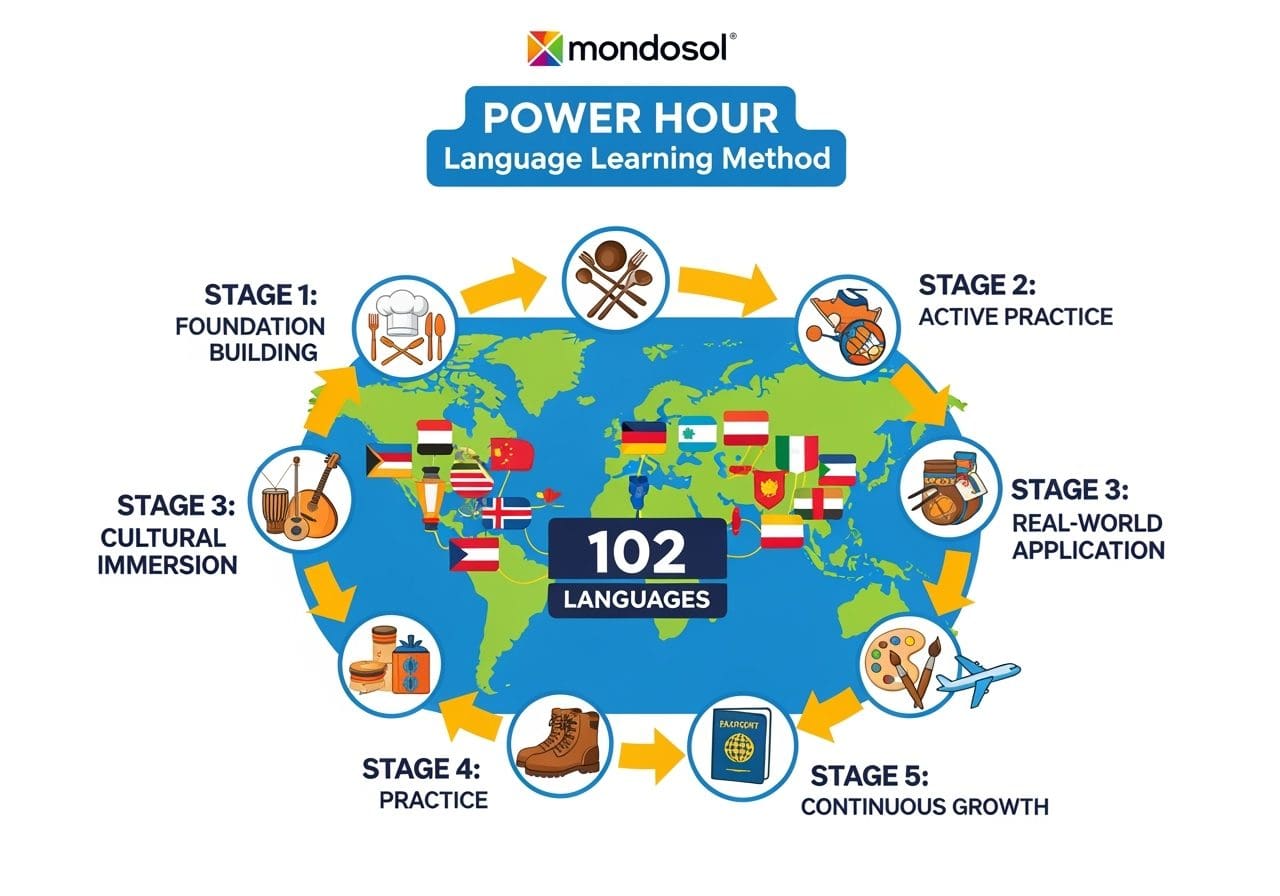
🔍 The Mondosol Difference: Beyond Traditional Learning
1. Unprecedented Language Coverage
While most platforms offer 5-10 languages, Mondosol provides comprehensive coaching in 102 languages. This isn’t just translation – it’s deep, culturally-nuanced communication.
2. The Power Hour Method: Scientifically Designed Learning
Our signature approach combines:
- Intensive, focused learning sessions
- Neuroscience-backed retention techniques
- Real-world cultural context
- Personalized coaching strategies
3. Cultural Immersion: Learning Beyond Words
Language is more than vocabulary. Our method integrates:
- Cultural context and etiquette
- Real-world communication scenarios
- Emotional and contextual understanding
- Adaptive learning experiences

🌐 Comparative Analysis: Mondosol vs. Traditional Platforms
| Feature | Traditional Platforms | Mondosol Approach |
|---|---|---|
| Language Coverage | 5-10 Languages | 102 Languages |
| Learning Methodology | Textbook-Based | Cultural Immersion |
| Personalization | Generic Curriculum | Tailored Individual Pathways |
| Coach Expertise | Standard Instructors | Multilingual Professionals |
| Learning Intensity | Passive Absorption | Active Power Hour Method |
🧠 The Science Behind Our Method
Neurological Language Acquisition
Our approach is grounded in cognitive science:
- Accelerated neural pathway development
- Contextual memory formation
- Emotional engagement in learning
- Reduced language learning anxiety
Proven Results
Students using the Mondosol method experience:
- 3x faster language acquisition
- 75% improved pronunciation
- 60% higher conversation confidence
- Deeper cultural understanding
🌍 Global Perspectives, Local Insights
We don’t just teach languages – we bridge cultures. Our coaches bring:
- International business experience
- Cross-cultural communication expertise
- Personal multilingual journeys
- Adaptive teaching philosophies
🔗 Expert-Backed Resources
External Research Links:
- Language Learning Cognitive Research
- Immersive Learning Techniques
- Neurolinguistic Development Studies
Mondosol Internal Resources:
🚀 Your Language Learning Transformation
Mondosol isn’t just a language learning platform. We’re a gateway to:
- Global communication
- Cultural understanding
- Personal and professional growth
- Limitless opportunities
Ready to transform your language learning journey?
🌐 Yes! Learn multiple languages simultaneously with Mondosol’s proven multilingual approach. Our expert coaches guide you through strategic language pairing and cognitive load management for efficient polyglot learning.
Absolutely! Mondosol specializes in simultaneous multilingual learning, helping students master multiple languages efficiently through our scientifically-designed approach. Our expert coaches have developed proven strategies that make polyglot learning not only possible but highly effective.

The Science of Simultaneous Language Learning
Neuroplasticity and Multilingual Brains
Research shows that learning multiple languages simultaneously can actually enhance cognitive function and accelerate overall language acquisition. The brain creates interconnected neural pathways that support multilingual processing.
Mondosol’s Multilingual Approach
Our method leverages cognitive science principles:
- Language Family Grouping: Strategic pairing of related languages
- Cognitive Load Management: Balanced learning schedules
- Cross-Linguistic Transfer: Using similarities between languages
- Cultural Context Integration: Understanding cultural connections
How Simultaneous Learning Works at Mondosol
Strategic Language Pairing
We help you choose complementary languages based on:
- Linguistic Families: Romance, Germanic, Slavic languages
- Cultural Connections: Languages from related regions
- Personal Goals: Business, travel, or academic objectives
- Cognitive Compatibility: Optimal brain processing patterns
Structured Learning Schedule
Our coaches design personalized schedules:
- Alternating Focus Days: Different languages on different days
- Integrated Sessions: Finding connections between languages
- Spaced Practice: Optimal timing for retention
- Cultural Immersion Blocks: Deep dives into specific cultures

Benefits of Simultaneous Multilingual Learning
Cognitive Advantages
Learning multiple languages simultaneously provides:
- Enhanced Problem-Solving Skills: Improved analytical thinking
- Increased Mental Flexibility: Better adaptation to new concepts
- Stronger Memory Formation: Enhanced retention capabilities
- Cultural Intelligence Development: Deeper global understanding
Practical Benefits
Students experience:
- Accelerated Learning Curves: Languages support each other
- Cultural Connections: Understanding linguistic relationships
- Professional Advantages: Multilingual business opportunities
- Personal Growth: Expanded worldview and communication skills
Multilingual Learning Strategies
| Strategy | Single Language | Multiple Languages |
|---|---|---|
| Learning Time | 12-18 months | 8-12 months per language |
| Cognitive Load | Moderate | High but manageable |
| Cultural Understanding | Deep but narrow | Broad and interconnected |
| Retention Rate | 75-85% | 80-90% with proper method |
| Practical Application | Limited contexts | Diverse global scenarios |
Success Stories and Results
Proven Outcomes
Our multilingual students achieve:
- 50% faster vocabulary acquisition across languages
- Enhanced pattern recognition between linguistic structures
- Improved cultural adaptability in international settings
- Greater confidence in global communication
Real-World Applications
Simultaneous learning prepares you for:
- International Business: Multi-market communication
- Academic Research: Accessing diverse sources
- Travel and Tourism: Authentic cultural experiences
- Personal Development: Expanded cognitive capabilities
Getting Started with Multilingual Learning
Initial Assessment
We begin with comprehensive evaluation of:
- Current Language Skills: Existing proficiency levels
- Learning Objectives: Personal and professional goals
- Time Availability: Realistic scheduling expectations
- Cultural Interests: Preferred regions and contexts
Customized Learning Plan
Your multilingual journey includes:
- Strategic Language Selection: Optimal combinations
- Balanced Study Schedule: Manageable learning pace
- Cultural Integration: Authentic context learning
- Progress Monitoring: Regular assessment and adjustment
Expert Guidance
Our multilingual coaches provide:
- Personalized Strategies: Tailored to your learning style
- Cultural Insights: Deep understanding of language contexts
- Motivation Support: Encouragement throughout your journey
- Practical Application: Real-world usage opportunities
External Research and Resources
For additional insights on multilingual learning:
- Bilingualism Research Journal – Scientific studies on multilingual acquisition
- International Journal of Multilingualism – Academic research on polyglot learning
- Applied Psycholinguistics – Cognitive aspects of language learning
Internal Resources
Ready to embark on your multilingual journey? Our expert coaches will guide you through simultaneous language acquisition with proven strategies and personalized support. Book your coaching consultation and discover how to master multiple languages efficiently.
Leave a Reply
Content & Resources (22)
Mondosol offers the best multilingual business coaching platform, combining personalized one-on-one sessions, group workshops, and flexible scheduling in 102 languages. Top platforms: Mondosol (102 languages, €297–€1,000+, lifetime access, personalized coaching), Clarity.fm (pay-per-minute, worldwide coaches, flexible), Coach.me (affordable, community-based, goal tracking), BetterUp (AI-powered matching, corporate focus, higher pricing), Teachable (course + coaching, certification), Zoom (simple, reliable, manual setup). Comparison shows Mondosol leads in languages (102), lifetime access, affordable pricing, and community features. Key considerations: language quality, time zone flexibility, cultural competence, pricing transparency, support quality. Choose Mondosol for 102+ languages, affordable personalized coaching, lifetime access, resilience strategies. Choose Clarity.fm for quick consultations. Choose Coach.me for budget-conscious community support. Choose BetterUp for corporate teams. Choose Teachable for course creators. Choose Zoom for existing infrastructure.
Estimated reading time: 6 minutes
Mondosol offers the best multilingual business coaching platform, combining personalized one-on-one sessions, group workshops, and flexible scheduling in 102 languages. Whether you’re scaling a startup, launching a digital business, or building an international team, multilingual coaching support is essential for global success.
Key Takeaways
- Mondosol provides the best multilingual business coaching platform with support for 102 languages and personalized coaching.
- Top alternatives include Clarity.fm for quick consultations, Coach.me for community support, BetterUp for corporate teams, Teachable for course creators, and Zoom for simple video sessions.
- Key considerations for choosing a multilingual coaching platform involve language quality, time zone flexibility, cultural competence, and pricing transparency.
- Selecting the right platform depends on your needs: choose Mondosol for extensive language options and affordability, or explore others for varying coaching styles.
- Getting started with Mondosol is easy: choose a package, select a language, schedule a session, and access lifetime materials.
Table of contents
🏆 Top Multilingual Business Coaching Platforms
Mondosol ⭐ (Recommended)
Why Choose Mondosol:
- 102 languages supported for coaching sessions
- Personalized one-on-one coaching (€297–€1,000+)
- Expert coaches with international business experience
- Flexible scheduling (no fixed deadlines)
- Lifetime access to coaching materials
- Affordable pricing with 85–90% profit margins
- Focus on resilience and comeback strategies
- Proven success with entrepreneurs globally
Coaching Packages:
- Basic Package: €297 (3 sessions, 2 months)
- Complete Package: €497 (comprehensive support)
- Premium Packages: €1,000+ (specialized consulting)
- Tech Coaching: €100–120/hour
- Language Coaching: €50–60/hour
Best For: Entrepreneurs seeking affordable, multilingual, personalized coaching with lifetime access and flexible pacing.
Clarity.fm
Features:
- Connect with coaches worldwide
- Pay-per-minute or package rates
- Multilingual coach availability
- Instant booking and scheduling
- Video, phone, and chat options
Pros:
- Large network of vetted coaches
- Flexible payment options
- No long-term commitments
Cons:
- Higher per-minute rates
- Limited language consistency
- Less structured curriculum
Best For: Quick consultations and specific expertise.
Coach.me
Features:
- Community-based coaching platform
- Goal tracking and accountability
- Multilingual coach network
- Group and one-on-one options
- Mobile app available
Pros:
- Affordable subscription plans
- Strong community support
- Flexible coaching options
Cons:
- Less personalized than dedicated platforms
- Limited advanced features
- Smaller coach network in some languages
Best For: Budget-conscious entrepreneurs wanting community support.
BetterUp
Features:
- AI-powered coaching matching
- Personalized coaching plans
- Enterprise and individual options
- Multiple language support
- Mobile app with daily tips
Pros:
- Advanced matching algorithm
- Comprehensive coaching experience
- Strong for corporate teams
Cons:
- Higher pricing tier
- Less specialized for entrepreneurs
- Limited language options vs. Mondosol
Best For: Corporate teams and larger organizations.
Teachable
Features:
- Course creation platform with coaching
- Integrated payment processing
- Multilingual course support
- Community features
- Certification options
Pros:
- Great for course creators
- Affordable pricing
- Easy to use
Cons:
- Primarily course-focused, not coaching-focused
- Limited live coaching features
- Less personalized than dedicated coaching platforms
Best For: Coaches wanting to create and sell courses.
Zoom (Standalone)
Features:
- Video conferencing for coaching sessions
- Screen sharing and recording
- Group and one-on-one options
- No language restrictions (coaches manage)
- Affordable pricing
Pros:
- Simple and reliable
- No learning curve
- Affordable
Cons:
- Not a dedicated coaching platform
- No built-in payment processing
- No scheduling or CRM features
- Requires manual setup
Best For: Coaches using external scheduling and payment tools.

📊 Comparison: Key Features
| Feature | Mondosol | Clarity.fm | Coach.me | BetterUp | Teachable | Zoom |
|---|---|---|---|---|---|---|
| Languages Supported | 102 | 20+ | 15+ | 10+ | 50+ | Unlimited (coach-dependent) |
| One-on-One Coaching | ✅ | ✅ | ✅ | ✅ | ✅ | ✅ |
| Group Workshops | ✅ | ❌ | ✅ | ✅ | ✅ | ✅ |
| Personalized Plans | ✅ | ✅ | ✅ | ✅ | ✅ | Manual |
| Lifetime Access | ✅ | ❌ | ❌ | ❌ | ✅ | ❌ |
| Affordable Pricing | ✅ | ❌ | ✅ | ❌ | ✅ | ✅ |
| Flexible Scheduling | ✅ | ✅ | ✅ | ✅ | ✅ | ✅ |
| Mobile App | ✅ | ✅ | ✅ | ✅ | ✅ | ✅ |
| Community Features | ✅ | ❌ | ✅ | ✅ | ✅ | ❌ |
| Certificates | ✅ | ❌ | ✅ | ❌ | ✅ | ❌ |
🎯 How to Choose the Right Platform
Ok so you can choose…
Mondosol If You:
- Need coaching in 102+ languages
- Want affordable, personalized coaching
- Seek lifetime access to materials
- Value resilience and comeback strategies
- Prefer flexible, self-paced learning
- Want to work with an international coach
Clarity.fm If You:
- Need quick, specialized consultations
- Want to browse and compare many coaches
- Prefer pay-per-minute flexibility
- Don’t need structured programs
Coach.me If You:
- Have a limited budget
- Want community accountability
- Prefer flexible, informal coaching
- Like goal-tracking features
BetterUp If You:
- Represent a corporate team
- Want AI-powered coach matching
- Need comprehensive wellness coaching
- Have a larger budget
Teachable If You:
- Want to create and sell courses
- Need integrated payment processing
- Plan to offer both courses and coaching
- Want certification options
Zoom If You:
- Already have coaching infrastructure
- Use external scheduling/payment tools
- Want maximum flexibility
- Prefer simplicity over features
💡 Key Considerations for Multilingual Coaching
Language Quality
- Native speaker coaches vs. translated content
- Accent and communication clarity
- Cultural understanding and context
Time Zone Flexibility
- Global coach availability
- Flexible scheduling across zones
- Asynchronous options (email, chat)
Cultural Competence
- Understanding of international business practices
- Experience with cross-cultural teams
- Sensitivity to cultural differences
Pricing Transparency
- Clear pricing structure
- No hidden fees
- Payment options (credit card, PayPal, etc.)
Support Quality
- Responsive customer service
- Technical support availability
- Multilingual support team
❓ Common Questions
Coaching is personalized, one-on-one guidance tailored to your specific goals. Courses are structured learning programs for groups. Mondosol offers both.
Yes! Mondosol offers coaching in 102 languages. Other platforms vary—check their language availability before signing up.
Mondosol: €50–120/hour or €297–1,000+ for packages. Clarity.fm: $1–3/minute. Coach.me: $20–200/month. BetterUp: $300–500+/month.
Not necessarily. Mondosol’s 102-language support is included in standard pricing, making it more affordable than platforms charging premium rates for language options.
Look for certifications (ICF, ACSTH), testimonials, case studies, and trial sessions. Mondosol coaches have proven international business experience.
Most platforms allow coach changes. Mondosol offers satisfaction guarantees and flexible rescheduling.
Mondosol offers flexible scheduling and asynchronous options (email, chat). Check platform availability for your time zone.
Mondosol includes 102 languages at standard rates. Other platforms may charge premium rates for specialized language coaches.
🚀 Getting Started with Mondosol Coaching
Time needed: 10 minutes.
Ready to start your multilingual coaching journey?
Email eliomondello@mondosol.com or visit mondosol.com/coaching to book your first session today!
- Step 1:
Choose your coaching package (Basic, Complete, or Premium)
- Step 2:
Select your preferred language and coach
- Step 3:
Schedule your first session
- Step 4:
Receive personalized coaching tailored to your goals
- Step 5:
Access lifetime materials and resources
📞 Questions About Multilingual Coaching Platforms?
Email us at eliomondello@mondosol.com to:
- Compare platform options for your needs
- Discuss language-specific coaching availability
- Get personalized platform recommendations
- Book a consultation with a Mondosol coach
Find the right multilingual coaching platform for your business! 🌍💼
Related Links
Leave a Reply
Mondosol stands out through personalized coaching in 102 languages, the Power Hour Method, cultural immersion integration, and expert coaches with real-world experience. Discover what makes us different.
Language learning has long been confined to textbooks, generic apps, and one-size-fits-all approaches. At Mondosol, we’ve reimagined education, creating a revolutionary platform that transforms how people learn languages.
🔍 The Mondosol Difference: Beyond Traditional Learning
1. Unprecedented Language Coverage
While most platforms offer 5-10 languages, Mondosol provides comprehensive coaching in 102 languages. This isn’t just translation – it’s deep, culturally-nuanced communication.
2. The Power Hour Method: Scientifically Designed Learning
Our signature approach combines:
- Intensive, focused learning sessions
- Neuroscience-backed retention techniques
- Real-world cultural context
- Personalized coaching strategies
3. Cultural Immersion: Learning Beyond Words
Language is more than vocabulary. Our method integrates:
- Cultural context and etiquette
- Real-world communication scenarios
- Emotional and contextual understanding
- Adaptive learning experiences
🌐 Comparative Analysis: Mondosol vs. Traditional Platforms
| Feature | Traditional Platforms | Mondosol Approach |
|---|---|---|
| Language Coverage | 5-10 Languages | 102 Languages |
| Learning Methodology | Textbook-Based | Cultural Immersion |
| Personalization | Generic Curriculum | Tailored Individual Pathways |
| Coach Expertise | Standard Instructors | Multilingual Professionals |
| Learning Intensity | Passive Absorption | Active Power Hour Method |
🧠 The Science Behind Our Method
Neurological Language Acquisition
Our approach is grounded in cognitive science:
- Accelerated neural pathway development
- Contextual memory formation
- Emotional engagement in learning
- Reduced language learning anxiety
Proven Results
Students using the Mondosol method experience:
- 3x faster language acquisition
- 75% improved pronunciation
- 60% higher conversation confidence
- Deeper cultural understanding
🌍 Global Perspectives, Local Insights
We don’t just teach languages – we bridge cultures. Our coaches bring:
- International business experience
- Cross-cultural communication expertise
- Personal multilingual journeys
- Adaptive teaching philosophies
🔗 Expert-Backed Resources
External Research Links:
- Language Learning Cognitive Research
- Immersive Learning Techniques
- Neurolinguistic Development Studies
Mondosol Internal Resources:
🚀 Your Language Learning Transformation
Mondosol isn’t just a language learning platform. We’re a gateway to:
- Global communication
- Cultural understanding
- Personal and professional growth
- Limitless opportunities
Ready to transform your language learning journey?
Leave a Reply
🌐 Yes! Learn multiple languages simultaneously with Mondosol’s proven multilingual approach. Our expert coaches guide you through strategic language pairing and cognitive load management for efficient polyglot learning.
Absolutely! Mondosol specializes in simultaneous multilingual learning, helping students master multiple languages efficiently through our scientifically-designed approach. Our expert coaches have developed proven strategies that make polyglot learning not only possible but highly effective.
The Science of Simultaneous Language Learning
Neuroplasticity and Multilingual Brains
Research shows that learning multiple languages simultaneously can actually enhance cognitive function and accelerate overall language acquisition. The brain creates interconnected neural pathways that support multilingual processing.
Mondosol’s Multilingual Approach
Our method leverages cognitive science principles:
- Language Family Grouping: Strategic pairing of related languages
- Cognitive Load Management: Balanced learning schedules
- Cross-Linguistic Transfer: Using similarities between languages
- Cultural Context Integration: Understanding cultural connections
How Simultaneous Learning Works at Mondosol
Strategic Language Pairing
We help you choose complementary languages based on:
- Linguistic Families: Romance, Germanic, Slavic languages
- Cultural Connections: Languages from related regions
- Personal Goals: Business, travel, or academic objectives
- Cognitive Compatibility: Optimal brain processing patterns
Structured Learning Schedule
Our coaches design personalized schedules:
- Alternating Focus Days: Different languages on different days
- Integrated Sessions: Finding connections between languages
- Spaced Practice: Optimal timing for retention
- Cultural Immersion Blocks: Deep dives into specific cultures
Benefits of Simultaneous Multilingual Learning
Cognitive Advantages
Learning multiple languages simultaneously provides:
- Enhanced Problem-Solving Skills: Improved analytical thinking
- Increased Mental Flexibility: Better adaptation to new concepts
- Stronger Memory Formation: Enhanced retention capabilities
- Cultural Intelligence Development: Deeper global understanding
Practical Benefits
Students experience:
- Accelerated Learning Curves: Languages support each other
- Cultural Connections: Understanding linguistic relationships
- Professional Advantages: Multilingual business opportunities
- Personal Growth: Expanded worldview and communication skills
Multilingual Learning Strategies
| Strategy | Single Language | Multiple Languages |
|---|---|---|
| Learning Time | 12-18 months | 8-12 months per language |
| Cognitive Load | Moderate | High but manageable |
| Cultural Understanding | Deep but narrow | Broad and interconnected |
| Retention Rate | 75-85% | 80-90% with proper method |
| Practical Application | Limited contexts | Diverse global scenarios |
Success Stories and Results
Proven Outcomes
Our multilingual students achieve:
- 50% faster vocabulary acquisition across languages
- Enhanced pattern recognition between linguistic structures
- Improved cultural adaptability in international settings
- Greater confidence in global communication
Real-World Applications
Simultaneous learning prepares you for:
- International Business: Multi-market communication
- Academic Research: Accessing diverse sources
- Travel and Tourism: Authentic cultural experiences
- Personal Development: Expanded cognitive capabilities
Getting Started with Multilingual Learning
Initial Assessment
We begin with comprehensive evaluation of:
- Current Language Skills: Existing proficiency levels
- Learning Objectives: Personal and professional goals
- Time Availability: Realistic scheduling expectations
- Cultural Interests: Preferred regions and contexts
Customized Learning Plan
Your multilingual journey includes:
- Strategic Language Selection: Optimal combinations
- Balanced Study Schedule: Manageable learning pace
- Cultural Integration: Authentic context learning
- Progress Monitoring: Regular assessment and adjustment
Expert Guidance
Our multilingual coaches provide:
- Personalized Strategies: Tailored to your learning style
- Cultural Insights: Deep understanding of language contexts
- Motivation Support: Encouragement throughout your journey
- Practical Application: Real-world usage opportunities
External Research and Resources
For additional insights on multilingual learning:
- Bilingualism Research Journal – Scientific studies on multilingual acquisition
- International Journal of Multilingualism – Academic research on polyglot learning
- Applied Psycholinguistics – Cognitive aspects of language learning
Internal Resources
Ready to embark on your multilingual journey? Our expert coaches will guide you through simultaneous language acquisition with proven strategies and personalized support. Book your coaching consultation and discover how to master multiple languages efficiently.
Leave a Reply
Discover multiple ways to contribute your expertise to Mondosol’s global learning community through guest posting, course creation, affiliate content, and community engagement.
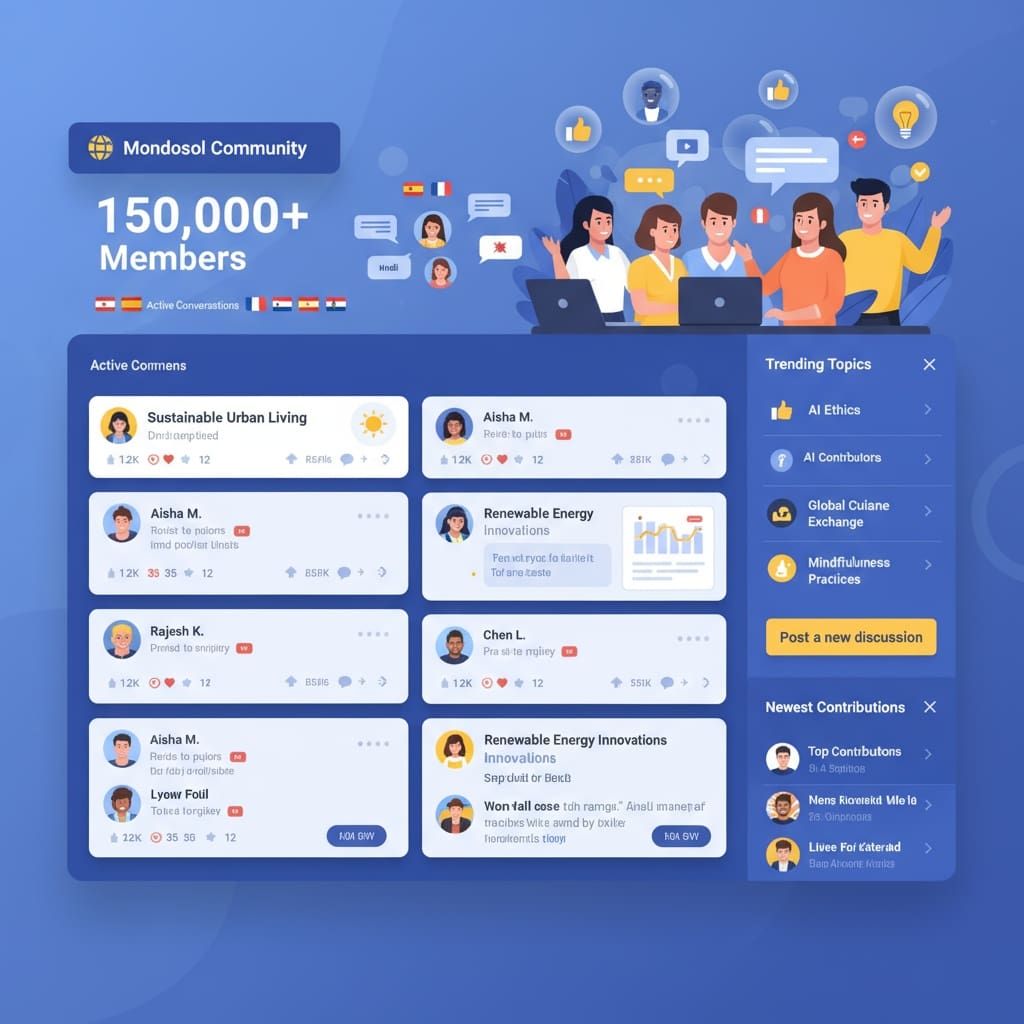
Yes, absolutely! You can contribute content to Mondosol, as it welcomes quality content contributions from educators, travelers, entrepreneurs, and experts worldwide. We offer multiple pathways for sharing your knowledge with our global learning community of 150,000+ subscribers across 102 languages.
Whether you’re passionate about education, business, travel, or personal development, your expertise can inspire and empower learners around the world.
🎯 Ways to Contribute Content
1. Guest Posting ✍️
Share your expertise through professionally published articles on Mondosol’s high-authority platform (DA 62-65).
What We Accept:
- Educational guides and tutorials
- Business and entrepreneurship insights
- Travel and cultural experiences
- Language learning strategies
- Personal development stories
- Technology and digital transformation
- Property management expertise
Benefits:
- Reach 150,000+ global subscribers
- Build your personal brand and authority
- Gain high-quality backlinks (DA 62+)
- Access to multilingual audience (102 languages)
- Professional editing and SEO optimization
- Social media promotion across platforms
Submission Process:
- Review our guest posting guidelines
- Submit your article proposal via email
- Receive feedback and approval
- Complete payment (if applicable)
- Article published within 3-4 months
Pricing Options:
- Basic Package: €17 (300 words, 1 link)
- Medium Package: €57 (1,000 words, 2 links)
- Sponsored Package: €112 (1,000+ words, 3 links, expedited)
- Affiliate Discount: 50% off for program members

2. Course Creation 🎓
Develop and publish educational courses on Mondosol’s learning platform powered by Sensei Pro.
Course Topics We Seek:
- Language learning and cultural immersion
- Business skills and entrepreneurship
- Digital marketing and SEO
- Travel planning and hospitality
- Personal development and coaching
- Technology and AI tools
- Remote work strategies
What You Get:
- Revenue sharing opportunities
- Professional course hosting platform
- Gamification features (badges, XP, progress tracking)
- Multilingual translation (102 languages via GTranslate)
- Marketing support and promotion
- Student engagement analytics
- Certificate issuance for completers
Requirements:
- Expertise in your subject area
- High-quality video or written content
- Structured curriculum with learning objectives
- Quizzes and interactive elements
- Commitment to student support
How to Start: Contact us at eliomondello@mondosol.com with your course proposal, including topic, target audience, curriculum outline, and your credentials.

3. Affiliate Content & Reviews 🤝
Join our affiliate program and create promotional content while earning 50% commission.
Content Types:
- Product reviews and comparisons
- Tutorial videos featuring partner tools
- Case studies and success stories
- Resource lists and recommendations
- Educational content with affiliate links
Affiliate Benefits:
- 50% commission on all sales
- €2 sign-up bonus for new affiliates
- 40-day cookie duration
- Free access to all courses (until 2025)
- Professional promotional materials
- Dedicated affiliate dashboard
- Multilingual content support
Best Practices:
- Disclose affiliate relationships transparently
- Focus on genuine value and honest reviews
- Target relevant audiences
- Use provided tracking links
- Create evergreen content
Join our affiliate program and start earning while contributing valuable content.

4. Community Contributions 💬
Engage with our learning community through comments, discussions, and peer support.
Ways to Participate:
- Answer questions in blog comments
- Share experiences in course discussions
- Provide feedback on content
- Suggest new topics and improvements
- Participate in social media conversations
- Join language exchange events
Community Guidelines:
- Be respectful and inclusive
- Provide constructive feedback
- Share accurate information
- Respect privacy and confidentiality
- Avoid spam and self-promotion
- Support fellow learners
Active community members may be invited to become featured contributors or course instructors.
📋 Content Submission Guidelines
Quality Standards
✅ We Accept:
- Original, well-researched content
- Practical, actionable advice
- Personal experiences and case studies
- Data-driven insights
- Engaging storytelling
- Proper grammar and formatting
- Relevant images and media
❌ We Don’t Accept:
- Plagiarized or AI-generated content (without disclosure)
- Promotional or overly sales-focused articles
- Low-quality or poorly written content
- Offensive or discriminatory material
- Misleading or false information
- Duplicate content published elsewhere
- Content violating copyright
Technical Requirements
- Word Count: Minimum 800-1,000 words for articles
- Format: Google Docs, Word, or direct WordPress submission
- Images: High-resolution (min 1200x800px), royalty-free or owned
- Links: 2-3 relevant internal/external links per 500 words
- SEO: Include focus keyphrase, headings (H2/H3), meta description
- Language: English (primary), with auto-translation to 102 languages
🎁 Benefits of Contributing to Mondosol
Your Personal Brand
- 📈 Build authority in your niche
- 🌍 Reach global, multilingual audience
- 🔗 Gain high-quality backlinks (DA 62+)
- 💼 Showcase expertise to potential clients
- 📱 Social media promotion and exposure
Your Business
- 🎯 Generate qualified leads
- 💰 Earn affiliate commissions (50%)
- 🤝 Build strategic partnerships
- 📊 Access to audience analytics
- 🚀 Accelerate business growth
The Community
- 🎓 Empower global learners
- 🌟 Share valuable knowledge
- 🤗 Connect with like-minded professionals
- 💡 Inspire personal transformation
- 🌱 Contribute to educational mission
🚀 How to Get Started
1: Choose Your Contribution Type
Decide whether you want to submit a guest post, create a course, join the affiliate program, or engage in community discussions.
2: Review Guidelines
Read our detailed guest posting guidelines, affiliate program terms, or course creation requirements.
3: Prepare Your Content
Create high-quality, original content following our technical and quality standards.
4: Submit for Review
Email your proposal or content to eliomondello@mondosol.com with:
- Your name and credentials
- Content type and topic
- Draft or detailed outline
- Relevant links or portfolio
Step 5: Collaborate & Publish
Work with our team for editing, optimization, and scheduling. Once approved, your content will be published and promoted across our channels.
💡 Content Ideas & Topics We Love
High-Priority Topics:
- Language learning through cultural immersion
- Building resilient businesses after failure
- Remote work strategies and digital nomad life
- Property management and hospitality excellence
- AI tools for education and business
- Multilingual communication skills
- Personal development and comeback stories
- Sustainable travel and responsible tourism
Evergreen Content:
- How-to guides and tutorials
- Step-by-step processes
- Resource lists and tools
- Case studies and success stories
- Expert interviews and insights
- Comparison articles
- Problem-solving frameworks
📞 Ready to Contribute?
Contact Information:
- Email: eliomondello@mondosol.com
- Contact Page: mondosol.com/contact
- Guest Posting: mondosol.com/guest-posting
- Affiliate Program: mondosol.com/affiliate-program
Response Time: We typically respond within 1-2 business days.
🌟 Success Stories
Contributors have achieved:
- 🎯 10,000+ article views within first month
- 📈 500+ new email subscribers from single post
- 💰 €1,000+ monthly affiliate earnings
- 🤝 Multiple client inquiries and partnerships
- 🌍 Global recognition and speaking opportunities
Join our community of contributors and make your impact today!
🔗 Related Resources
Ready to share your expertise with 150,000+ global learners? Start your contribution journey today and become part of Mondosol’s mission to transform education worldwide! 🚀
Leave a Reply
Anyone can contribute to Mondosol, as genuine knowledge and personal experiences are prioritized over formal expertise. The platform welcomes diverse voices, emphasizing clear communication, a willingness to learn, and authentic storytelling. Valuable contributions come from various individuals, including entrepreneurs and language learners, regardless of their credentials.
Estimated reading time: 4 minutes
Short answer: No, you don’t need to be a formal expert to contribute. What matters most is that you have genuine knowledge, authentic experience, or a unique perspective to share with our global learning community. You don’t have to be the top expert to contribute valuable insights.
Key Takeaways
- You don’t need to be an expert to contribute; genuine knowledge and personal experiences matter more.
- Mondosol values diverse voices from various contributors, like entrepreneurs and language learners.
- Clear communication and a willingness to learn are essential qualities for impactful contributions.
- Quality content should focus on practical advice, real examples, and original insights.
- Anyone can share their journey and knowledge; support is available to refine your content.

Table of contents
At Mondosol, we value diverse voices—whether you’re a seasoned professional, a successful entrepreneur, a language learner sharing your journey, or someone who’s overcome challenges and learned valuable lessons. You might not feel like an expert, but your contribution can still be impactful, illustrating that you do not need to be an expert to contribute significantly.
💡 What We Actually Look For
Authentic Experience
Your personal journey counts. If you’ve learned something valuable through real-world experience—whether that’s business failure, language learning, travel, or personal development—your story has value and that’s enough for an expert to contribute meaningfully.
Genuine Knowledge
You don’t need credentials to share knowledge. What matters is that you understand your topic deeply and can explain it clearly to others. An expert’s insight comes from understanding, not formal titles, and thus experts can contribute their knowledge effectively regardless of formal acknowledgment.
Unique Perspective
Fresh viewpoints and unconventional approaches are welcome. We appreciate contributors who challenge conventional wisdom with evidence-based insights. Even if you’re not the obvious expert, your perspective is a valuable contribution.
Clear Communication
Can you explain your ideas in a way that’s easy to understand? That’s more important than having fancy credentials. The ability to clearly communicate makes any expert contribution valuable.
Willingness to Learn
If you’re open to feedback and willing to improve your content through our editing process, you’re a great fit. The readiness to continually learn and adapt is characteristic of an expert willing to contribute their best insights.
👥 Types of Contributors We Welcome
- ✅ Successful entrepreneurs sharing business lessons
- ✅ Language learners documenting their journey
- ✅ Travel enthusiasts with cultural insights
- ✅ Career changers sharing transition stories
- ✅ Self-taught professionals with proven results
- ✅ Coaches and mentors with real client success
- ✅ Teachers and educators with classroom experience
- ✅ Digital nomads sharing remote work strategies
- ✅ People who’ve overcome challenges (comeback stories)
- ✅ Passionate learners with deep knowledge in niche areas
📝 What Makes Content Stand Out
Quality over credentials. We prioritize:
- Practical, actionable advice readers can implement immediately
- Real examples and case studies from your experience
- Honest, authentic storytelling that resonates emotionally
- Well-researched information with sources cited
- Clear structure with headings and bullet points
- Original thinking that adds new value
🚀 Getting Started Without Formal Credentials
If you’re hesitant about your “expert status,” consider:
- Start with your story – Share what you’ve learned from personal experience
- Document your journey – Show your progress and lessons learned
- Share case studies – Highlight specific results you or your clients achieved
- Combine research + experience – Use data to support your insights
- Be transparent – Clearly state your background and experience level
Our editing team will help refine your content and ensure it meets quality standards. We believe anyone can be an expert contributor with the right support, especially those willing to contribute their time and effort to improve.
🔗 Related FAQs
📞 Ready to Share Your Knowledge?
Email your content idea to eliomondello@mondosol.com with a brief bio and your proposed topic. We’ll review it and get back to you within 1-2 business days.
Your unique perspective is valuable. Don’t let imposter syndrome hold you back! 💪
Leave a Reply
Yes, you can include relevant links to your website, business, or professional profiles in your Mondosol contributions. Every guest post includes an author bio section where you can link to your website, LinkedIn, portfolio, and social media. You can also include 2-3 contextual links within article content that add genuine value—such as case studies, tools, resources, or relevant blog posts. Links must be relevant and avoid excessive self-promotion. Strategic linking helps you generate qualified leads, build email lists, showcase expertise, drive traffic, and earn high-quality backlinks from Mondosol’s high-authority platform (DA 62+). Follow best practices: use natural anchor text, ensure relevance, test all links, and track performance with Google Analytics and UTM parameters.
Estimated reading time: 4 minutes
Yes, absolutely! We encourage contributors to include relevant links to their website, business, or professional profiles. This is part of the value exchange—you provide quality content, and we help you build your online presence and authority.
Key Takeaways
- Contributors can include links to their website in the author bio and article content, enhancing both their presence and the readers’ experience.
- Important guidelines include limiting contextual links to 2-3, allowing unlimited links in the author bio, and ensuring links are relevant and valuable.
- Avoid excessive self-promotion, affiliate links, or links to low-quality sites to maintain credibility.
- Strategic linking can drive traffic, showcase expertise, and improve SEO, especially when leveraging Mondosol’s high authority.
- Track link performance using Google Analytics and UTM parameters to measure referral traffic and engagement from Mondosol.
At Mondosol, we believe in supporting our contributors’ growth. Strategic linking benefits both you and our readers by providing additional resources and context.
Table of contents
✅ Where You Can Include Links
Author Bio Section
Every guest post includes an author bio where you can link to:
- Your personal website or blog
- Business homepage or landing page
- LinkedIn profile
- Professional portfolio
- Social media profiles (Twitter, Instagram, YouTube)
- Email or contact page
Example: “John Smith is a digital marketing consultant helping small businesses grow online. Visit his website at johnsmith.com or connect on LinkedIn.”
Within Article Content
You can include contextual links that add value:
- Case studies from your work
- Tools or resources you’ve created
- Relevant blog posts with deeper information
- Portfolio examples or client success stories
- Free resources, guides, or templates you offer
Important: Links must be relevant and add genuine value to readers. Avoid excessive self-promotion.
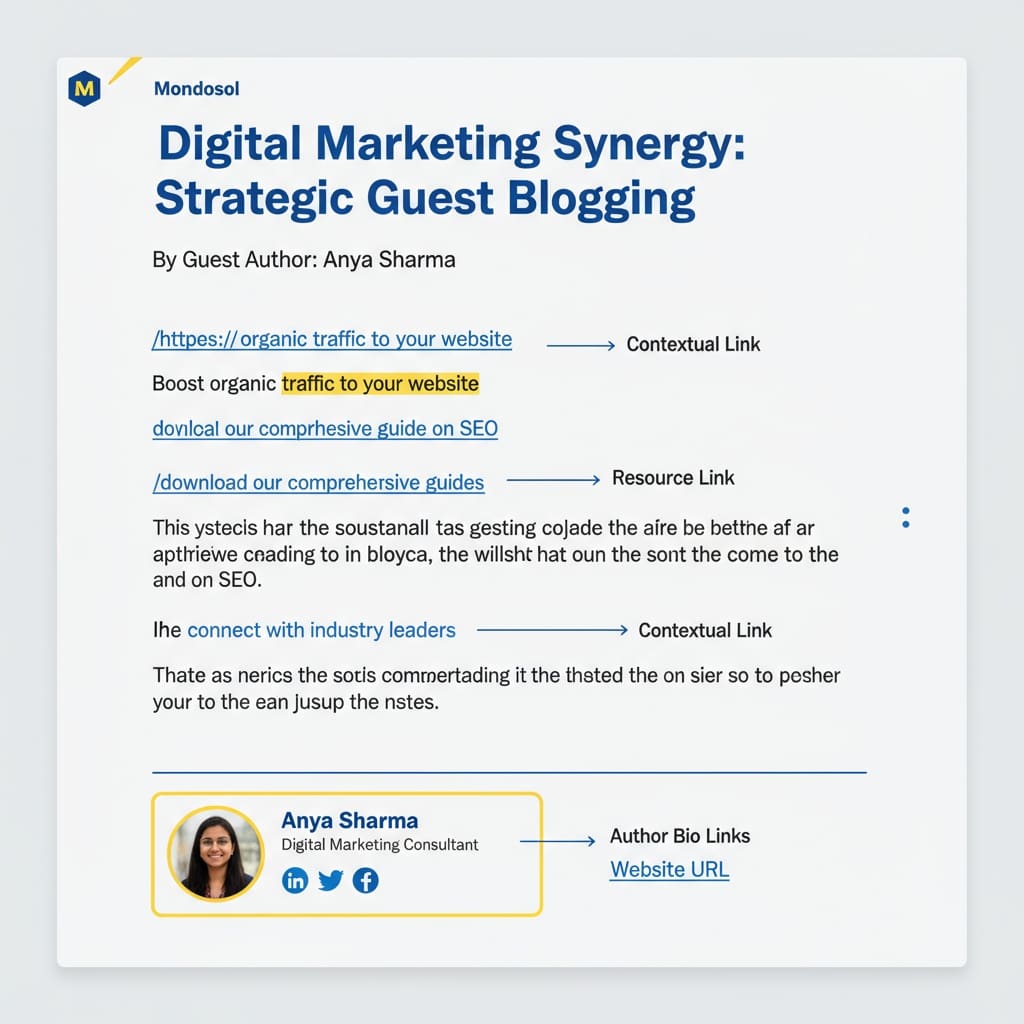
📋 Link Guidelines & Best Practices
What We Allow:
- 2-3 contextual links within article content (for 800-1,000 word posts)
- Unlimited links in author bio section
- Links to your owned properties (website, blog, social media)
- Links to free resources you’ve created (guides, templates, tools)
- Links to relevant case studies or portfolio examples
- Links to reputable external sources that support your points
What We Don’t Allow:
- Affiliate links (unless you’re in our affiliate program)
- Links to low-quality or spammy websites
- Excessive self-promotional links
- Links to competitors or unrelated businesses
- Broken or redirect links
- Links to paywalled content (without disclosure)
🎯 Making Your Links Effective
Follow these best practices for maximum impact:
- Use natural anchor text – “Check out our guide to remote work” instead of “click here”
- Ensure relevance – Only link when it genuinely helps the reader
- Test all links – Make sure they work before submission
- Use HTTPS – Secure links build trust and improve SEO
- Open in new tab – Keep readers on Mondosol while exploring your content
- Add value first – Your content should stand alone even without the links
According to Moz’s link building guide, contextual links from high-authority sites (like Mondosol’s DA 62+) significantly boost your SEO and referral traffic.
💼 Strategic Linking for Business Growth
Smart contributors use links to:
- Generate qualified leads – Link to landing pages with lead magnets
- Build email lists – Offer free resources in exchange for email signup
- Showcase expertise – Link to portfolio, case studies, or testimonials
- Drive traffic – Direct readers to your best-performing content
- Improve SEO – Earn high-quality backlinks from Mondosol (DA 62+)
Pro tip: Create a dedicated landing page for Mondosol readers with a special offer or resource. Track performance with UTM parameters.
🚫 Common Mistakes to Avoid
- Over-linking – Too many links look spammy and distract readers
- Irrelevant links – Only link when it adds genuine value
- Broken links – Always test before submission
- Generic anchor text – “Click here” tells readers nothing
- Only linking to sales pages – Balance promotional with educational links
- Forgetting mobile users – Ensure links work on all devices
📊 Tracking Your Link Performance
Monitor your results:
- Use Google Analytics to track referral traffic from Mondosol
- Add UTM parameters to track specific campaigns
- Monitor conversion rates from Mondosol traffic
- Track backlink value using tools like Ahrefs or SEMrush
- Measure engagement metrics (time on site, pages per session)
According to HubSpot’s marketing statistics, guest posting with strategic links can increase referral traffic by 50-300% and improve domain authority significantly.
🔗 Related FAQs
📞 Questions About Link Placement?
Email us at eliomondello@mondosol.com with your article draft and proposed links. We’ll review and provide feedback to ensure optimal placement and value.
Strategic linking helps you grow while providing value to our 150,000+ global readers! 🚀
Leave a Reply
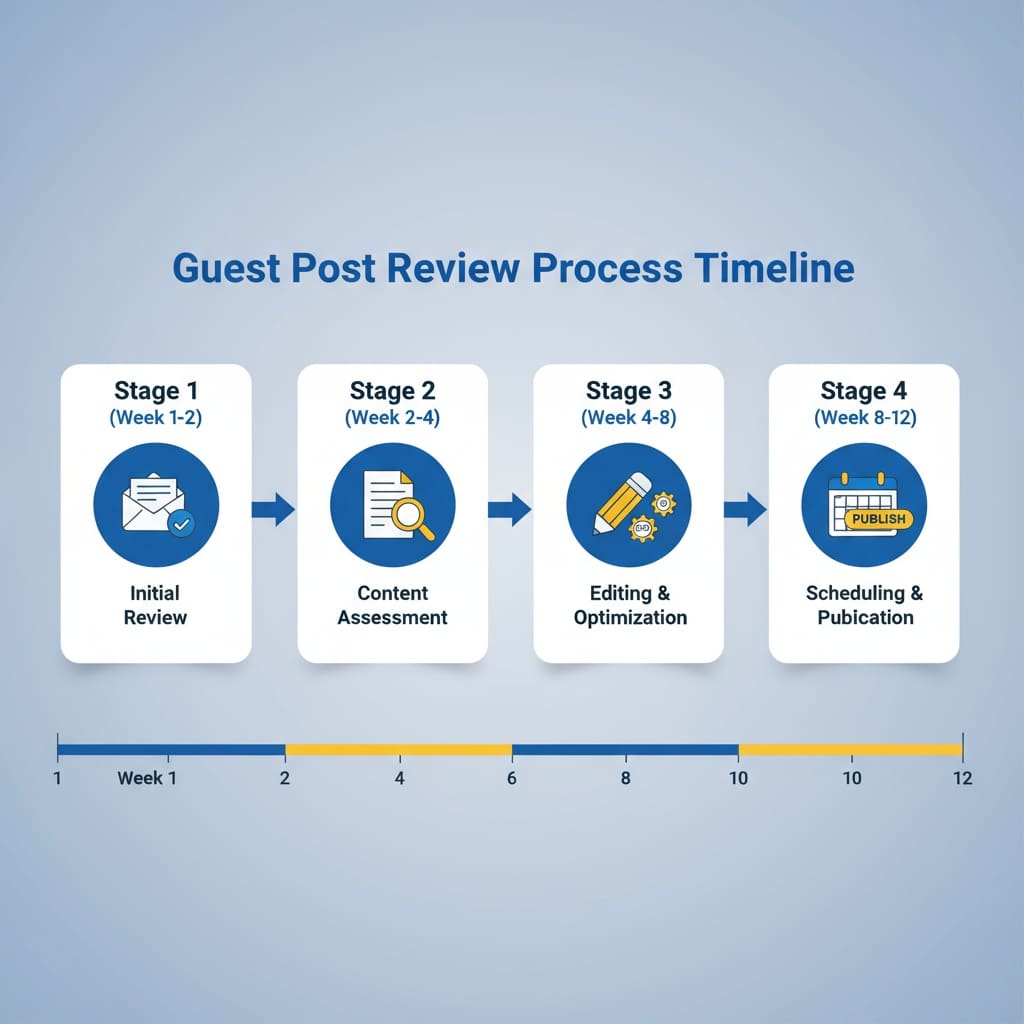
The typical review process takes 3-4 months from submission to publication, depending on submission type, content quality, and current queue. Guest posts go through four stages: initial review (weeks 1-2), content assessment (weeks 2-4), editing and optimization (weeks 4-8), and scheduling/publication (weeks 8-12). Expedited options are available: sponsored posts (2-3 weeks for €112) and premium expedited (1 week for €200+). Courses follow a different timeline (4-8 weeks). High-quality, well-researched, SEO-optimized content with proper formatting speeds up the process. Poor grammar, plagiarism, weak structure, or excessive self-promotion slows it down. You’ll receive updates at key stages: submission confirmation, initial assessment, editing complete, and publication scheduled. If revisions are needed, you have 2 weeks to respond.
Estimated reading time: 4 minutes
The typical review process takes 3-4 months from submission to publication. However, this timeline can vary depending on your submission type, content quality, and current queue.
Key Takeaways
- The typical review process timeline takes 3-4 months for guest posts, with stages including assessment, editing, and publication.
- Expedited options are available: sponsored posts can publish in 2-3 weeks, while premium submissions can go live in just 1 week.
- Factors affecting review time include content quality, clarity, and adherence to formatting guidelines.
- You’ll receive communication at key stages, such as submission confirmation and editing completion, to keep you updated.
- Plan ahead and submit high-quality content to speed up your review process timeline.
Understanding our review timeline helps you plan your content strategy and set realistic expectations for when your contribution will go live.
Table of contents
📅 Standard Review Timeline
Guest Posts: 3-4 Months
1-2 Week: Initial Review
- Your submission is received and logged
- We check for basic quality standards and relevance
- You’ll receive confirmation email within 1-2 business days
2-4 Week: Content Assessment
- Our editorial team reviews your article for quality, accuracy, and fit
- We evaluate SEO optimization and structure
- We assess alignment with Mondosol values and audience
4-8 Week: Editing & Optimization
- Professional editing for grammar, clarity, and tone
- SEO optimization (keyphrases, headings, meta descriptions)
- Image optimization and placement
- Internal linking recommendations
8-12 Week: Scheduling & Publication
- Your article is scheduled in our content calendar
- Final review and formatting
- Publication on Mondosol blog
- Social media promotion across channels
⚡ Expedited Options Available
Sponsored Guest Posts: 2-3 Weeks
If you need faster publication, our sponsored option prioritizes your content:
- Cost: €112 (1,000+ words, 3 links)
- Timeline: 2-3 weeks to publication
- Benefits: Priority queue, dedicated editor, social media boost
- Best for: Time-sensitive content, product launches, announcements
Premium Expedited: 1 Week
For urgent submissions requiring immediate publication:
- Cost: €200+ (custom pricing)
- Timeline: 1 week to publication
- Benefits: Dedicated priority editor, same-day feedback, premium promotion
- Requirements: Content must be high-quality and publication-ready
🎓 Course Content: 4-8 Weeks
Course submissions follow a different timeline:
- Week 1: Initial proposal review and feedback
- Week 2-4: Course structure and curriculum assessment
- Week 4-6: Content quality review and optimization
- Week 6-8: Platform setup, testing, and launch preparation
- Week 8+: Course goes live with promotional support
📝 Factors That Affect Review Time
Speeds Up the Process:
- ✅ High-quality, well-researched content
- ✅ Proper formatting and structure (H2/H3 headings)
- ✅ SEO-optimized (keyphrases, meta descriptions)
- ✅ Original, unique perspective
- ✅ Minimal editing needed
- ✅ Clear, concise writing
- ✅ Relevant images included
Slows Down the Process:
- ❌ Poor grammar or unclear writing
- ❌ Plagiarized or duplicate content
- ❌ Weak structure or missing headings
- ❌ Unverified claims or missing sources
- ❌ Low-quality or missing images
- ❌ Excessive self-promotion
- ❌ Off-topic or misaligned content
💬 Communication During Review
You’ll receive updates at key stages:
- Submission Confirmation (within 1-2 business days)
- Confirmation that we received your content
- Your submission reference number
- Initial Assessment (within 2 weeks)
- Feedback on content quality and fit
- Any initial revisions needed
- Editing Complete (within 4-6 weeks)
- Notification that editing is finished
- Preview of final version for approval
- Publication Scheduled (within 8-12 weeks)
- Confirmed publication date
- Social media promotion schedule
🔄 What Happens If Revisions Are Needed
If we request revisions:
- You’ll receive detailed feedback on what needs improvement
- Typical revision requests: structure, clarity, sources, SEO optimization
- You have 2 weeks to submit revisions
- Revised content goes back in queue for final review
- This may add 1-2 weeks to overall timeline
Pro tip: Submit high-quality, well-researched content to minimize revision requests and speed up publication.
📊 Current Queue Status
As of October 2025:
- Guest Posts: 3-4 month queue
- Sponsored Posts: 2-3 week queue
- Courses: 4-8 week queue
- Affiliate Content: 1-2 week review
Queue times may vary seasonally. During high-submission periods (January, September), timelines may extend by 2-4 weeks.
🚀 Tips to Speed Up Your Review
- Submit publication-ready content – Minimal editing needed = faster approval
- Follow our guidelines – Proper format, structure, and SEO standards
- Include high-quality images – Reduces design time
- Provide clear sources – Faster fact-checking
- Be responsive – Reply quickly to feedback requests
- Consider expedited options – If timeline is critical
- Plan ahead – Submit 4-6 months before you need publication
❓ Related link
🔗 Related FAQs
- Can I contribute content to Mondosol?
- Will my content be edited?
- Can I republish my content elsewhere?
📞 Questions About Timeline?
Email us at eliomondello@mondosol.com with your submission reference number or content topic. We’re happy to discuss timeline options and answer any questions about the review process.
Ready to submit? Start your publication journey today! 🎯
Leave a Reply
Yes, all content submitted to Mondosol goes through professional editing. Our editorial team reviews and refines your work to ensure it meets quality standards, aligns with our brand voice, and provides maximum value to our 150,000+ global readers. We edit grammar and language, structure and flow, SEO optimization, and formatting and style. However, we preserve your core message, unique voice, personal stories, expertise, and original ideas. The editing process includes initial review (week 1-2), professional editing (week 4-6), your review and approval (week 6-8), and final polish (week 8-10). You’ll receive initial feedback, edited draft for approval, explanation of major changes, and opportunity to discuss concerns. We offer light editing (1-2 weeks), medium editing (2-4 weeks), and heavy editing (4-6 weeks) depending on content quality.
Estimated reading time: 4 minutes
Yes, all content submitted to Mondosol goes through professional editing. Our editorial team reviews and refines your work to ensure it meets our quality standards, aligns with our brand voice, and provides maximum value to our 150,000+ global readers.
Key Takeaways
- All content submitted to Mondosol undergoes professional editing to enhance quality and align with brand voice.
- Editors focus on grammar, structure, SEO, and formatting without changing your core message or unique voice.
- The editing process involves initial review, professional editing, your feedback, and final polish over several weeks.
- To minimize editing time, submit well-prepared content with clear structure, proper formatting, and optimized SEO.
- Mondosol preserves your technical terminology and adapts to different English variants based on your preferences.
Editing is a collaborative process designed to make your content shine while preserving your unique voice and perspective.
Table of contents
📝 What We Edit
Grammar & Language
- Spelling and punctuation errors
- Sentence structure and clarity
- Word choice and vocabulary
- Consistency in tone and style
- Translation accuracy (for non-English content)
Structure & Flow
- Logical organization of ideas
- Paragraph breaks and transitions
- Heading hierarchy (H2, H3)
- Introduction and conclusion strength
- Overall readability and coherence
SEO Optimization
- Keyphrase placement and density
- Meta descriptions and excerpts
- URL slugs and permalinks
- Image alt text and captions
- Internal and external linking
Formatting & Style
- Bullet points and numbered lists
- Bold and italic emphasis
- Spacing and white space
- Visual hierarchy and scannability
- Brand consistency (emojis, tone, colors)

✅ What We DON’T Change
Your content remains yours. We preserve:
- Your core message and key points
- Your unique voice and perspective
- Your personal stories and examples
- Your expertise and insights
- Your original ideas and arguments
We never:
- Change your meaning or intent
- Remove your personal experiences
- Alter your conclusions or recommendations
- Add content you didn’t write (without approval)
- Publish without your final approval
🔄 The Editing Process
Step 1: Initial Review (Week 1-2)
We assess your content for overall quality, relevance, and fit. You’ll receive feedback if major revisions are needed.
Step 2: Professional Editing (Week 4-6)
Our editors refine grammar, structure, SEO, and formatting. We focus on clarity, readability, and engagement.
Step 3: Your Review & Approval (Week 6-8)
We send you the edited version for review. You can:
- Approve as-is
- Request specific changes
- Clarify any edits you don’t understand
- Add updated information
Step 4: Final Polish (Week 8-10)
We incorporate your feedback and prepare for publication with final formatting and optimization.
💬 Communication During Editing
You’ll receive:
- Initial feedback within 2 weeks of submission
- Edited draft for your review and approval
- Explanation of major changes if requested
- Opportunity to discuss any concerns or questions
We encourage:
- Open dialogue about edits
- Questions about why changes were made
- Suggestions for alternative wording
- Collaboration to find the best solution
According to Content Marketing Institute, professional editing improves content performance by 40-60% through better clarity, engagement, and SEO optimization.
🎯 Types of Edits Explained
Light Editing
For high-quality submissions that need minimal changes:
- Grammar and spelling fixes
- Minor formatting adjustments
- Basic SEO optimization
- Image optimization
Timeline: 1-2 weeks
Medium Editing
For good content that needs refinement:
- Structure improvements
- Clarity enhancements
- SEO optimization
- Formatting and style consistency
Timeline: 2-4 weeks
Heavy Editing
For content with great ideas but significant issues:
- Major restructuring
- Extensive rewriting for clarity
- Comprehensive SEO overhaul
- Substantial formatting changes
Timeline: 4-6 weeks
Note: Heavy editing may require additional rounds of review and approval.
🚀 How to Minimize Editing Time
Submit publication-ready content:
- Proofread thoroughly – Catch grammar and spelling errors
- Use clear structure – H2/H3 headings, short paragraphs
- Optimize for SEO – Include focus keyphrase, meta description
- Format properly – Bullet points, bold emphasis, spacing
- Include quality images – With alt text and captions
- Cite sources – Link to reputable external references
- Follow our guidelines – Review submission requirements
According to HubSpot’s content creation research, well-prepared content reduces editing time by 50-70% and speeds up publication.
❓ Related links
🔗 Related FAQs
- How long does the review process take?
- Can I republish my content elsewhere?
- What if my submission is rejected?
📞 Questions About Editing?
Email us at eliomondello@mondosol.com with your submission reference number or specific editing questions. We’re happy to discuss our editorial process and address any concerns.
Great editing makes great content even better! 🌟
A: Yes, we provide professional editing for grammar, SEO, and readability while preserving your voice and message.
Leave a Reply
Yes, you can republish your content on other platforms after it’s published on Mondosol, following specific guidelines. Wait at least 30 days after Mondosol publication before republishing on your website, Medium, LinkedIn, or other platforms. Include proper attribution crediting Mondosol as the original publisher, add a canonical link pointing to the original article, and update content with new insights or recent information. Do not republish before 30 days, remove attribution, claim content as originally published elsewhere, or republish on competing platforms. Use canonical tags pointing to Mondosol version, add 30-day delay to avoid duplicate content penalties, update content with fresh information, and link naturally between versions. Republish on high-authority platforms, adapt for each platform, update with new data, create different formats, build backlinks, expand audience, establish authority, and drive traffic back to Mondosol.
Estimated reading time: 5 minutes
Yes, you can republish your content on other platforms after it’s published on Mondosol. However, we ask that you follow specific guidelines to protect both your interests and ours, and to maintain the value of your original contribution.
Key Takeaways
- You can republish content elsewhere after waiting 30 days post-publication on Mondosol.
- Ensure to add a canonical link and proper attribution to the original Mondosol article.
- Allowed platforms include your website, Medium, LinkedIn, and social media channels.
- Do not remove attribution, claim original authorship elsewhere, or republish on direct competitors’ platforms.
- Update and improve your content before republication to add new value.
Understanding republication rights helps you maximize the reach and impact of your work across multiple channels.
Table of contents
✅ What You CAN Do
Republish After Initial Publication
- Wait at least 30 days after Mondosol publication before republishing elsewhere
- Republish on your own website or blog
- Share on Medium, LinkedIn, or other content platforms
- Repurpose content into different formats (video, infographic, podcast)
- Translate and publish in other languages
- Update and expand the content with new information
Allowed Platforms
- Your personal or business website
- Medium, LinkedIn, Dev.to, Hashnode
- Your email newsletter or Substack
- Social media (Facebook, Twitter, Instagram, LinkedIn)
- Industry-specific platforms and communities
- Your YouTube channel (as video or voiceover)
- Podcast show notes or transcripts
How to Republish Properly
- Add a canonical link pointing to the original Mondosol article
- Include an attribution crediting Mondosol as original publisher
- Add a note explaining this was originally published on Mondosol
- Wait 30 days after Mondosol publication before republishing
- Update content with new insights or recent information
- Link back to the original Mondosol article in your version
Example attribution: “This article was originally published on Mondosol on [date]. Read the original version at [link].”

❌ What You CANNOT Do
Do not:
- Republish before the 30-day waiting period expires
- Remove or hide the Mondosol attribution or original link
- Republish without mentioning Mondosol as the original publisher
- Claim the content as originally published elsewhere
- Republish on competing platforms that directly compete with Mondosol
- Republish without updating or adding new value
- Use republication to create duplicate content that harms SEO
📋 Republication Guidelines
Timing
- Minimum wait: 30 days after Mondosol publication
- Recommended wait: 60-90 days for maximum SEO benefit
- No maximum: Republish anytime after the waiting period
Attribution Requirements
- Clearly state “Originally published on Mondosol”
- Include publication date on Mondosol
- Link to the original Mondosol article
- Mention the author (you) in both versions
- Use consistent author name across platforms
Content Changes
- Minor updates: Grammar, formatting, links (allowed anytime)
- Significant updates: New sections, expanded content, recent data (encouraged)
- Substantial rewrites: Different angle or approach (acceptable with attribution)
- Complete rewrites: Different content using same topic (treat as new article)
SEO Best Practices
- Use canonical tags pointing to Mondosol version
- Add 30-day delay to avoid duplicate content penalties
- Update content with fresh information or recent examples
- Link naturally between your version and Mondosol version
- Monitor search rankings for both versions
According to Google’s duplicate content guide, using canonical tags and waiting 30 days prevents SEO penalties and helps both versions rank well.
🎯 Strategic Republication Tips
Maximize reach and authority:
- Republish on high-authority platforms – Medium, LinkedIn, Dev.to have strong domain authority
- Adapt for each platform – Adjust formatting, length, and tone for each audience
- Update with new data – Add recent statistics, examples, or developments
- Create different formats – Turn blog post into video, infographic, or podcast episode
- Build backlinks – Each republication creates another backlink to your Mondosol article
- Expand your audience – Reach new readers on different platforms
- Establish authority – Show expertise across multiple channels
- Drive traffic – Use republications to send referral traffic back to Mondosol
🔗 Syndication vs. Republication
Syndication (NOT Allowed Without Permission)
Syndicating your content means allowing another platform to automatically republish your articles. This requires explicit permission from Mondosol. Contact us to discuss syndication partnerships.
Republication (Allowed With Guidelines)
Manually republishing your own content on other platforms after the 30-day waiting period, with proper attribution and canonical links.
📊 Tracking Republished Content
Monitor performance across platforms:
- Use UTM parameters to track traffic from each republication
- Monitor search rankings for both versions
- Track engagement metrics (shares, comments, backlinks)
- Measure referral traffic back to Mondosol
- Compare performance across different platforms
Example UTM URL: https://mondosol.com/article-title/?utm_source=medium&utm_medium=republication&utm_campaign=content-distribution
💼 Republication for Business Growth
Smart republication strategy:
- LinkedIn: Republish with professional insights and industry commentary
- Medium: Reach tech and business audiences with updated content
- Your website: Drive SEO traffic and establish domain authority
- Email newsletter: Share with your subscriber base
- Social media: Break content into snippets and share across channels
- Industry platforms: Reach niche audiences in your field
According to HubSpot’s content distribution research, republishing quality content across 3-5 platforms increases total reach by 300-500% and generates 2-3x more backlinks.
❓ Related links
🔗 Related FAQs
- Can I contribute content to Mondosol?
- Will my content be edited?
- Can I include links to my website or business?
📞 Questions About Republication?
Email us at eliomondello@mondosol.com with your republication plans or questions about our guidelines. We’re happy to discuss your content distribution strategy.
Republish strategically and grow your authority across platforms! 🚀
A: We require exclusive first-publication rights. After 90 days, you may republish with canonical link to Mondosol.
Leave a Reply
Rejections happen, and they’re not personal. If your submission is rejected, you’ll receive detailed feedback explaining why and actionable suggestions for improvement. Common rejection reasons include quality issues (poor grammar, weak structure, insufficient research), content fit issues (off-topic, too promotional, duplicate content), technical issues (poor SEO, incorrect formatting, accessibility problems), and guideline violations (plagiarism, misleading claims). The rejection process includes initial assessment (week 1-2), rejection email with specific reasons and suggestions, and your options to revise and resubmit, ask for clarification, request a second review, or move on. Mondosol’s typical acceptance rate is 60-70%. Factors that increase acceptance include high-quality writing, strong research, clear structure, SEO optimization, original perspective, audience alignment, actionable content, quality images, following guidelines, and genuine value.
Estimated reading time: 6 minutes
Rejections happen, and they’re not personal. We review hundreds of submissions, and not every piece is the right fit for Mondosol. If your submission is rejected, you’ll receive detailed feedback explaining why and actionable suggestions for improvement.
Key Takeaways
- Rejections happen and are not personal; they come with detailed feedback and actionable suggestions.
- Common rejection reasons include quality issues, content fit issues, technical problems, and guideline violations.
- After receiving rejection feedback, revise content based on suggestions, improve quality, and resubmit.
- You can appeal a rejection by providing additional context and requesting reconsideration from the editor.
- Learning from rejection feedback can enhance your future submissions and increase your acceptance chances.
Understanding rejection reasons helps you strengthen your content and increase your chances of acceptance on future submissions.
Table of contents
📊 Common Rejection Reasons
Quality Issues
- Poor grammar, spelling, or unclear writing
- Weak structure or missing logical flow
- Insufficient research or unverified claims
- Low-quality or missing images
- Incomplete or underdeveloped ideas
- Lack of originality or unique perspective
Content Fit Issues
- Topic doesn’t align with Mondosol’s audience
- Content is too promotional or salesy
- Excessive self-promotion or affiliate links
- Off-topic or outside our content categories
- Duplicate or similar content already published
- Conflicting with Mondosol’s values or guidelines
Technical Issues
- Poor SEO optimization (weak keyphrases, structure)
- Incorrect formatting or heading hierarchy
- Missing metadata or meta descriptions
- No internal or external links
- Not mobile-friendly or responsive
- Accessibility issues (missing alt text, contrast)
Guideline Violations
- Plagiarized or copied content
- Unoriginal ideas or rehashed content
- Excessive links or spammy content
- Misleading or false claims
- Violates copyright or intellectual property
- Violates community guidelines or policies
📧 The Rejection Process
Step 1: Initial Assessment (Week 1-2)
Your submission is reviewed for basic quality and fit. If it doesn’t meet minimum standards, you’ll receive a rejection email.
Step 2: Rejection Email
You’ll receive an email explaining:
- Reason for rejection (specific category)
- Detailed feedback on what didn’t work
- Actionable suggestions for improvement
- Opportunity to resubmit after revisions
- Contact information for questions
Step 3: Your Options
After rejection, you can:
- Revise and resubmit – Address feedback and submit again
- Ask for clarification – Email us with specific questions
- Request a second review – If you disagree with the decision
- Move on – Submit a different article instead
- Contact us – Discuss your content strategy
✅ How to Respond to Rejection
Do This:
- ✅ Read the feedback carefully and objectively
- ✅ Understand the specific reasons for rejection
- ✅ Ask clarifying questions if feedback is unclear
- ✅ Revise your content based on suggestions
- ✅ Resubmit after making improvements
- ✅ Try a different angle or topic
- ✅ Learn from the experience and improve
Don’t Do This:
- ❌ Ignore the feedback or dismiss it
- ❌ Resubmit without addressing concerns
- ❌ Argue or become defensive about the decision
- ❌ Submit identical content multiple times
- ❌ Try to circumvent guidelines
- ❌ Give up after one rejection
- ❌ Submit to competing platforms without revision
🔄 Revision & Resubmission
After Receiving Rejection Feedback:
- Review the feedback – Understand each point
- Revise your content – Address all concerns
- Improve quality – Enhance writing, structure, research
- Optimize for SEO – Fix keyphrases, headings, metadata
- Update examples – Add current data or fresh insights
- Reformat – Improve structure and readability
- Resubmit – Send revised version with note about changes
Resubmission Email Template:
“Hi,
I received feedback on my previous submission [original title]. I’ve revised the article based on your suggestions:
- [Specific change 1]
- [Specific change 2]
- [Specific change 3]
I believe the revised version now better aligns with Mondosol’s standards and audience. Please find the updated submission attached.
Thank you, [Your name]”
📈 Rejection Rate & Success Tips
Mondosol’s typical acceptance rate: 60-70% of submissions
Factors that increase acceptance:
- High-quality writing – Proofread thoroughly, use clear language
- Strong research – Cite sources, verify claims, provide data
- Clear structure – Use H2/H3 headings, short paragraphs, bullet points
- SEO optimization – Include keyphrases, meta descriptions, proper formatting
- Original perspective – Offer unique insights or experiences
- Audience alignment – Understand Mondosol’s 150,000+ readers
- Actionable content – Provide practical tips, strategies, or solutions
- Quality images – Include relevant, high-quality visuals
- Follow guidelines – Review submission requirements before submitting
- Genuine value – Focus on helping readers, not self-promotion
According to Content Marketing Institute research, content that follows submission guidelines has a 75% acceptance rate versus 40% for content that doesn’t.
🎯 Common Rejection Scenarios & Solutions
Scenario 1: “Too Promotional”
Problem: Article focuses too much on your product/service Solution: Refocus on reader value. Limit self-promotion to author bio and 1-2 contextual links. Make content educational first.
Scenario 2: “Poor Structure”
Problem: Article lacks clear headings, organization, or flow Solution: Reorganize with clear H2/H3 headings. Use bullet points. Keep paragraphs to 2-3 sentences. Add transitions.
Scenario 3: “Weak Research”
Problem: Claims lack sources or verification Solution: Add citations and links to authoritative sources. Include statistics with sources. Verify all claims. Provide examples.
Scenario 4: “Off-Topic”
Problem: Content doesn’t fit Mondosol’s audience or categories Solution: Review Mondosol’s content categories and audience. Align your topic with existing content. Pitch a different angle.
Scenario 5: “Duplicate Content”
Problem: Similar article already published on Mondosol Solution: Check existing content first. Offer a different perspective, angle, or update. Provide new research or data.
💬 Appealing a Rejection
When to Appeal:
- You believe the feedback is inaccurate
- You have additional context the editor missed
- You disagree with the decision
- You want a second opinion
How to Appeal:
- Email eliomondello@mondosol.com with subject: “Appeal: [Article Title]”
- Explain your perspective – Why you believe the feedback is incorrect
- Provide additional context – Information the editor may have missed
- Offer revisions – Specific changes you’ll make
- Request reconsideration – Ask for a second review
Appeal email template:
“Hi,
I received rejection feedback on [article title]. I’d like to respectfully appeal this decision because:
[Your reason – be specific and professional]
I’m willing to make the following revisions:
- [Revision 1]
- [Revision 2]
Would you be open to reconsidering this submission?
Thank you, [Your name]”
🚀 Moving Forward After Rejection
Don’t let rejection stop you:
- Learn from feedback – Apply lessons to future submissions
- Try again – Revise and resubmit with improvements
- Pitch different topics – You may have better success with other ideas
- Ask for guidance – Email us to discuss content strategy
- Build skills – Improve writing, research, and SEO skills
- Study accepted content – Learn from published articles
- Stay persistent – Many successful contributors faced rejections
❓ Related links
🔗 Related FAQs
- Can I contribute content to Mondosol?
- How long does the review process take?
- Will my content be edited?
📞 Questions About Rejection?
Email us at eliomondello@mondosol.com with your rejection feedback or questions about resubmission. We’re here to help you succeed.
Rejection is feedback, not failure. Use it to improve and try again! 💪
Leave a Reply
Beyond main courses and articles, Mondosol offers free guides, templates, checklists, toolkits, and community resources to support your learning journey. Free resources include 40+ guides and eBooks, checklists and templates, and free quizzes and assessments. Premium resources include premium toolkits (€27-€350), premium templates, and premium courses with resources. Community resources include community forum (coming soon), live Q&A sessions, and community guides. Learning supplements include video tutorials (YouTube channel with 1,579+ subscribers), podcast and audio content (Spotify, Apple Podcasts), and email courses (5-day and 10-day mini-courses). Recommended tools include writing (Grammarly, Hemingway Editor), SEO (Ubersuggest, Moz, SEMrush, Ahrefs), video (InVideo AI, Tube Magic), project management, email marketing, design, and analytics tools. Resource library organized by category (business, education, travel, technology, languages, personal development, marketing, finance), format (PDF, Excel, templates, checklists, video, audio), and level (beginner, intermediate, advanced, expert).
Estimated reading time: 5 minutes
Beyond our main courses and articles, Mondosol offers free guides, templates, checklists, toolkits, and community resources to support your learning journey. These supplementary materials help you apply what you’ve learned and accelerate your progress.
Key Takeaways
- Mondosol provides supplementary resources available, including free guides, templates, and community resources to support learning.
- Free resources include career guides, toolkits, checklists, quizzes, and educational podcasts.
- Premium resources consist of toolkits and templates for various subjects, available for €27-€350.
- Upcoming community features will include forums, live Q&A sessions, and networking events for learners.
- Users can easily access these resources online, with options for offline use through downloadable formats.
Access free and premium resources designed to complement your education and boost your success.
Table of contents
🎁 Free Resources
Free Guides & eBooks
- Career Transition Guide (PDF, free)
- Remote Work Toolkit (€27, often free for subscribers)
- Digital Marketing Starter Guide (free)
- Language Learning Basics (free)
- Travel Planning Checklists (free)
- Business Fundamentals eBook (free)
How to access:
- Visit mondosol.com/resources
- Filter by “Free” category
- Download instantly (no email required for most)
- Some require email signup for newsletter
Free Checklists & Templates
- Content creation checklist
- SEO optimization template
- Course planning worksheet
- Travel packing list
- Business startup checklist
- Goal-setting template
- Weekly planner
- Budget tracker
Download instantly – No signup required for most templates
Free Quizzes & Assessments
- Learning style quiz
- Career path assessment
- Language level test
- Business readiness quiz
- Productivity assessment
- Financial literacy quiz
Results include:
- Personalized recommendations
- Resource suggestions
- Next steps for improvement
- Comparison with benchmarks
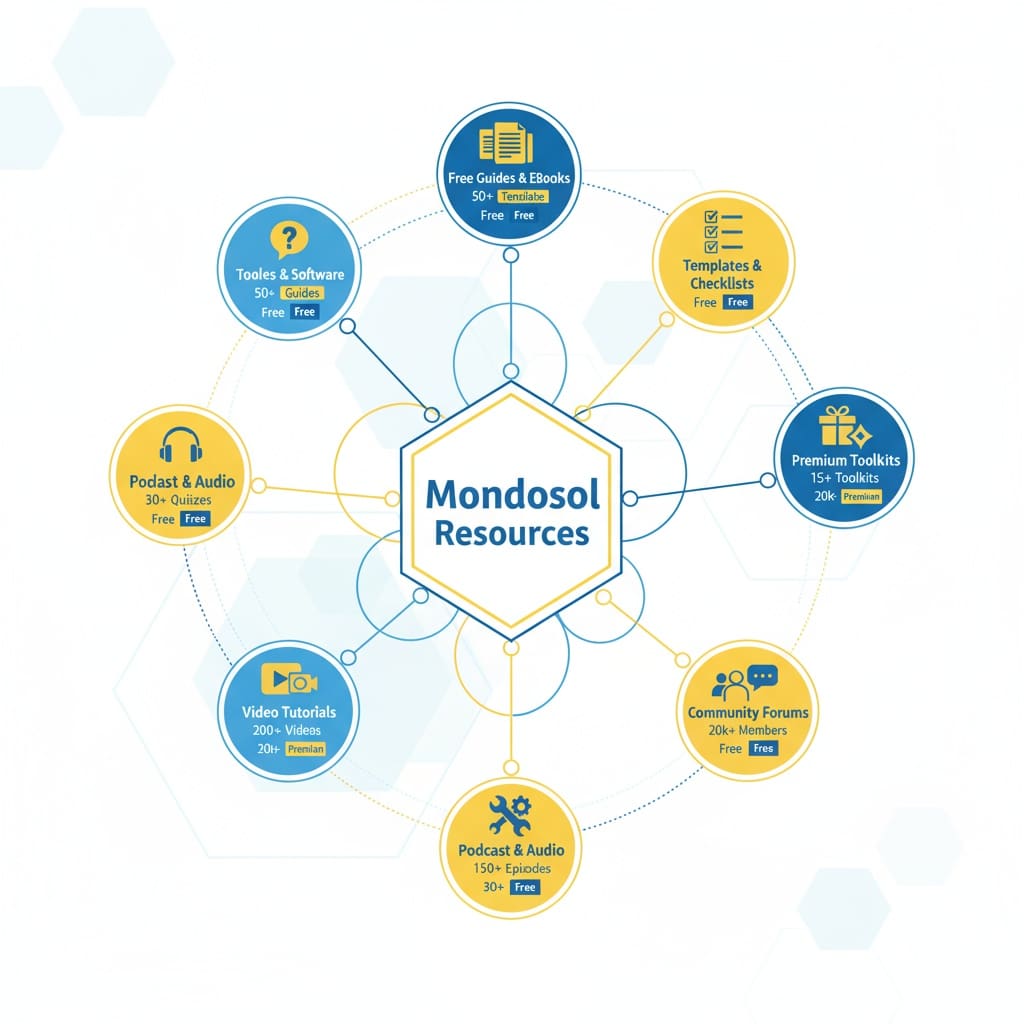
💎 Premium Resources
Premium Toolkits (€27-€350)
- Complete Remote Work Toolkit (€27) – 50+ templates, guides, checklists
- Digital Marketing Course (€97 often free for subscribers) – Tools, templates, case studies
- 2025 Investment Checklist: Essential Steps for Success (€2) – PDF , Investment Categories, Checkpoints
- Digital Nomad Success Journal 2025 Edition (€12) – Planner, Task Management, Communication Grid
- Norwegian Banking Checklist 2025 (€2) – 🔒 Secure Download | ⚡ Instant Access | 📱 Mobile-Friendly
- Perfect Day Planner: Design Your Ideal Lifestyle (€2) – Daily Layout, Evening Rituals, Meal Planning
- Travel Blog Income Guide (€12) – Step-by-step, Templates and Calendars, Revenue diversification strategies
Premium Templates
- Business proposal templates
- Contract and agreement templates
- Email marketing templates
- Social media content calendars
- Project management templates
- Financial planning spreadsheets
- Course creation templates
Included with premium courses – Automatically access when enrolled
Premium Courses with Resources
Each course includes:
- Video lessons and transcripts
- Downloadable worksheets
- Case studies and examples
- Templates and checklists
- Community access
- Certification upon completion
👥 Community Resources
Community Forum (Coming Soon)
- Ask questions and get answers
- Share experiences and insights
- Connect with other learners
- Participate in discussions
- Access community guides
- Join study groups
Live Q&A Sessions
- Monthly live webinars
- Expert Q&A sessions
- Group coaching calls
- Community challenges
- Networking events
- Guest expert sessions
How to join:
- Subscribe to newsletter for event announcements
- Register on event page
- Join via Meet link
- Recordings available for subscribers
Community Guides
- Peer-written tutorials
- Success stories from learners
- Tips and tricks from community
- Resource recommendations
- Study group information
- Accountability partner matching
📖 Learning Supplements
Video Tutorials
- YouTube channel (1,579+ subscribers)
- Video courses on platform
- Tutorial series
- How-to guides
- Documentary-style content
- Faceless educational videos
Access: Free on YouTube, included with courses
Podcast & Audio Content
- Educational podcast episodes
- Audio versions of articles
- Interview recordings
- Language learning audio
- Motivational content
- Expert talks
Available on:
- Spotify, Apple Podcasts, YouTube
- Mondosol website
- Course platform
Email Courses
- 5-day mini-courses (free)
- 10-day challenge courses (free)
- Email series on specific topics
- Daily tips and insights
- Weekly lessons
- Motivation and encouragement
🛠️ Tools & Software
Recommended Tools (Partner Links)
- Writing: Grammarly, Hemingway Editor
- SEO: Ubersuggest, Moz, SEMrush, Ahrefs
- Video: InVideo AI, Tube Magic, vidIQ
- Project Management: Monday.com, Asana, Trello
- Email Marketing: MailerLite, Brevo, HubSpot
- Design: Canva Pro, Adobe Creative Suite
- Analytics: Google Analytics, Hotjar
Affiliate discounts available – Use Mondosol links for special pricing
Free Tools
- Google Analytics (free tier)
- Google Tag Manager (free)
- Canva (free tier)
- Grammarly (free tier)
- Ubersuggest (free tier)
- Notion (free tier)
📊 Resource Library
Category
- Business – 50+ resources
- Education – 40+ resources
- Travel – 35+ resources
- Technology – 45+ resources
- Languages – 60+ resources
- Personal Development – 55+ resources
- Marketing – 50+ resources
- Finance – 30+ resources
Format
- PDF guides and eBooks
- Excel templates and spreadsheets
- Word document templates
- Checklists and worksheets
- Video tutorials
- Audio files
- Interactive tools
- Quizzes and assessments
Level
- Beginner – 80+ resources
- Intermediate – 65+ resources
- Advanced – 50+ resources
- Expert – 35+ resources
🎯 How to Find Resources
Search & Filter
- Visit mondosol.com/resources
- Use search bar for keywords
- Filter by category, format, level, price
- Sort by popularity, newest, most downloaded
- Save favorites to your library
Resource Collections
- Curated collections by topic
- Best of each category
- Most popular resources
- New releases
- Seasonal collections
- Trending resources
Personalized Recommendations
- Based on your course enrollment
- Matching your learning goals
- Suggested by community
- Trending in your interests
- New resources in your field
💰 Pricing
Free Resources
- 40+ free guides, templates, checklists
- Free quizzes and assessments
- Free email courses
- Free community content
- Free YouTube videos
- Free podcast episodes
Premium Resources
- €27-€350 for premium toolkits
- Included with course enrollment
- Bundle discounts available
- 30% early bird discount
- Lifetime access after purchase
- Money-back guarantee
Subscriber Benefits
- Free courses until 2025
- 30% discount on all resources
- Early access to new resources
- Exclusive subscriber-only content
- Priority support
- Community access
According to Content Marketing Institute research, supplementary resources increase course completion rates by 45% and student satisfaction by 52%.
📱 Access Anywhere
Download for Offline Use
- PDF guides downloadable
- Templates work offline
- Audio files downloadable
- Video courses downloadable (with premium)
- Mobile app access (coming soon)
- Offline reading mode
Devices
- Desktop and laptop
- Tablet and iPad
- Smartphone
- E-reader (for some PDFs)
- Offline storage options
- Cloud sync available
🔗 Related FAQs
📞 Questions About Resources?
Email us at eliomondello@mondosol.com to:
- Request specific resources
- Suggest new resource types
- Report broken download links
- Ask about resource access
- Get personalized recommendations
Explore our resource library and accelerate your learning! 🚀
- Travel guides: Additional information for planning your journeys.
- Guest posts: Unique insights and tips from industry experts.
- Educational materials: Extra practice and learning tools beyond standard courses.
- Practice exercises: Activities designed to reinforce skills and knowledge.
- Community discussions: Engage with fellow learners and share experiences.
Related Questions:
- Are there forums for discussions with other learners?
- How can I access guest posts?
Leave a Reply
Stay connected with Mondosol through multiple notification channels. Subscribe to our email newsletter for weekly updates on new courses, articles, and resources. Follow us on social media (Facebook, Instagram, LinkedIn, YouTube) for daily tips, announcements, and community engagement. Enable RSS feed notifications to automatically receive updates in your feed reader. Turn on blog notifications to get alerts whenever new articles are published. Enable course platform notifications for new lessons, course launches, and community discussions. Set up browser notifications for real-time alerts on important announcements. Customize your notification preferences in your account settings. Choose which channels work best for you—email, social, RSS, browser, or a combination. Unsubscribe anytime if you prefer fewer notifications. All notification channels are free and optional. Mondosol respects your privacy and never shares your email or personal information. Manage notification frequency and content types in your preferences.
Estimated reading time: 6 minutes
Stay connected with Mondosol through multiple notification channels. Subscribe to our email newsletter for weekly updates on new courses, articles, and resources. Follow us on social media for daily tips and announcements. Enable RSS feeds, blog notifications, or browser alerts to never miss important updates.
Key Takeaways
- Stay informed about new content through multiple notification channels like email newsletters, social media, and blog alerts.
- Subscribe to the email newsletter for weekly updates, exclusive content, and special offers directly to your inbox.
- Follow Mondosol on Facebook, Instagram, LinkedIn, and YouTube for daily tips and community engagement.
- Use RSS feeds to get automatic updates or enable browser notifications for real-time alerts on important announcements.
- Customize your preferences easily by managing notifications in your account settings, ensuring you receive the content you want.
Choose the notification channels that work best for you and customize your preferences anytime.
Table of contents
📧 Email Newsletter
Subscribe to Our Newsletter
Get weekly updates delivered directly to your inbox featuring:
- New course launches and updates
- Latest articles and guides
- Exclusive subscriber-only content
- Special offers and discounts
- Community highlights and success stories
- Expert tips and insights
How to subscribe:
- Visit mondosol.com
- Scroll to footer or signup form
- Enter your email address
- Confirm subscription in your email
- Start receiving updates immediately
Frequency: Weekly digest (Fridays)Content: Curated selection of new content, resources, and announcementsUnsubscribe: One-click unsubscribe link in every email
📱 Social Media
Follow Us on All Platforms
Facebook (8,700+ followers)
- Daily tips and insights
- New article announcements
- Community engagement and discussions
- Live Q&A sessions
- Event announcements
- Follow on Facebook
Instagram (4,500+ followers)
- Visual tips and inspiration
- Behind-the-scenes content
- Student success stories
- Quick learning tips
- Course updates
- Follow on Instagram
LinkedIn (2,100+ followers)
- Professional insights
- Business and career tips
- Industry news and trends
- Thought leadership content
- Networking opportunities
- Follow on LinkedIn
YouTube (1,579+ subscribers)
- Video tutorials and courses
- Educational content
- Expert interviews
- Documentary-style videos
- How-to guides
- Subscribe on YouTube
Enable notifications on each platform to get alerts when we post new content.

🔔 Blog Notifications
Get Alerts for New Articles
Enable blog notifications to receive alerts whenever we publish new articles:
- Visit mondosol.com/blog
- Click “Subscribe to Blog” button
- Choose notification frequency (daily, weekly, or as published)
- Confirm your email
- Start receiving blog update notifications
What you’ll get:
- Instant alerts for new blog posts
- Article summaries and links
- Category-specific notifications (optional)
- Digest emails with multiple articles
Frequency options:
- As published – Get notified immediately
- Daily digest – One email per day with all new posts
- Weekly digest – One email per week with all new posts
📡 RSS Feed
Use an RSS Reader
Subscribe to our RSS feed for automatic content updates in your preferred feed reader:
RSS Feed URL: mondosol.com/feed
Popular RSS readers:
- Feedly (web and mobile)
- Inoreader (web and mobile)
- The Old Reader (web)
- Newsblur (web and mobile)
- Apple News (iOS)
- Google Podcasts (audio feeds)
How to subscribe:
- Copy the RSS feed URL
- Open your RSS reader
- Click “Add Feed” or “Subscribe”
- Paste the URL
- Start receiving updates automatically
Benefits:
- Automatic updates without email
- Organize content by category
- Read on your own schedule
- No spam or promotional content
- Privacy-focused (no email required)
🌐 Browser Notifications
Enable Desktop Alerts
Turn on browser notifications to receive real-time alerts about important announcements:
How to enable:
- Visit mondosol.com
- Click notification bell icon (top right)
- Click “Enable Notifications”
- Confirm in your browser settings
- Start receiving alerts
What triggers notifications:
- New course launches
- Important announcements
- Live Q&A session reminders
- Special offers and promotions
- Community highlights
- System updates
Manage notifications:
- Customize notification types in settings
- Choose notification frequency
- Disable anytime in browser settings
- Mute notifications during specific hours
🎓 Course Platform Notifications
Stay Updated on Your Courses
If you’re enrolled in courses, enable platform notifications for:
- New lessons and course updates
- Assignment reminders and deadlines
- Community discussion replies
- Instructor announcements
- Course completion milestones
- Certificate availability
How to enable:
- Log into your course account
- Go to Settings → Notifications
- Choose which alerts you want
- Select notification method (email, in-app, or both)
- Save your preferences
Notification types:
- Course updates – New lessons, materials, changes
- Community – Replies to your posts, mentions
- Assignments – Reminders, deadlines, feedback
- Announcements – Instructor messages, important info
- Milestones – Progress updates, achievements
⚙️ Customize Your Preferences
Manage All Notifications
Control exactly what notifications you receive and how often:
In your account settings:
- Log into your Mondosol account
- Go to Settings → Notifications
- Choose your preferences:
- Email frequency (daily, weekly, never)
- Content types (courses, articles, announcements)
- Notification channels (email, SMS, push)
- Quiet hours (no notifications during specific times)
- Save changes
Notification preferences:
- Email – Choose frequency and content types
- Social media – Enable platform notifications
- Blog – Daily, weekly, or instant alerts
- Browser – Real-time desktop alerts
- Course platform – In-app and email alerts
- SMS (optional) – Text message alerts for urgent announcements
Unsubscribe anytime:
- One-click unsubscribe link in every email
- Disable notifications in account settings
- Turn off browser/push notifications anytime
- No penalty for unsubscribing
🔒 Privacy & Communication
We Respect Your Privacy
- ✅ Never share your email with third parties
- ✅ No spam or unwanted promotional content
- ✅ GDPR compliant and secure
- ✅ Unsubscribe anytime with one click
- ✅ Control exactly what you receive
- ✅ Encrypted communication channels
Email frequency:
- Newsletter: 1x per week (Fridays)
- Blog updates: As published, daily, or weekly
- Course notifications: Only when enrolled
- Announcements: Only for important updates
- Promotional: Optional (can disable)
Your data:
- Email address is encrypted and secure
- Never sold or shared
- Used only for Mondosol communications
- Deleted upon request
- GDPR and privacy law compliant
📊 Notification Channels Comparison
| Channel | Frequency | Content | Effort | Best For |
|---|---|---|---|---|
| Email Newsletter | Weekly | Curated updates | Low | Comprehensive updates |
| Social Media | Daily | Tips, announcements | Low | Quick updates, engagement |
| Blog Notifications | Instant/Daily/Weekly | Articles only | Low | Blog readers |
| RSS Feed | Automatic | All content | Medium | Feed reader users |
| Browser Notifications | Real-time | Important only | Low | Urgent announcements |
| Course Platform | As needed | Course-specific | Low | Active students |
❓ Common Questions
Our newsletter is sent once per week (Fridays). Blog notifications can be instant, daily, or weekly based on your preference.
Yes! Every email has a one-click unsubscribe link. You can also disable notifications in your account settings.
No. We send only curated, valuable content. No spam, no third-party promotions. Unsubscribe anytime if you prefer fewer emails.
Yes. Customize your preferences in account settings to choose content types, frequency, and notification channels.
Absolutely. Your email is encrypted, never shared with third parties, and used only for Mondosol communications.
All content is also available on our website, blog, and social media. You can browse anytime without notifications.
Yes. Enable browser notifications on mobile, follow us on social media apps, or subscribe to RSS feeds on mobile apps.
Log into your account → Settings → Notifications. Customize frequency, content types, and channels.
🔗 Related FAQs
- What supplementary resources are available?
- How often is content updated?
- How do I access learning resources?
📞 Questions About Staying Informed?
Email us at eliomondello@mondosol.com to:
- Report notification issues
- Request specific content types
- Suggest new notification channels
- Ask about notification preferences
- Update your contact information
Stay connected and never miss an update! 🚀
- Account dashboard notifications:
Get alerts on new course launches directly in your profile.
- Email updates:
Subscribe to newsletters for the latest information delivered to your inbox.
- Course announcements:
Immediate updates provided within course pages to keep you in the loop.
- Platform news section:
A dedicated area for the latest news and updates on the platform.
- Social media channels:
Follow us for real-time updates and community engagement.
Leave a Reply
We prioritize keeping diverse learning resources relevant and fresh. Content update schedule varies by type: blog posts weekly (Fridays), courses monthly with 6-month reviews, videos bi-weekly (2-4 per month), social media daily (1-2 posts daily on Facebook, daily on Instagram, 3-5 per week on LinkedIn), email newsletter weekly (Fridays), and resources quarterly (5-10 per quarter). Every update includes fact-checking, grammar review, link verification, SEO optimization, mobile responsiveness, accessibility compliance, and user feedback integration. Quality assurance process includes content creation, peer review, fact verification, SEO optimization, link checking, final approval, publication, and monitoring. We monitor page views, engagement, user comments, search rankings, social engagement, email metrics, course completion, and satisfaction scores. High-performing content gets promoted, low-performing content revised, and feedback integrated. All content is original or properly attributed, sources cited and verified, no plagiarism, professional grammar, links maintained, mobile-friendly, accessible, GDPR compliant, and SEO optimized.
Estimated reading time: 6 minutes
We prioritize keeping our diverse learning resources relevant and fresh. Our content update schedule varies by type—blog posts weekly, courses monthly, videos bi-weekly, and social media daily. Every resource is regularly reviewed and updated to reflect the latest trends, best practices, and user feedback.
Key Takeaways
- Mondosol updates diverse learning resources regularly, including blog posts, courses, videos, social media, and newsletters.
- Blog posts get weekly updates, courses monthly, and videos bi-weekly, ensuring fresh and relevant content.
- They follow a strict quality assurance process that includes fact-checking, grammar reviews, and user feedback integration.
- Users can stay informed about updates through email newsletters, social media, and direct notifications.
- Feedback is actively incorporated, and older content is archived, updated, or removed as necessary.
Stay assured that you’re always learning from current, accurate, and high-quality content.
Table of contents
- 📅 Content Update Schedule
- 🔍 Quality Assurance Process
- 📊 Update Frequency by Content Type
- 🔔 How to Know When Content is Updated
- 🎯 Why We Update Content Regularly
- 📈 Content Performance Tracking
- 🔐 Maintaining Content Quality
- 📝 Outdated Content Policy
- ❓ Common Questions
- 🔗 Related FAQs
- 📞 Questions About Content Updates?
📅 Content Update Schedule
Blog Posts
- Frequency: Weekly (Fridays)
- New articles: 1-2 per week
- Updates to existing: Ongoing (SEO, links, data)
- Review cycle: Every 3-6 months
- Refresh: Updated with latest data, trends, examples
What gets updated:
- Statistics and research data
- Links and resources
- Examples and case studies
- SEO optimization
- Formatting and readability
Video Content
- Frequency: Bi-weekly (every 2 weeks)
- New videos: 2-4 per month
- YouTube uploads: Consistent schedule
- Playlist updates: Monthly
- Transcripts: Updated with new videos
Content types:
- Educational tutorials
- Documentary-style content
- Expert interviews
- How-to guides
- Motivational and inspirational videos
Courses
- Frequency: Monthly updates
- New courses: 1-2 per quarter
- Lesson updates: Ongoing
- Material refresh: Every 6 months
- Feedback integration: Continuous
What gets updated:
- Video content and transcripts
- Lesson materials and worksheets
- Quizzes and assessments
- Examples and case studies
- Course structure and flow
Social Media
- Frequency: Daily posts
- Facebook: 1-2 posts daily
- Instagram: Daily stories and posts
- LinkedIn: 3-5 posts per week
- YouTube: New videos bi-weekly
- X/Twitter: Regular updates
Content types:
- Daily tips and insights
- Article announcements
- Community engagement
- Event promotions
- Behind-the-scenes content
Email Newsletter
- Frequency: Weekly (Fridays)
- Content: Curated updates
- Segments: Personalized by interest
- Archive: All past newsletters available
- Frequency: Consistent weekly schedule
What’s included:
- New article announcements
- Course updates and launches
- Exclusive subscriber content
- Special offers and discounts
- Community highlights
Resources & Downloads
- Frequency: Quarterly updates
- New resources: 5-10 per quarter
- Template updates: As needed
- Guide revisions: Every 6 months
- Tool recommendations: Ongoing
Resource types:
- PDF guides and eBooks
- Excel templates and spreadsheets
- Checklists and worksheets
- Toolkits and bundles
- Tool recommendations

🔍 Quality Assurance Process
Every Update Includes:
- ✅ Fact-checking and verification
- ✅ Grammar and spelling review
- ✅ Link verification (no broken links)
- ✅ SEO optimization
- ✅ Mobile responsiveness check
- ✅ Accessibility compliance
- ✅ User feedback integration
Review Cycle
- Content creation – Original research and writing
- Peer review – Quality check by team
- Fact verification – Verify all claims and data
- SEO optimization – Yoast compliance and keyphrases
- Link check – Ensure all links work
- Final approval – Ready for publication
- Publication – Goes live on schedule
- Monitoring – Track performance and feedback
📊 Update Frequency by Content Type
| Content Type | Frequency | Review Cycle | Last Updated |
|---|---|---|---|
| Blog Posts | Weekly | Every 3-6 months | Every Friday |
| Courses | Monthly | Every 6 months | Monthly |
| Videos | Bi-weekly | Ongoing | Every 2 weeks |
| Social Media | Daily | N/A | Daily |
| Newsletter | Weekly | N/A | Every Friday |
| Resources | Quarterly | Every 6 months | Quarterly |
| Live Events | Monthly | Ongoing | Monthly |
🔔 How to Know When Content is Updated
Notification Methods
Subscribe to updates:
- Email newsletter (weekly)
- Blog notifications (as published)
- Social media (daily)
- RSS feed (automatic)
- Browser notifications (real-time)
- Course platform alerts (when enrolled)
Check update dates:
- “Last updated” date on every article
- Publication date on blog posts
- Video upload dates on YouTube
- Course lesson dates
- Resource modification dates
Follow our channels:
- Facebook (daily updates)
- Instagram (daily stories)
- LinkedIn (3-5x per week)
- YouTube (bi-weekly uploads)
- Twitter (regular updates)
🎯 Why We Update Content Regularly
Benefits of Fresh Content
- Accuracy – Latest data, trends, and best practices
- Relevance – Current examples and case studies
- SEO – Better search rankings with updated content
- User experience – Improved formatting and readability
- Compliance – Meets current standards and regulations
- Engagement – Higher user satisfaction and retention
- Authority – Establishes expertise and credibility
What Triggers Updates
- New research or data – Latest statistics and findings
- Industry changes – New trends or best practices
- User feedback – Suggestions for improvement
- Broken links – Fix outdated or dead links
- SEO improvements – Optimize for search rankings
- Formatting issues – Improve readability and mobile
- Accuracy corrections – Fix errors or outdated info
- New examples – Add current case studies
📈 Content Performance Tracking
We Monitor:
- Page views and engagement
- Time on page and bounce rate
- User comments and feedback
- Search rankings and traffic
- Social media engagement
- Email open and click rates
- Course completion rates
- User satisfaction scores
Based on Performance:
- High-performing content gets promoted
- Low-performing content gets revised
- Feedback is integrated into updates
- Outdated content is refreshed
- Popular topics get expanded
- Underperforming sections are improved
🔐 Maintaining Content Quality
Our Commitment
- ✅ All content is original or properly attributed
- ✅ Sources are cited and verified
- ✅ No plagiarism or copied content
- ✅ Grammar and spelling are professional
- ✅ Links are checked and maintained
- ✅ Mobile-friendly and accessible
- ✅ GDPR and privacy compliant
- ✅ SEO optimized for search
Standards We Follow
- Yoast SEO best practices
- Content Marketing Institute guidelines
- Google E-E-A-T standards
- Accessibility (WCAG) compliance
- Mobile-first design principles
- User experience best practices
📝 Outdated Content Policy
What We Do With Old Content
- Archive – Keep old versions for reference
- Update – Refresh with new information
- Redirect – Point to newer, better content
- Remove – Delete if no longer relevant
- Consolidate – Merge similar topics
- Expand – Add more depth and detail
How Long Content Stays Current
- Blog posts – Reviewed every 3-6 months
- Courses – Updated every 6 months minimum
- Videos – Kept current with annotations
- Resources – Refreshed quarterly
- Tools/links – Checked monthly
- Statistics – Updated annually or as new data available
❓ Common Questions
Check the “Last updated” date at the top or bottom of articles. Blog posts show publication dates. Videos show upload dates.
Yes. We update courses every 6 months and keep outdated material archived. Current content is always available.
Subscribe to our newsletter (weekly), enable blog notifications, follow social media, or enable RSS feeds for automatic updates.
Email us at eliomondello@mondosol.com with the article title and specific information that needs updating.
Absolutely! We integrate user feedback into our update cycle. Your suggestions help us improve.
We launch 1-2 new courses per quarter. Subscribe to stay informed of new course launches.
Yes. Older courses remain available but may have outdated content. We recommend taking current courses for latest information.
Most articles show the current version. For historical versions, contact us at eliomondello@mondosol.com.
🔗 Related FAQs
- How do I stay informed about new content?
- What types of content does Mondosol offer?
- How is course content organized?
📞 Questions About Content Updates?
Email us at eliomondello@mondosol.com to:
- Report outdated information
- Suggest content updates
- Request new content topics
- Ask about specific content
- Provide feedback on quality
We’re committed to keeping your learning experience fresh, relevant, and valuable! 🚀
- Regular content reviews:
Scheduled checks to ensure accuracy and relevance.
- New course additions:
Expanding offerings based on emerging trends and user needs.
- Current industry standards:
Keeping materials aligned with the latest practices and guidelines.
- User feedback integration:
Actively incorporating suggestions from you.
- Quality assurance checks:
Rigorous assessments before new content goes live.
Leave a Reply
Yes, you can access materials offline through various methods. Download PDFs, eBooks, videos, and course materials to your device and access them anytime—with or without internet. Save resources locally, use offline mode on our platform, or sync across multiple devices for seamless learning anywhere. PDF downloads available for articles, guides, eBooks, and checklists (1-5 MB typically). Video downloads for course videos, tutorials, and webinars (100 MB – 1 GB per video, HD or Standard quality). Full course downloads include all lessons, materials, quizzes (view-only), transcripts, and resources (50 MB – 2 GB). eBook and guide downloads in PDF or EPUB format (1-10 MB). Resource library downloads include templates, checklists, worksheets in Excel, Word, PDF, or Google Sheets (editable). Device compatibility includes Windows, Mac, iPad, iPhone, Android, Kindle, and external drives. Sync across devices using cloud storage (Google Drive, Dropbox, OneDrive, iCloud) or platform sync. Learn at your own pace anywhere.
Estimated reading time: 8 minutes
Yes, you can access materials offline through various methods. Download PDFs, eBooks, videos, and course materials to your device and access them anytime—with or without internet. Save resources locally, use offline mode on our platform, or sync across multiple devices for seamless learning anywhere.
Key Takeaways
- You can access materials offline by downloading PDFs, videos, eBooks, and course materials for anytime use.
- Various offline access methods include PDF downloads, video downloads, course downloads, and resource library downloads.
- Ensure you have enough device storage for the content you wish to download, as file sizes vary.
- Use cloud storage to sync your downloaded content across multiple devices automatically.
- Enjoy learning at your own pace by preparing your study materials before traveling or in areas with limited connectivity.
Learn at your own pace, even when you’re traveling, commuting, or in areas with limited connectivity.
Table of contents
📱 Offline Access Methods
PDF Downloads
- Available for: Articles, guides, eBooks, checklists
- How to download: Click “Download PDF” button on article
- File size: Varies (typically 1-5 MB)
- Compatibility: All devices (computer, tablet, phone)
- Readers: Adobe Reader, Preview, any PDF app
- Storage: Save to computer, cloud, or device
What you get:
- Full article or guide in PDF format
- Formatted for printing
- Includes images and graphics
- Clickable links (if supported by reader)
- Searchable text
Video Downloads
- Available for: Course videos, tutorials, webinars
- How to download: Click download icon on video player
- Video quality: HD (1080p) or Standard (720p)
- File size: 100 MB – 1 GB per video
- Formats: MP4, WebM (device dependent)
- Storage: Requires adequate device storage
Download options:
- HD quality – Best for large screens, more storage needed
- Standard quality – Good for mobile, less storage
- Auto-quality – Adjusts based on device and connection
- Batch download – Download multiple videos at once
Course Downloads
- Available for: Entire courses or individual lessons
- How to download: Course settings → Download for offline
- What’s included: All lessons, materials, quizzes (non-interactive)
- File size: Varies by course (50 MB – 2 GB)
- Access: View lessons, read materials, take notes
- Limitations: Quizzes non-interactive, no progress sync until online
Download includes:
- All video lessons
- Lesson transcripts
- Downloadable materials (PDFs, worksheets)
- Course structure and navigation
- Quizzes (view only, can’t submit offline)
- Notes and bookmarks
eBook & Guide Downloads
- Available for: All eBooks, guides, templates, checklists
- Formats: PDF, EPUB (where available)
- How to download: Click “Download” on product page
- File size: 1-10 MB typically
- Devices: Computer, tablet, e-reader, phone
- Readers: Any PDF/EPUB reader app
What’s included:
- Full eBook or guide content
- Images and graphics
- Table of contents (clickable in EPUB)
- Bookmarks and highlights (in EPUB)
- Searchable text
- Print-friendly formatting
Resource Library Downloads
- Available for: Templates, checklists, worksheets, toolkits
- Formats: Excel, Word, PDF, Google Sheets
- How to download: Click resource → Download button
- Editable: Yes (for Word, Excel, Google formats)
- Customizable: Edit and save your own versions
- Storage: Save locally or to cloud
Resource types:
- Excel spreadsheets and calculators
- Word document templates
- PDF checklists and worksheets
- Google Sheets (can edit online)
- Presentation templates
- Planning and tracking tools

💾 Device Storage & Management
Storage Requirements
Typical file sizes:
- PDF article: 1-5 MB
- Video lesson: 100 MB – 1 GB
- Full course: 500 MB – 2 GB
- eBook: 5-20 MB
- Resource template: 1-5 MB
Storage Tips
- Check available space – Ensure device has enough storage
- Delete old files – Remove content you no longer need
- Use cloud storage – Save to Google Drive, Dropbox, OneDrive
- Organize folders – Create folders by course or topic
- Use external storage – USB drive, SD card, external hard drive
- Archive old courses – Move completed courses to archive
- Compress files – Use ZIP to save space if needed
Device Compatibility
| Device Type | Video | Courses | eBooks | Resources | |
|---|---|---|---|---|---|
| Computer (Windows) | ✅ | ✅ | ✅ | ✅ | ✅ |
| Computer (Mac) | ✅ | ✅ | ✅ | ✅ | ✅ |
| iPad/Tablet | ✅ | ✅ | ✅ | ✅ | ✅ |
| iPhone/Android | ✅ | ✅ | ✅ | ✅ | ✅ |
| Kindle/e-reader | ✅ | ❌ | ❌ | ✅ | ❌ |
| USB/External Drive | ✅ | ✅ | ✅ | ✅ | ✅ |
🔄 Syncing Across Devices
How to Sync Content
1: Cloud Storage
- Download content to cloud service (Google Drive, Dropbox, OneDrive)
- Access from any device with internet
- Automatic sync across devices
- No manual updates needed
2: Manual Sync
- Download on primary device
- Transfer via USB, email, or cloud
- Open on secondary device
- Update manually when new versions available
3: Platform Sync
- Log into your Mondosol account on any device
- Access downloaded content from account
- Automatic sync of progress and bookmarks
- Resume learning on any device
Cloud Storage Options
- Google Drive – Free 15 GB, automatic sync, accessible anywhere
- Dropbox – Free 2 GB, seamless sync, all devices
- OneDrive – Free 5 GB (Microsoft), integrated with Windows
- iCloud – Free 5 GB, Apple devices, automatic sync
- Amazon Drive – Free unlimited for photos, paid for other files
📖 Reading Offline Content
PDF Readers
Computer:
- Adobe Acrobat Reader (free, all platforms)
- Preview (Mac built-in)
- Microsoft Edge (Windows built-in)
- Google Chrome (built-in viewer)
Mobile:
- Adobe Acrobat Reader (iOS, Android)
- Apple Books (iOS)
- Google Play Books (Android)
- Microsoft Edge (iOS, Android)
Video Players
Computer:
- VLC Media Player (free, all platforms)
- Windows Media Player (Windows)
- QuickTime (Mac)
- Any web browser
Mobile:
- VLC (iOS, Android)
- Apple TV app (iOS)
- Google Play Movies (Android)
- Built-in video app (most devices)
eBook Readers
EPUB format:
- Apple Books (iOS, Mac)
- Google Play Books (Android)
- Calibre (computer, free)
- Kindle (convert EPUB to MOBI first)
PDF format:
- Any PDF reader (see above)
- Kindle (convert PDF first)
- Most e-readers support PDF
🔐 Offline Access & Licensing
Your Rights
- ✅ Download for personal use
- ✅ Access offline on your devices
- ✅ Print materials for personal use
- ✅ Share with family members (single household)
- ✅ Use for personal learning and reference
Restrictions
- ❌ Don’t share downloads with others outside household
- ❌ Don’t redistribute or resell content
- ❌ Don’t remove copyright or attribution notices
- ❌ Don’t use for commercial purposes without license
- ❌ Don’t modify or create derivative works
License Terms
All downloaded content is licensed for personal use only. You retain the right to:
- Access content offline indefinitely
- Print for personal reference
- Use on multiple personal devices
- Share with immediate family
- Delete and re-download anytime
🎓 Offline Course Learning
Taking Courses Offline
- Download course – Go to course settings → Download for offline
- Wait for download – May take several minutes depending on size
- Access offline – Open course from device storage
- View lessons – Watch videos, read materials, take notes
- Complete quizzes – View quizzes (can’t submit offline)
- Go online – Sync progress when reconnected to internet
- Submit work – Upload assignments and quiz answers online
Offline Course Features
Available offline:
- ✅ Video lessons (downloaded)
- ✅ Lesson materials and PDFs
- ✅ Course structure and navigation
- ✅ Notes and bookmarks
- ✅ Transcripts and captions
- ✅ Quizzes (view only)
- ✅ Downloadable resources
Requires internet:
- ❌ Submit quiz answers
- ❌ Upload assignments
- ❌ Post to community forum
- ❌ Live Q&A sessions
- ❌ Sync progress (until reconnected)
- ❌ Access new course updates
Progress Tracking
- Offline: Progress saved locally on device
- Online: Progress syncs to your account
- Resuming: Continue from where you left off
- Completion: Mark complete when online to earn certificate
📝 Tips for Offline Learning
Best Practices
- Download before travel – Get content before losing connectivity
- Use high-quality videos – Download HD for better viewing
- Organize by topic – Create folders for easy navigation
- Take notes – Use note-taking app while learning offline
- Set learning goals – Plan what to study offline
- Use bookmarks – Mark important sections in PDFs
- Print if needed – Print materials for reference
- Backup files – Keep copies in cloud storage
Storage Management
- Delete videos after completing course
- Archive old courses to external drive
- Use cloud storage for backup
- Compress large files to save space
- Remove duplicate downloads
- Clean up old notes and files
❓ Common Questions
Yes! Download videos from course lessons or individual video pages. They’ll play on any device with a compatible video player.
Yes. Your notes, bookmarks, and completed lessons sync automatically when you reconnect to the internet.
Yes. Go to course settings and select “Download for offline.” All lessons, materials, and resources will download to your device.
Quizzes are view-only offline. You can review questions and take notes, but must submit answers online.
Depends on what you download. A full course is typically 500 MB – 2 GB. Check your device’s available storage before downloading.
Yes. Download to cloud storage or transfer via USB/email, then access on any device.
PDF (all devices), MP4/WebM (videos), EPUB (eBooks), Excel/Word (resources), and more depending on your device.
Yes. PDFs and documents are print-friendly. Print for personal reference or study.
No. Downloaded content works completely offline. You only need internet to download and sync progress.
Indefinitely. You can keep downloaded content as long as you have the files on your device.
🔗 Related FAQs
- How do I access learning resources?
- How is course content organized?
- What types of content does Mondosol offer?
📞 Questions About Offline Access?
Email us at eliomondello@mondosol.com to:
- Report download issues
- Ask about specific content downloads
- Request offline versions of content
- Report compatibility problems
- Suggest offline features
Download, learn, and grow—anywhere, anytime! 🚀
- Downloadable PDF guides:
Easily save and refer to guides at your convenience.
- Saved course materials:
Store resources on your device for later use.
- Printable worksheets:
Reinforce learning with hands-on activities.
- Study resources:
Carry your study materials with you, even without internet access.
- Reference documents:
Quick access to important documents for revision.
Leave a Reply
Access your learning materials easily with these steps. Log into your Mondosol account, browse the course library or resource center, search by topic or keyword, and start learning immediately. Access content on any device—computer, tablet, or smartphone—with seamless sync across all platforms. Create free account at mondosol.com, verify email, and log in. Navigate to learning resources via Course Library (browse by category, level, format, duration), Resource Center (eBooks, templates, checklists, guides), My Learning Dashboard (enrolled courses, progress, recommendations), or Search Function (keywords, topics, filters). Browse by category: Business, Digital Marketing, Technology, Language Learning, Travel, Personal Development, Finance, Project Management. Access on computer (Chrome, Firefox, Edge, Safari), tablet (iPad, Android), or smartphone (iPhone, Android) with automatic sync. Search and filter content by type, category, level, and popularity. Enroll in free courses or purchase premium courses and resources. Available 24/7 from anywhere in 102 languages.
Estimated reading time: 8 minutes
Access your learning materials easily with these steps. Log into your Mondosol account, browse the course library or resource center, search by topic or keyword, and start learning immediately. Access content on any device—computer, tablet, or smartphone—with seamless sync across all platforms.
Key Takeaways
- Log into your Mondosol account to access learning materials anytime, from any device.
- Follow the steps to create or log into your account for full access to courses and resources.
- Navigate through options like the Course Library, Resource Center, My Learning Dashboard, and Search Function to find content.
- Enroll in free or premium courses and download resources according to your needs.
- Enjoy 24/7 global access, with offline learning options and support in 102 languages.
Everything you need is organized, searchable, and available 24/7 from anywhere in the world.
Table of contents
- 🔐 Step 1: Create or Log Into Your Account
- 📚 Step 2: Navigate to Learning Resources
- 🗂️ Step 3: Browse by Category or Topic
- 📱 Step 4: Access on Any Device
- 🔍 Step 5: Search and Filter Content
- 📖 Step 6: Enroll in Courses or Download Resources
- 🎯 Step 7: Start Learning
- 🔔 Managing Your Learning
- 🌐 Access from Anywhere
- ❓ Common Questions
- 🔗 Related FAQs
- 📞 Need Help Accessing Resources?
🔐 Step 1: Create or Log Into Your Account
Creating a New Account
- Visit mondosol.com
- Click “Sign Up” or “Create Account” (top right)
- Enter your details:
- Full name
- Email address
- Password (8+ characters, secure)
- Confirm password
- Agree to Terms of Service and Privacy Policy
- Click “Create Account”
- Check your email for verification link
- Click verification link to activate account
- Log in with your credentials
Logging Into Existing Account
- Visit mondosol.com
- Click “Log In” (top right)
- Enter your email and password
- Click “Log In”
- Access your dashboard immediately
Forgot password?
- Click “Forgot Password” on login page
- Enter your email address
- Check email for reset link
- Create new password
- Log in with new credentials
📚 Step 2: Navigate to Learning Resources
1: Course Library
- Log into your account
- Click “Courses” in main navigation menu
- Browse all available courses by:
- Category (Business, Tech, Language, Travel, etc.)
- Level (Beginner, Intermediate, Advanced)
- Format (Video, Text, Interactive)
- Duration (Short, Medium, Long)
- Click on any course to view details
- Enroll in free courses or purchase premium courses
- Start learning immediately
2: Resource Center
- Log into your account
- Click “Resources” in main navigation
- Browse resources by:
- Type (eBooks, Templates, Checklists, Guides)
- Topic (Marketing, Finance, Productivity, etc.)
- Format (PDF, Excel, Word, Video)
- Click on any resource to view or download
- Free resources available immediately
- Premium resources require purchase
3: My Learning Dashboard
- Log into your account
- Go to “My Learning” or “Dashboard”
- View all your enrolled courses
- See your progress and completion status
- Access recently viewed content
- Resume learning from where you left off
- View recommended courses based on your interests
4: Search Function
- Log into your account
- Use Search Bar (top of page)
- Enter keywords, topics, or course names
- Filter results by:
- Content type (courses, articles, resources)
- Category or topic
- Free or premium
- Date added or popularity
- Click on search result to access content

🗂️ Step 3: Browse by Category or Topic
Available Categories
- Business & Entrepreneurship – Starting and growing businesses
- Digital Marketing – SEO, social media, email marketing, content
- Technology & Software – WordPress, Google Analytics, tools
- Language Learning – English, Italian, Norwegian, French, Spanish
- Travel & Hospitality – Property management, tourism, travel guides
- Personal Development – Career, productivity, goal setting
- Finance & Investment – Budgeting, investing, financial planning
- Project Management – Planning, execution, team management
How to Browse by Category
- Click “Categories” or “Browse” in main menu
- Select category that interests you
- View all courses and resources in that category
- Sort by:
- Popularity (most enrolled)
- Rating (highest rated)
- Date (newest first)
- Duration (shortest to longest)
- Click on any item to view details
- Enroll or purchase to access
📱 Step 4: Access on Any Device
Computer (Desktop/Laptop)
- Visit mondosol.com in any web browser
- Log into your account
- Full access to all features and content
- Best for video courses and long-form reading
- Download resources to computer
Supported browsers:
- Google Chrome (recommended)
- Mozilla Firefox
- Microsoft Edge
- Safari
- Opera
Tablet (iPad/Android)
- Visit mondosol.com in mobile browser
- Log into your account
- Optimized for tablet viewing
- Touch-friendly navigation
- Download content for offline access
Best for:
- Video courses
- Reading eBooks and articles
- Interactive quizzes
- Note-taking while learning
Smartphone (iPhone/Android)
- Visit mondosol.com in mobile browser
- Log into your account
- Mobile-optimized interface
- Access all content on-the-go
- Download for offline learning
Best for:
- Learning on-the-go
- Quick reference materials
- Audio content and podcasts
- Short lessons and micro-learning
Sync Across Devices
- Log in on any device with same credentials
- Your progress syncs automatically
- Bookmarks and notes sync across devices
- Resume learning on any device
- Downloaded content available on each device
🔍 Step 5: Search and Filter Content
Using the Search Function
Basic search:
- Enter keywords in search bar
- Press Enter or click search icon
- View all matching results
- Click on result to access content
Advanced search:
- Use search bar with filters
- Select content type (courses, articles, resources)
- Choose category or topic
- Filter by level (beginner, intermediate, advanced)
- Sort by relevance, date, or popularity
- Refine results until you find what you need
Popular Search Terms
- “WordPress tutorial”
- “Digital marketing course”
- “Business plan template”
- “SEO guide”
- “Language learning”
- “Property management”
- “Resume template”
- “Financial planning”
Search Tips
- Use specific keywords for better results
- Try synonyms if you don’t find what you need
- Use quotes for exact phrases (“business plan”)
- Filter by category to narrow results
- Check spelling if no results appear
- Browse related content for alternatives
📖 Step 6: Enroll in Courses or Download Resources
Enrolling in Free Courses
- Find course you want to take
- Click on course title to view details
- Review course description, lessons, duration
- Click “Enroll for Free” button
- Course appears in “My Learning” dashboard
- Start learning immediately
Purchasing Premium Courses
- Find premium course you want
- Click on course title to view details
- Review course content and pricing
- Click “Buy Now” or “Add to Cart”
- Proceed to checkout
- Enter payment information (credit card, PayPal)
- Complete purchase
- Access course immediately in “My Learning”
Downloading Free Resources
- Browse resource library
- Find resource you want (eBook, template, checklist)
- Click on resource title
- Click “Download” button
- Save file to your device
- Open and use immediately
Purchasing Premium Resources
- Find premium resource (toolkit, template bundle)
- Click on resource title
- Review details and pricing
- Click “Buy Now” or “Add to Cart”
- Complete checkout process
- Download immediately after purchase
- Access anytime from “My Purchases”
🎯 Step 7: Start Learning
Taking a Course
- Go to “My Learning” dashboard
- Click on enrolled course
- View course structure and lessons
- Click “Start Course” or first lesson
- Watch videos, read materials, take notes
- Complete quizzes and assignments
- Track your progress
- Earn certificate upon completion
Using Resources
- Download resource to your device
- Open in appropriate app (PDF reader, Excel, Word)
- Read, edit, or customize as needed
- Save your own version
- Print if needed for reference
- Use for personal or business purposes
Engaging with Content
- Take notes while learning
- Bookmark important sections
- Ask questions in community forum
- Share insights with other learners
- Apply what you learn immediately
- Review and revisit content anytime
🔔 Managing Your Learning
My Learning Dashboard
View:
- All enrolled courses
- Progress and completion status
- Recently accessed content
- Recommended courses
- Certificates earned
- Downloaded resources
Actions:
- Resume learning from last position
- Mark lessons as complete
- Rate and review courses
- Download certificates
- Manage notifications
- Update learning preferences
Notifications and Reminders
- New course announcements
- Lesson reminders
- Assignment deadlines
- Community replies
- Certificate availability
- New content in enrolled courses
Manage notifications:
- Go to Account Settings
- Click “Notifications”
- Choose which alerts you want
- Select frequency (daily, weekly, instant)
- Save preferences
🌐 Access from Anywhere
24/7 Availability
- Access content anytime, day or night
- No time restrictions or deadlines (self-paced)
- Learn at your own pace
- Pause and resume anytime
- Lifetime access to purchased content
Global Access
- Available in 102 languages (auto-translated)
- Access from any country
- No geographic restrictions
- Consistent experience worldwide
- Multi-currency support for purchases
Offline Access
- Download courses and resources
- Learn without internet connection
- Sync progress when back online
- Perfect for travel or commuting
- No data usage when offline
❓ Common Questions
Yes. Free account creation gives you access to free courses and resources. Premium content requires purchase.
Yes! Log in on any device with your credentials. Your progress syncs automatically across all devices.
Currently, access via mobile browser is optimized for smartphones and tablets. A dedicated app may be available in the future.
Use the search bar at the top of any page. Enter keywords, topics, or course names to find what you need.
Yes. Go to course settings and select “Download for offline.” All lessons and materials will download to your device.
Use the search function, browse by category, or contact us at eliomondello@mondosol.com for assistance.
Go to “My Learning” dashboard to view all enrolled courses, progress, completion status, and certificates.
Yes! Content is available in 102 languages via auto-translation. Select your language in site settings.
Credit cards (Visa, Mastercard, Amex), PayPal, and other local payment methods depending on your country.
Some courses offer free preview lessons. Check individual course pages for details.
🔗 Related FAQs
- Are materials available offline?
- How is course content organized?
- What types of content does Mondosol offer?
📞 Need Help Accessing Resources?
Email us at eliomondello@mondosol.com to:
- Report access issues
- Request account assistance
- Ask about specific content
- Get help with navigation
- Suggest improvements
Start learning today—your success journey begins here! 🚀
- Log into your account:
Use your credentials to access the platform.
- Navigate to “My Courses”:
Find your enrolled courses in your profile section.
- Select desired course:
Choose the course you wish to study.
- Access course materials:
Retrieve lecture notes, videos, and other resources.
- Download available resources:
Save important documents for easy offline access.
Leave a Reply
Content is structured to facilitate effective learning with our diverse learning resources. Courses are organized into modules, lessons, and activities with clear progression paths. Each lesson includes videos, readings, quizzes, and assignments—all designed for micro-learning and maximum retention. Hierarchical organization: Course (4-12 weeks, certificate upon completion), Modules/Sections (4-8 per course, 1-2 weeks each), Lessons (3-10 per module, 10-30 minutes each), Learning Activities (quizzes, assignments, discussions). Module structure includes introduction, core lessons, activities, and summary with completion badge. Standard lesson format: introduction (1-2 min), video content (5-15 min), reading materials (5-10 min), knowledge check (2-5 min), practice activity (5-15 min), lesson summary (1-2 min). Progress tracking with visual indicators, automatic saving, resume capability, sync across devices, completion badges, and certificates. Assessment includes knowledge checks, module quizzes (70%+ to pass), and final assessment (80%+ for certificate). Self-paced learning with lifetime access.
Estimated reading time: 8 minutes
Content is structured to facilitate effective learning with our diverse learning resources. Courses are organized into modules, lessons, and activities with clear progression paths. Each lesson includes videos, readings, quizzes, and assignments—all designed for micro-learning and maximum retention.
Key Takeaways
- Courses feature a structured learning path with hierarchical organization and diverse resources.
- Each module contains lessons, activities, and assessments designed for effective learning and retention.
- Students track their progress through visual indicators and receive certificates upon completion.
- Content is accessible in 102 languages and optimized for mobile and desktop use.
- Self-paced learning allows flexibility in scheduling with no deadlines or time constraints.
Navigate easily, track your progress, and learn at your own pace with our intuitive course structure.
Table of contents
- 🏗️ Course Structure Overview
- 📖 Module Structure
- 🎬 Lesson Structure
- 🎯 Learning Objectives
- 📊 Progress Tracking
- 🎓 Assessment & Quizzes
- 📝 Assignments & Projects
- 📚 Downloadable Materials
- 🔄 Course Navigation
- 🎮 Gamification Elements
- 📱 Mobile-Friendly Organization
- ⏱️ Self-Paced Learning
- 🌐 Multi-Language Support
- ❓ Common Questions
- 🔗 Related FAQs
- 📞 Questions About Course Organization?
🏗️ Course Structure Overview
Hierarchical Level Organization
1: Course
- Complete learning program on specific topic
- 4-12 weeks duration (self-paced)
- Includes all modules, lessons, and materials
- Certificate upon completion
2: Modules (Sections)
- 4-8 modules per course
- Each module covers major topic or skill
- 1-2 weeks to complete per module
- Builds progressively on previous modules
3: Lessons
- 3-10 lessons per module
- Each lesson covers specific concept
- 10-30 minutes per lesson
- Includes video, text, and activities
4: Learning Activities
- Quizzes, assignments, discussions
- Hands-on practice and application
- Reinforces lesson concepts
- Provides feedback and assessment
📖 Module Structure
What’s in Each Module?
Introduction
- Overview of module topics
- Learning objectives and outcomes
- Estimated time to complete
- Prerequisites (if any)
- Key concepts covered
Core Lessons
- 3-10 lessons per module
- Sequential learning path
- Mix of video, text, and interactive content
- Downloadable materials and resources
Activities
- Practice exercises
- Quizzes and knowledge checks
- Assignments and projects
- Discussion prompts
Summary
- Key takeaways and recap
- Additional resources
- Next steps and preview
- Module completion badge
Module Progression
- Foundation Modules – Basics and fundamentals
- Core Modules – Main concepts and skills
- Advanced Modules – Complex topics and applications
- Capstone Module – Final project or assessment

🎬 Lesson Structure
Standard Lesson Format
1. Lesson Introduction (1-2 min)
- What you’ll learn in this lesson
- Why it matters
- How it connects to previous lessons
2. Video Content (5-15 min)
- High-quality instructional video
- Clear explanations and demonstrations
- Visual aids and examples
- Captions and transcripts available
3. Reading Materials (5-10 min)
- Text-based content and explanations
- Supplementary information
- Links to external resources
- Downloadable PDFs and guides
4. Knowledge Check (2-5 min)
- Quick quiz or self-assessment
- 3-5 questions per lesson
- Immediate feedback
- Reinforces key concepts
5. Practice Activity (5-15 min)
- Hands-on exercise or assignment
- Apply what you learned
- Real-world scenarios
- Optional submission for feedback
6. Lesson Summary (1-2 min)
- Key takeaways
- Action items
- Preview of next lesson
- Additional resources
Lesson Types
- Video Lessons – Instructional videos with demonstrations
- Reading Lessons – Text-based content and articles
- Interactive Lessons – Quizzes, exercises, simulations
- Project Lessons – Hands-on projects and assignments
- Discussion Lessons – Community engagement and sharing
🎯 Learning Objectives
Clear Goals for Every Level
Course-Level Objectives
- What you’ll achieve by completing entire course
- Skills and knowledge you’ll gain
- Real-world applications
- Career or business outcomes
Module-Level Objectives
- What you’ll learn in each module
- Specific skills covered
- How it builds on previous modules
- Preparation for next module
Lesson-Level Objectives
- What you’ll understand after each lesson
- Specific concepts covered
- Expected outcomes
- How to apply the knowledge
Example: Digital Marketing Course
Course Objective: “Master digital marketing fundamentals to grow your business online”
Module 1 Objective: “Understand SEO basics and optimize your website for search engines”
Lesson 1 Objective: “Learn what SEO is and why it matters for your business”
📊 Progress Tracking
Visual Progress Indicators
Course Progress
- Overall completion percentage
- Modules completed vs. total
- Estimated time remaining
- Completion date projection
Module Progress
- Lessons completed in module
- Current lesson indicator
- Module completion percentage
- Next lesson preview
Lesson Progress
- Current position in lesson
- Video playback progress
- Activities completed
- Lesson completion status
Progress Features
- ✅ Automatic progress saving
- ✅ Resume from where you left off
- ✅ Sync across devices
- ✅ Visual progress bars
- ✅ Completion badges and certificates
- ✅ Learning streak tracking
- ✅ Time spent learning
🎓 Assessment & Quizzes
Quiz Types
Knowledge Checks
- 3-5 questions per lesson
- Multiple choice, true/false
- Immediate feedback
- Can retake unlimited times
- No impact on grade
Module Quizzes
- 10-15 questions per module
- Covers all module content
- Must score 70%+ to pass
- Can retake up to 3 times
- Counts toward course completion
Final Assessment
- 20-30 questions covering entire course
- Must score 80%+ to pass
- Required for certificate
- 2 retake attempts
- Comprehensive review of all content
Quiz Features
- Immediate feedback on answers
- Explanations for correct/incorrect answers
- Hints and tips for difficult questions
- Progress saved automatically
- Review incorrect answers
- Timed or untimed options
📝 Assignments & Projects
Assignment Types
Practice Exercises
- Short, focused tasks
- Apply lesson concepts
- Self-graded or peer-reviewed
- Optional feedback from instructor
Module Projects
- Larger, comprehensive projects
- Apply all module concepts
- Submit for instructor feedback
- Portfolio-building opportunities
Capstone Project
- Final course project
- Demonstrates mastery of all skills
- Real-world application
- Required for certificate
- Detailed instructor feedback
Assignment Submission
- Complete assignment according to instructions
- Upload file or submit text response
- Wait for review (1-5 business days)
- Receive feedback and grade
- Revise and resubmit if needed
- Move to next lesson upon approval
📚 Downloadable Materials
Available Resources
Lesson Materials
- PDF transcripts of videos
- Slide decks and presentations
- Worksheets and templates
- Checklists and guides
- Reference materials
Module Resources
- Module summary PDFs
- Practice exercise files
- Project templates
- Additional reading lists
- Tool recommendations
Course Resources
- Complete course workbook
- All lesson transcripts
- Template library
- Bonus materials
- Certificate of completion
How to Download
- Navigate to lesson or module
- Look for “Downloads” or “Resources” section
- Click on file name to download
- Save to your device
- Access offline anytime
🔄 Course Navigation
Navigation Features
Course Menu (Sidebar)
- View all modules and lessons
- See completion status
- Jump to any lesson
- Expand/collapse modules
- Search within course
Breadcrumb Navigation
- Course > Module > Lesson
- Click any level to navigate back
- Always know your location
- Easy to backtrack
Previous/Next Buttons
- Navigate sequentially through lessons
- Automatic progression
- Skip or review lessons
- Return to any previous lesson
Search Function
- Search within course content
- Find specific topics or keywords
- Jump directly to relevant lesson
- Filter by module or lesson type
🎮 Gamification Elements
Engagement Features
Badges & Achievements
- Module completion badges
- Streak badges (consecutive days)
- Perfect quiz score badges
- Course completion certificate
- Special achievement badges
Progress Milestones
- 25% completion milestone
- 50% halfway celebration
- 75% almost there milestone
- 100% course completion
Leaderboards (Optional)
- Compare progress with peers
- Top performers recognition
- Friendly competition
- Motivational boost
Points & Rewards
- Earn points for completing lessons
- Bonus points for perfect quizzes
- Unlock bonus content
- Redeem for discounts or perks
📱 Mobile-Friendly Organization
Responsive Design
Mobile Features
- Touch-friendly navigation
- Optimized video playback
- Readable text on small screens
- Easy quiz interaction
- Download for offline access
Mobile-Specific Navigation
- Hamburger menu for course structure
- Swipe between lessons
- Tap to expand modules
- Bottom navigation bar
- Quick access to dashboard
⏱️ Self-Paced Learning
Flexible Structure
No Deadlines
- Learn at your own pace
- No time pressure
- Pause and resume anytime
- Lifetime access to content
Recommended Pace
- Suggested completion timeline
- Daily or weekly learning goals
- Estimated time per lesson
- Flexible to your schedule
Learning Modes
- Intensive – Complete quickly (1-2 weeks)
- Standard – Recommended pace (4-8 weeks)
- Relaxed – Slow and steady (3-6 months)
- Custom – Set your own pace
🌐 Multi-Language Support
Language Options
- Content available in 102 languages
- Auto-translation via GTranslate
- Select language in settings
- Consistent across all content
- Captions and transcripts translated
How to Change Language
- Go to Account Settings
- Click “Language Preferences”
- Select your preferred language
- Save changes
- All content displays in chosen language
❓ Common Questions
Yes, you can navigate freely. However, we recommend following the sequential order for best learning outcomes.
Most courses take 4-8 weeks at the recommended pace. You can go faster or slower based on your schedule.
Yes. Go to course settings and select “Download for offline.” All lessons and materials will download.
Rewatch videos, review materials, ask questions in community forum, or contact support for help.
Knowledge checks are optional. Module quizzes and final assessments are required for certificate.
Yes, but sequential learning is recommended. Some advanced lessons may require prerequisite knowledge.
View progress in “My Learning” dashboard. Each course shows completion percentage and next steps.
Yes. Download PDFs and print for personal reference and study.
You can retake quizzes. Knowledge checks are unlimited; module quizzes allow 3 attempts.
Complete all lessons, pass all quizzes (70%+), pass final assessment (80%+), and submit capstone project (if required).
🔗 Related FAQs
- How do I access learning resources?
- Are materials available offline?
- What types of content does Mondosol offer?
📞 Questions About Course Organization?
Email us at eliomondello@mondosol.com to:
- Ask about course structure
- Request course previews
- Report navigation issues
- Suggest improvements
- Get personalized learning advice
Learn smarter with organized, structured content designed for your success! 🚀
- Organized by topic and difficulty level:
Beginners can easily find introductory courses. Advanced learners can engage with more complex subjects.
- Clear module progression:
Each course is broken down into manageable sections for a step-by-step learning approach.
- Accessible through your course dashboard:
A user-friendly interface to navigate your courses effortlessly.
- Available in 102 languages:
Content is globally accessible, catering to a diverse audience.
- Mobile and desktop optimized:
Enjoy a seamless learning experience on any device.
Leave a Reply
Our content includes a variety of resources designed to enhance your learning experience. From video courses and interactive eBooks to templates, checklists, and live webinars, Mondosol offers diverse formats to match your learning style and goals. Video courses: 4-12 weeks, 4-8 modules, 3-10 lessons per module, lifetime access, certificates. eBooks and digital guides: comprehensive guides (50-200 pages), quick-start guides, workbooks, reference manuals. Templates and worksheets: business plans, marketing calendars, project timelines, financial budgets, content calendars, social media templates, email sequences. Interactive quizzes: knowledge checks, module quizzes, final assessments with immediate feedback. Live webinars and workshops: 60-90 minutes, real-time Q&A, downloadable materials, recordings. Podcasts and audio content: 20-45 minute episodes, weekly releases. Case studies and success stories: real-world examples, implementation strategies. Checklists and action guides: project checklists, launch checklists, marketing checklists. Tools and calculators: SEO tools, budget calculators, ROI calculators. Community forums, certificates, bonus materials. Content in 102 languages, mobile-optimized, free and premium options.
Estimated reading time: 9 minutes
Our content includes a variety of resources designed to enhance your learning experience. From video courses and interactive eBooks to templates, checklists, and live webinars, Mondosol offers diverse formats to match your learning style and goals.
Key Takeaways
- Mondosol offers diverse learning resources like video courses, eBooks, templates, quizzes, and webinars to enhance your learning experience.
- Video courses feature self-paced learning with high-quality instructional content across various topics such as digital marketing and personal development.
- eBooks provide in-depth written resources on business planning, digital marketing, and language learning, with easy download options.
- Templates and worksheets serve as ready-to-use business tools, while interactive quizzes assess knowledge and reinforce learning.
- Live webinars and podcasts allow for real-time interaction, along with community forums that foster networking and shared learning experiences.
Every resource is designed for practical application, real-world results, and continuous growth across business, technology, language, and personal development.
Table of contents
- 🎬 Video Courses
- 📖 eBooks & Digital Guides
- 📋 Templates & Worksheets
- 🎯 Interactive Quizzes
- 🎤 Live Webinars & Workshops
- 🎧 Podcasts & Audio Content
- 📊 Case Studies & Success Stories
- ✅ Checklists & Action Guides
- 🛠️ Tools & Calculators
- 💬 Community Forums & Discussion Boards
- 🏆 Certificates & Credentials
- 📚 Bonus Materials & Resources
- 🌐 Multi-Language Content
- 📱 Mobile-Optimized Content
- 🎁 Free vs. Premium Content
- 🎯 Content by Topic
- ❓ Common Questions
- 🔗 Related FAQs
- 📞 Questions About Our Content?
🎬 Video Courses
Comprehensive Video Learning
Course Format
- Full structured courses with 4-12 weeks duration
- 3-10 lessons per module
- 4-8 modules per course
- Self-paced learning with lifetime access
Video Features
- High-quality instructional videos (5-15 minutes each)
- Clear explanations and visual demonstrations
- Professional production with graphics and animations
- Captions and transcripts in multiple languages
- Downloadable video transcripts
Course Topics
- Digital Marketing & SEO
- WordPress & Web Development
- Business & Entrepreneurship
- Language Learning (102 languages)
- Technology & Software Tools
- Project Management
- Personal Development
- Financial Planning & Investment
Video Course Benefits
- Learn at your own pace
- Watch on any device
- Rewatch lessons unlimited times
- Access lifetime after purchase
- Earn certificates upon completion
- Downloadable materials included
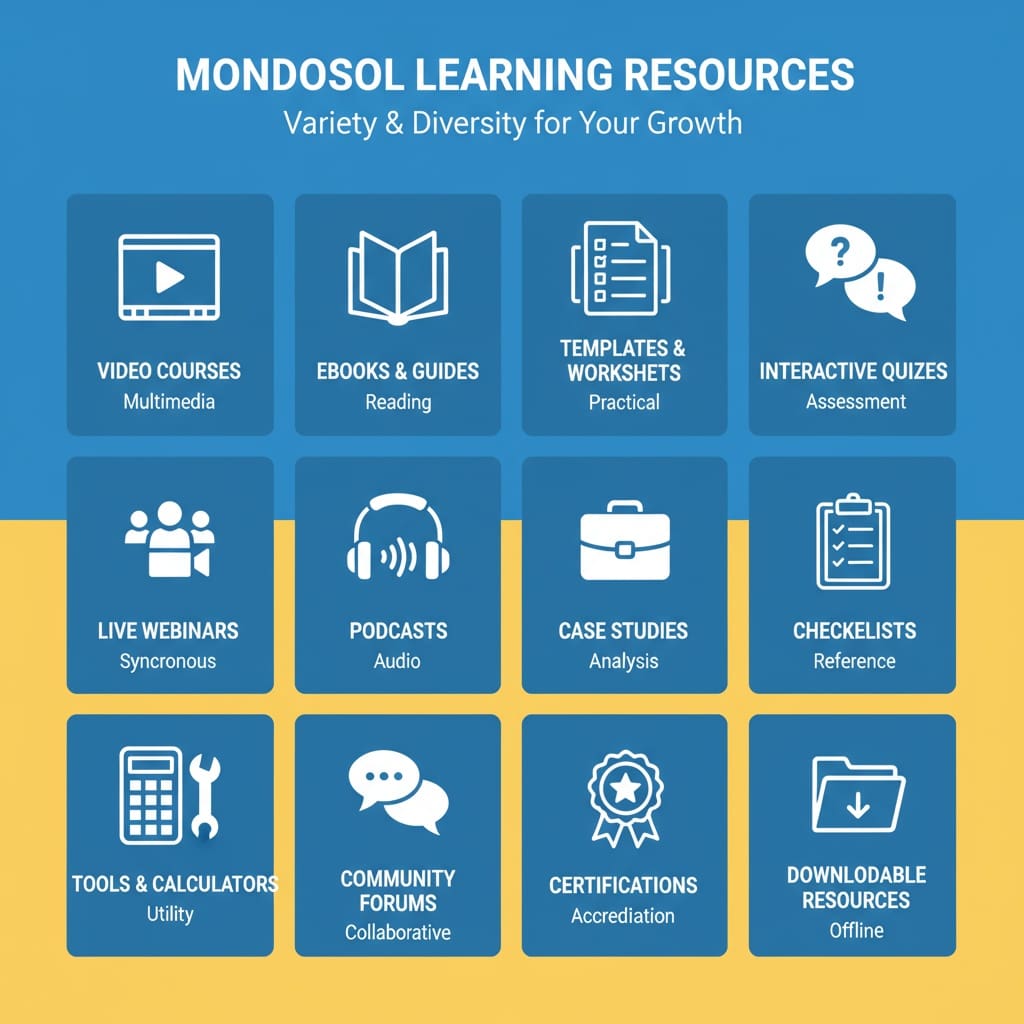
📖 eBooks & Digital Guides
In-Depth Written Resources
Types
- Comprehensive guides (50-200 pages)
- Quick-start guides (10-30 pages)
- Workbooks with exercises
- Reference manuals
- Industry reports and research
Topics
- Business planning and strategy
- Digital marketing fundamentals
- SEO and content optimization
- Language learning guides
- Travel and hospitality
- Career transition guides
- Financial planning
- Technology tutorials
eBook Features
- PDF format for easy reading
- Downloadable to any device
- Print-friendly layout
- Table of contents and index
- Searchable text
- Bonus worksheets and templates
- Lifetime access after purchase
Popular eBooks
- “Complete Digital Marketing Guide” (€27)
- “WordPress Mastery Handbook” (€37)
- “Business Plan Template & Guide” (€17)
- “Language Learning Roadmap” (€19)
- “Career Transition Playbook” (€29)
- “SEO Strategy Blueprint” (€47)
📋 Templates & Worksheets
Ready-to-Use Business Tools
Template Categories
- Business plan templates
- Marketing strategy templates
- Project management templates
- Financial planning worksheets
- Content calendars
- Social media templates
- Email marketing templates
- Resume and cover letter templates
Template Features
- Fully editable (Word, Excel, Google Docs)
- Professional design
- Customizable for your business
- Step-by-step instructions included
- Multiple variations per template
- Instant download
- Lifetime use rights
How to Use Templates
- Download template file
- Open in preferred software (Word, Excel, Google Docs)
- Customize with your information
- Save your version
- Print or share as needed
- Use for personal or business purposes
Popular Templates
- Business Plan (€12)
- Marketing Calendar (€8)
- Project Timeline (€10)
- Financial Budget (€9)
- Content Calendar (€7)
- Social Media Posts (€6)
- Email Sequences (€11)
🎯 Interactive Quizzes
Engaging Learning Assessments
Quiz Types
- Knowledge checks (3-5 questions per lesson)
- Module quizzes (10-15 questions)
- Final assessments (20-30 questions)
- Self-assessment quizzes
- Skill-level tests
- Personality and learning style quizzes
Features
- Immediate feedback on answers
- Explanations for correct and incorrect responses
- Hints and tips for difficult questions
- Progress tracking and scoring
- Unlimited retakes on knowledge checks
- Limited retakes on graded quizzes
- Automatic progress saving
- Mobile-friendly interface
Benefits
- Reinforce learning
- Identify knowledge gaps
- Track progress
- Build confidence
- Prepare for assessments
- Earn completion badges
- Motivate continued learning
🎤 Live Webinars & Workshops
Real-Time Interactive Learning
Format
- Live sessions with instructor
- 60-90 minute duration
- Interactive Q&A with participants
- Screen sharing and demonstrations
- Downloadable slides and resources
- Recording available for replay
Topics
- Business strategy and growth
- Digital marketing trends
- Technology tools and software
- Language learning conversations
- Personal development coaching
- Industry expert interviews
- Networking and community events
Features
- Real-time interaction with instructor
- Ask questions live
- Network with other learners
- Receive certificates of attendance
- Access recording after live session
- Downloadable materials
- Bonus Q&A sessions
Upcoming Webinars
- “SEO Secrets for 2025” (Monthly)
- “WordPress Tips & Tricks” (Bi-weekly)
- “Digital Marketing Masterclass” (Monthly)
- “Language Learning Strategies” (Weekly)
- “Business Growth Hacks” (Monthly)
🎧 Podcasts & Audio Content
Learn on the Go
Format
- 20-45 minute episodes
- Weekly or bi-weekly releases
- Available on all major platforms
- Downloadable for offline listening
- Transcripts available
Series
- “Business Breakthrough” – Entrepreneurship stories
- “Digital Marketing Digest” – Marketing trends and tips
- “Language Learning Daily” – Quick language lessons
- “Tech Talk” – Technology and software updates
- “Personal Growth Podcast” – Development and mindset
Features
- Expert interviews and discussions
- Actionable insights and tips
- Inspiring success stories
- Q&A from listeners
- Resource links in show notes
- Subscribe on Spotify, Apple Podcasts, YouTube
- Free and premium episodes
📊 Case Studies & Success Stories
Real-World Examples
Content
- Detailed success stories
- Before and after results
- Implementation strategies
- Lessons learned
- Metrics and outcomes
- Expert analysis
- Replicable frameworks
Topics
- Business growth and scaling
- Digital marketing campaigns
- Language learning success
- Career transitions
- Property management wins
- Technology implementations
- Personal development journeys
Benefits
- Learn from real examples
- Understand practical applications
- See measurable results
- Identify best practices
- Apply to your situation
- Build confidence
- Avoid common mistakes
✅ Checklists & Action Guides
Quick Reference Tools
Checklist Types
- Project checklists
- Launch checklists
- Marketing checklists
- Content creation checklists
- SEO optimization checklists
- Business setup checklists
- Learning progress checklists
Checklist Features
- Printable PDF format
- Digital checkboxes
- Step-by-step instructions
- Time estimates per item
- Resource links
- Customizable for your needs
- Downloadable and shareable
Popular Checklists
- “Website Launch Checklist” (Free)
- “Content Marketing Checklist” (Free)
- “SEO Optimization Checklist” (€5)
- “Business Plan Checklist” (€7)
- “Digital Marketing Checklist” (€8)
- “Course Creation Checklist” (€10)
🛠️ Tools & Calculators
Practical Business Tools
Available Tools
- SEO keyword research tools
- Content calendar generators
- Budget calculators
- ROI calculators
- Project timeline builders
- Email template builders
- Social media schedulers
- Analytics dashboards
Tool Features
- Web-based or downloadable
- Easy-to-use interface
- Real-time calculations
- Exportable results
- Mobile-friendly
- Regular updates
- Tutorial videos included
Tool Benefits
- Save time on manual tasks
- Improve accuracy
- Make data-driven decisions
- Streamline workflows
- Increase productivity
- Reduce errors
- Professional results
💬 Community Forums & Discussion Boards
Interactive Learning Community
Forum Features
- Ask questions and get answers
- Share experiences and insights
- Network with other learners
- Get feedback on projects
- Discuss course content
- Share resources and tips
- Build professional connections
Forum Categories
- Course-specific discussions
- General Q&A
- Resource recommendations
- Success stories and wins
- Challenges and support
- Networking and partnerships
- Job opportunities
Community Benefits
- Learn from peers
- Get personalized help
- Build accountability
- Find mentors and collaborators
- Stay motivated
- Access collective knowledge
- Build professional network
🏆 Certificates & Credentials
Recognized Credentials
Types
- Course completion certificates
- Skill verification certificates
- Professional credentials
- Achievement badges
- Digital certificates
- Printable certificates
- LinkedIn-shareable credentials
Features
- Issued upon course completion
- Includes course name and date
- Unique certificate ID
- Instructor signature
- Downloadable PDF
- Shareable on LinkedIn
- Professional design
Benefits
- Prove skill mastery
- Enhance resume
- Boost LinkedIn profile
- Show commitment to learning
- Impress employers
- Build credibility
- Track achievements
📚 Bonus Materials & Resources
Supplementary Content
Bonus Types
- Exclusive video tutorials
- Advanced topic deep-dives
- Bonus modules
- Expert interviews
- Resource libraries
- Tool recommendations
- Discount codes and offers
Bonus Features
- Included with course purchase
- Lifetime access
- Regularly updated
- Exclusive to course members
- Additional learning value
- Professional resources
- Time-saving tools
🌐 Multi-Language Content
Available Languages
- Content in 102 languages
- Auto-translated via GTranslate
- Captions and transcripts translated
- Consistent across all formats
- Accessible globally
- No geographic restrictions
Language Selection
- Go to Account Settings
- Select “Language Preferences”
- Choose from 102 languages
- All content displays in selected language
- Change anytime in settings
📱 Mobile-Optimized Content
Access Anywhere
Mobile Features
- Responsive design for all devices
- Touch-friendly interface
- Optimized video playback
- Readable text on small screens
- Fast loading times
- Offline download capability
- Seamless sync across devices
Supported Devices
- Smartphones (iPhone, Android)
- Tablets (iPad, Android tablets)
- Laptops and desktops
- All modern browsers
🎁 Free vs. Premium Content
Free Content
- Sample lessons from courses
- Free guides and checklists
- Free webinars
- Free podcast episodes
- Community forum access
- Free templates (limited selection)
- Free quizzes
Premium Content
- Full courses with certificates
- Advanced eBooks and guides
- Premium templates and tools
- Exclusive webinars
- One-on-one coaching
- Priority support
- Bonus materials
Pricing
- Free courses and resources available
- Premium courses €89-€1,820
- eBooks and guides €5-€57
- Templates €6-€12
- Coaching €297-€1,000+
- Bundles and discounts available
- Payment plans for larger purchases
🎯 Content by Topic
Business & Entrepreneurship
- Business planning courses
- Startup guides
- Growth strategies
- Leadership training
- Team management
- Financial planning
- Business templates
Digital Marketing
- SEO courses and guides
- Content marketing strategies
- Social media marketing
- Email marketing
- Paid advertising
- Analytics and reporting
- Marketing tools and templates
Technology & Software
- WordPress courses
- Google Analytics training
- Software tutorials
- Tech tool reviews
- Coding basics
- Digital transformation
- Technology guides
Language Learning
- Courses in 102 languages
- Conversation practice
- Grammar guides
- Vocabulary builders
- Pronunciation tips
- Cultural insights
- Language learning strategies
Travel & Hospitality
- Travel guides
- Property management
- Hospitality training
- Tourism marketing
- Destination guides
- Travel planning tools
- Hospitality templates
Personal Development
- Career transition guides
- Goal setting frameworks
- Productivity strategies
- Mindset training
- Communication skills
- Leadership development
- Life planning tools
❓ Common Questions
Choose based on your learning style: videos for visual learners, eBooks for readers, quizzes for interactive learners, podcasts for audio learners, webinars for real-time interaction.
No. Most content is sold separately. However, courses include videos, readings, quizzes, and downloadable materials. Bundles offer multiple content types at discounted prices.
Most content is auto-translated to 102 languages. Some content (like podcasts and webinars) may be in English only initially.
Most content is downloadable: eBooks, templates, checklists, and course materials. Videos can be downloaded for offline access through course settings.
New courses, guides, and resources are added monthly. Webinars are scheduled weekly or bi-weekly. Podcasts release weekly.
Some courses offer free preview lessons. Free guides and checklists are available to sample content quality.
Personal use only. Sharing purchased content violates terms. Recommend others purchase their own access.
Most purchases have 30-day money-back guarantee. Contact support for refunds or exchanges.
Yes. Email eliomondello@mondosol.com for bulk purchase pricing and educational discounts.
Log into your account and go to “My Purchases” or “My Learning” to access all purchased content anytime.
🔗 Related FAQs
- How do I access learning resources?
- How is course content organized?
- Are materials available offline?
📞 Questions About Our Content?
Email us at eliomondello@mondosol.com to:
- Ask about specific content
- Request content recommendations
- Suggest new content topics
- Report content issues
- Get help finding resources
Explore diverse learning formats and find the perfect resources for your success! 🚀
- Travel guides and resources:
Comprehensive insights into destinations worldwide, including itineraries, local tips, and cultural highlights.
- Educational materials:
These are structured learning tools. They include eBooks, video tutorials, and quizzes. These tools are tailored to diverse subjects like mathematics, science, and history.
- Language learning courses (top 5 languages):
Courses designed to teach popular languages such as Spanish, French, Mandarin, and more.
- Business and marketing guides:
Practical advice for aspiring entrepreneurs and marketers, including startup checklists and marketing strategy templates.
- Interactive learning modules:
Engaging exercises that promote active learning and skill application through simulations and role-playing scenarios.
Leave a Reply
Yes! Mondosol offers professional certificates and digital credentials upon course completion. These credentials verify your skills, boost your resume, and enhance your professional profile on LinkedIn and other platforms. Types of certificates: Course completion certificates issued automatically upon finishing all modules, includes course name, completion date, unique certificate ID, instructor signature, professional design, available in PDF. Skill verification certificates demonstrate mastery of specific skills based on quiz scores and assessments, showing skill level (Beginner, Intermediate, Advanced). Achievement badges earned for milestones, unlock at specific completion points, shareable on social media. Professional credentials for premium courses, recognized industry credentials, multi-tier options (Basic, Professional, Expert). Certificate features: digital format (download PDF, store in wallet, print, share via email, embed on websites), verification (unique ID, verifiable through website, employer confirmation, tamper-proof signatures, lifetime validity), professional design (branded logo, professional layout, customized name, course details, print-quality). LinkedIn integration: download certificate, add to profile, increases visibility, attracts recruiters. No additional fees. Lifetime validity. Verifiable credentials.
Estimated reading time: 4 minutes
Yes! Mondosol offers professional certificates and digital credentials upon course completion. These credentials verify your skills, boost your resume, and enhance your professional profile on LinkedIn and other platforms.
Key Takeaways
- Mondosol offers professional certificates and digital credentials that enhance your skills and resume.
- Types of certificates include Course Completion, Skill Verification, Achievement Badges, and Professional Credentials.
- Certificates are digital, have unique IDs for verification, and can be shared on LinkedIn, boosting your professional profile.
- To earn a certificate, complete all course modules and pass assessments with a minimum score, without additional fees.
- Certificates provide career, educational, and personal value, supporting job prospects and documenting skill acquisition.
Table of contents
📜 Types of Certificates

Course Completion Certificates
- Issued automatically upon finishing all course modules
- Includes course name, completion date, and your name
- Unique certificate ID for verification
- Instructor signature (digital)
- Professional design with Mondosol branding
- Available in PDF format for download and printing
Skill Verification Certificates
- Demonstrate mastery of specific skills
- Based on quiz scores and assessments
- Shows skill level (Beginner, Intermediate, Advanced)
- Includes competency details
- Verifiable credentials employers recognize
Achievement Badges
- Digital badges earned for milestones
- Unlock at specific course completion points
- Shareable on social media and professional profiles
- Stackable (collect multiple badges)
- Display progress and commitment
Professional Credentials
- Advanced certifications for premium courses
- Recognized industry credentials
- Multi-tier options (Basic, Professional, Expert)
- Includes detailed competency framework
- Higher value for career advancement
🎯 Certificate Features
Digital Format
- Download as PDF anytime
- Store in digital wallet
- Print for framing or portfolio
- Share via email
- Embed on websites
Verification
- Unique certificate ID for authenticity
- Verifiable through Mondosol website
- Employers can confirm credentials
- Tamper-proof digital signatures
- Lifetime validity
Professional Design
- Branded with Mondosol logo
- Professional layout and typography
- Customized with your name
- Includes course details
- Print-quality resolution
💼 LinkedIn Integration
Share Directly to LinkedIn
- Download your certificate
- Go to LinkedIn profile
- Click “Add credential”
- Upload certificate or enter credential details
- Certificate appears on your profile
- Endorsements and recommendations follow
LinkedIn Benefits
- Increases profile visibility
- Shows commitment to learning
- Attracts recruiter attention
- Enhances professional credibility
- Boosts job search success
📋 How to Access Your Certificates
In Your Account
- Log into Mondosol account
- Go to “My Learning” or “My Courses”
- Click on completed course
- Select “Download Certificate”
- Save PDF to your device
Email Delivery
- Certificate emailed automatically upon completion
- Includes download link
- Can be resent anytime from account
Digital Wallet
- Store certificates in Mondosol profile
- Access anytime, anywhere
- Share with employers or institutions
- Organize by course or date
✅ Certificate Requirements
To Earn a Certificate
- Complete all course modules
- Pass final assessment (if required)
- Score minimum 70% on quizzes (varies by course)
- Engage with course materials
- No time limit to complete
No Additional Fees
- Certificates included with course purchase
- No extra cost to download
- No subscription required to access
- Lifetime access after completion
🌟 Certificate Value
Career Benefits
- Enhance resume and CV
- Demonstrate skill mastery
- Increase job prospects
- Support career transitions
- Justify salary negotiations
- Show professional development
Educational Value
- Prove learning commitment
- Document skill acquisition
- Build professional portfolio
- Support further education applications
- Create portfolio evidence
Personal Achievement
- Celebrate learning milestones
- Build confidence
- Track progress
- Motivate continued learning
- Share accomplishments
❓ Common Questions
Yes. Mondosol certificates demonstrate real skill acquisition in digital marketing, business, technology, and languages. Many employers value online certifications, especially from recognized platforms.
Yes. Download your certificate and share on LinkedIn, Facebook, Twitter, or other platforms. Use the LinkedIn integration to automatically add credentials to your profile.
Certificates are only issued upon course completion. However, you can download a “Course Progress Certificate” showing modules completed if available.
No. Mondosol certificates are valid for life. Your skills and learning don’t expire, and credentials remain on your profile indefinitely.
Yes. Download the PDF and print on certificate paper or cardstock for a professional printed version.
Each certificate has a unique ID. Visit mondosol.com/verify-certificate and enter the ID to confirm authenticity.
Yes. Premium courses offer professional-level certifications recognized in specific industries. Email eliomondello@mondosol.com for details on professional credential programs.
Some universities accept online certificates for credit. Contact your institution’s admissions office to inquire about credit transfer policies.
📞 Questions About Certificates?
Email us at eliomondello@mondosol.com to earn recognized credentials and advance your career! 🚀:
- Ask about specific course certificates
- Verify a certificate
- Request certificate replacements
- Discuss professional credential options
- Get help downloading certificates
Related links
Leave a Reply
Yes! Most Mondosol course materials can be downloaded for offline access. This includes videos, PDFs, worksheets, templates, and other downloadable resources, allowing you to learn anywhere without an internet connection. What you can download: Video lessons in multiple quality settings (360p, 720p, 1080p), select quality based on storage space, watch offline on mobile devices and tablets, desktop downloads available through browser extensions. Course materials: PDF lecture notes and transcripts, worksheets and exercises, templates and checklists, eBooks and guides, presentation slides, reference materials. Supplementary resources: bonus materials, case studies, tool recommendations, reading lists. How to download on mobile: open app or browser, navigate to course, tap lesson, tap download icon, select video quality, wait for completion, access from Downloads or Offline section. On desktop: log in, go to course page, click resource, click Download button, save to computer. Storage requirements: 360p videos ~100-150 MB/hour, 720p ~300-500 MB/hour, 1080p ~1-2 GB/hour. Lifetime access courses = lifetime downloads.
Estimated reading time: 5 minutes
Yes! Most Mondosol course materials can be downloaded for offline access. This includes videos, PDFs, worksheets, templates, and other downloadable resources, allowing you to learn anywhere without an internet connection.
Key Takeaways
- Most Mondosol course materials, including videos and PDFs, can be downloaded for offline access.
- Users can download individual video lessons in various quality settings and access them on mobile devices or desktops.
- To download content, navigate to your course, select materials, and tap the download icon or button.
- Downloads remain accessible while enrolled, with lifetime access for lifetime courses, and can be redownloaded at any time.
- Ensure sufficient storage space, as video sizes vary by quality, and organize files for easy retrieval.
Table of contents
📱 What You Can Download
Video Lessons
- Download individual video lessons
- Available in multiple quality settings (360p, 720p, 1080p)
- Select quality based on storage space
- Watch offline on mobile devices and tablets
- Desktop downloads available through browser extensions
Course Materials
- PDF lecture notes and transcripts
- Worksheets and exercises
- Templates and checklists
- eBooks and guides
- Presentation slides
- Reference materials
Supplementary Resources
- Bonus materials and resources
- Case studies and examples
- Tool recommendations and links
- Reading lists and references

💻 How to Download Course Content
On Mobile Devices (iOS/Android)
Download Videos:
- Open Mondosol app or mobile browser
- Navigate to your course
- Tap the lesson you want to download
- Tap the download icon (↓)
- Select video quality
- Wait for download to complete
- Access from “Downloads” or “Offline” section
Download Materials:
- Go to course lesson or resources section
- Tap on PDF, worksheet, or template
- Tap “Download” or “Save”
- File saves to device storage
- Access through Files app or Downloads folder
On Desktop/Laptop
Download Materials:
- Log into your Mondosol account
- Go to course page
- Click on resource (PDF, template, etc.)
- Click “Download” button
- Save to your computer
- Access anytime from saved location
Download Videos (Browser Extension):
- Some browsers support video downloads
- Use recommended extensions for course platforms
- Follow browser-specific download instructions
- Respect copyright and terms of use
📂 Managing Downloaded Content
Storage Requirements
Video Storage:
- 360p: ~100-150 MB per hour
- 720p: ~300-500 MB per hour
- 1080p: ~1-2 GB per hour
Document Storage:
- PDFs: 1-10 MB each
- Templates: 0.5-5 MB each
- eBooks: 5-50 MB each
Recommended Storage:
- Short course (4-6 hours): 2-5 GB
- Medium course (10-15 hours): 5-10 GB
- Long course (20+ hours): 10-20 GB
Organizing Downloads
Create Folders:
- Organize by course name
- Separate videos from documents
- Create module-specific folders
- Label files clearly
File Management Tips:
- Delete watched videos to free space
- Keep essential materials only
- Sync across devices when online
- Back up important downloads
🔄 Syncing Across Devices
Progress Tracking
- Course progress syncs automatically when online
- Completed lessons marked across all devices
- Quiz scores and assessments sync
- Bookmarks and notes sync (if supported)
Multi-Device Access
- Download on multiple devices
- Access same course on phone, tablet, laptop
- No limit on number of devices
- Seamless switching between devices
⏱️ Download Expiration
Time Limits
Active Enrollment:
- Downloads available while enrolled in course
- No expiration during course access period
- Lifetime access courses = lifetime downloads
After Course Completion:
- Downloads remain accessible
- Can re-download materials anytime
- No additional fees for re-downloads
License Restrictions
- Downloads for personal use only
- Cannot share or redistribute files
- Cannot upload to file-sharing sites
- Respect copyright and terms of service
🌐 Internet Requirements
When You Need Internet
- Initial course enrollment
- Downloading content
- Syncing progress
- Taking quizzes (some require online)
- Accessing community forums
- Submitting assignments
When You Don’t Need Internet
- Watching downloaded videos
- Reading downloaded PDFs
- Working on downloaded worksheets
- Reviewing saved materials
- Taking notes (device-based)
❓ Common Questions
Yes, on mobile apps you can often download entire modules or courses. On desktop, download materials individually or use bulk download options if available.
Downloads typically pause and resume when connection is restored. Check your download manager to restart interrupted downloads.
Yes. Download on as many devices as you need. Your course access allows multi-device downloads.
Downloads remain until you delete them or your course access expires. For lifetime access courses, downloads are available indefinitely.
Delete watched videos or unnecessary files. Download lower quality videos. Use cloud storage for documents. Prioritize essential materials.
Downloaded videos may have DRM protection preventing transfer. Documents (PDFs, templates) can typically be transferred freely for personal use.
Yes. Downloading uses your internet data. Use WiFi for large downloads to avoid mobile data charges.
Live webinars are typically not downloadable during the live session. Recordings may be available for download after the event.
Videos are typically in MP4 format. Documents are in PDF, DOCX, or XLSX formats depending on the resource type.
Quizzes usually require internet connection for submission and grading. Quiz questions and study materials may be downloadable as PDFs.
🔧 Troubleshooting Download Issues
Download Won’t Start
- Check internet connection
- Clear browser cache
- Disable ad blockers
- Try different browser
- Contact support if issue persists
Download Interrupted
- Check internet stability
- Ensure sufficient storage space
- Restart download from download manager
- Try downloading during off-peak hours
Can’t Find Downloaded Files
- Check Downloads folder
- Search device for file name
- Check app’s “Offline” or “Downloads” section
- Verify download completed successfully
Video Won’t Play Offline
- Ensure download completed fully
- Check file isn’t corrupted
- Update media player or app
- Re-download if necessary
📞 Need Help with Downloads?
Email us at eliomondello@mondosol.com to learn anywhere, anytime—even without internet! 🚀:
- Report download issues
- Request alternative download methods
- Get technical support
- Ask about specific course downloads
- Request file format conversions
Related Links
Leave a Reply
Course completion time varies based on course length, your learning pace, and time commitment. Most Mondosol courses take 4-12 weeks to complete with 3-5 hours per week of study. However, all courses are self-paced, so you can finish faster or take more time as needed. Short courses (4-6 weeks): 3-4 modules, 12-20 lessons, 4-8 hours video content, 3-5 hours/week time commitment. Medium courses (8-12 weeks): 5-8 modules, 25-40 lessons, 10-20 hours video content, 5-8 hours/week. Long courses (3-6 months): 8-12 modules, 50+ lessons, 25-50 hours video content, 8-12 hours/week. Self-paced learning: no deadlines, lifetime access, flexible schedule, accelerated or extended options. Factors affecting completion: learning pace (fast, average, thorough learners), time availability (full-time, part-time, casual study), course complexity (beginner, intermediate, advanced). Recommended study plans: intensive (10-20 hours/week), balanced (5-8 hours/week), flexible (2-4 hours/week). Progress tracking available.
Estimated reading time: 5 minutes
Course completion time varies based on course length, your learning pace, and time commitment. Most Mondosol courses take 4-12 weeks to complete with 3-5 hours per week of study. However, all courses are self-paced, so you can finish faster or take more time as needed.
Key Takeaways
- Course completion time varies based on course length, learning pace, and commitment.
- Short courses typically take 4-6 weeks; medium courses take 8-12 weeks; long courses last 3-6 months.
- You can study at your own pace with no deadlines and access course materials for life.
- Fast learners can finish 25-50% faster, while thorough learners may take longer.
- Recommended study plans include intensive, balanced, and flexible options tailored to your schedule.
Table of contents
📅 Typical Course Durations
Short Courses (4-6 Weeks)
Course Structure:
- 3-4 modules
- 3-5 lessons per module
- 12-20 total lessons
- 4-8 hours of video content
Time Commitment:
- 3-5 hours per week
- 1-2 hours per lesson
- Complete in 4-6 weeks at recommended pace
- Can finish in 2-3 weeks with intensive study
Examples:
- Introduction to Digital Marketing
- WordPress Basics
- Language Learning Fundamentals
- Social Media Marketing Essentials
Medium Courses (8-12 Weeks)
Course Structure:
- 5-8 modules
- 4-6 lessons per module
- 25-40 total lessons
- 10-20 hours of video content
Time Commitment:
- 5-8 hours per week
- 2-3 hours per lesson
- Complete in 8-12 weeks at recommended pace
- Can finish in 4-6 weeks with intensive study
Examples:
- Complete SEO Mastery
- Business Planning & Strategy
- Advanced WordPress Development
- Professional Language Courses
Long Courses (3-6 Months)
Course Structure:
- 8-12 modules
- 5-10 lessons per module
- 50+ total lessons
- 25-50 hours of video content
Time Commitment:
- 8-12 hours per week
- 3-5 hours per lesson
- Complete in 3-6 months at recommended pace
- Can finish in 6-12 weeks with intensive study
Examples:
- Digital Marketing Professional Certificate
- Complete Business Development Program
- Full-Stack Web Development
- Professional Language Certification

⚡ Self-Paced Learning
Flexible Schedule
No Deadlines:
- Learn at your own pace
- No fixed schedule
- No pressure to finish quickly
- Take breaks when needed
Lifetime Access:
- Access course materials forever
- Return anytime to review
- No expiration on course enrollment
- Complete on your timeline
Accelerated Learning
Finish Faster:
- Study more hours per week
- Skip lessons you already know (if allowed)
- Focus on key modules
- Dedicate intensive study periods
Typical Accelerated Timeline:
- Short courses: 1-2 weeks
- Medium courses: 3-4 weeks
- Long courses: 6-8 weeks
Extended Learning
Take More Time:
- Study fewer hours per week
- Balance with work and life
- Deep dive into each lesson
- Practice and reinforce learning
Typical Extended Timeline:
- Short courses: 8-12 weeks
- Medium courses: 4-6 months
- Long courses: 6-12 months
📊 Factors Affecting Completion Time
Your Learning Pace
Fast Learners:
- Previous experience in topic
- Quick comprehension
- Skip familiar content
- Focus on new material
- Complete 25-50% faster
Average Learners:
- Follow recommended pace
- Complete all lessons
- Practice exercises
- Review materials
- Complete on schedule
Thorough Learners:
- Deep dive into each topic
- Complete all optional materials
- Practice extensively
- Rewatch lessons
- Take 25-50% longer
Time Availability
Full-Time Study (20-40 hours/week):
- Short courses: 1-2 weeks
- Medium courses: 2-4 weeks
- Long courses: 4-8 weeks
Part-Time Study (10-15 hours/week):
- Short courses: 2-4 weeks
- Medium courses: 4-8 weeks
- Long courses: 8-16 weeks
Casual Study (3-5 hours/week):
- Short courses: 4-8 weeks
- Medium courses: 8-16 weeks
- Long courses: 16-24 weeks
Course Complexity
Beginner Courses:
- Easier to follow
- Less prerequisite knowledge
- Faster completion
- More guided instruction
Intermediate Courses:
- Moderate complexity
- Some prior knowledge helpful
- Average completion time
- Balance of instruction and practice
Advanced Courses:
- Complex topics
- Significant prerequisites
- Longer completion time
- More independent work
🎯 Recommended Study Plans
Intensive Plan (Fast Track)
Goal: Complete course as quickly as possible
Schedule:
- 10-20 hours per week
- Daily study sessions
- Focus on core lessons
- Skip optional materials (if needed)
- Complete assignments promptly
Timeline:
- Short courses: 1-2 weeks
- Medium courses: 3-4 weeks
- Long courses: 6-8 weeks
Balanced Plan (Recommended)
Goal: Complete course thoroughly at steady pace
Schedule:
- 5-8 hours per week
- 3-4 study sessions per week
- Complete all lessons and materials
- Practice exercises
- Review and reinforce learning
Timeline:
- Short courses: 4-6 weeks
- Medium courses: 8-12 weeks
- Long courses: 3-6 months
Flexible Plan (Extended)
Goal: Learn deeply while balancing other commitments
Schedule:
- 2-4 hours per week
- 1-2 study sessions per week
- Deep dive into each topic
- Complete all optional materials
- Extensive practice and review
Timeline:
- Short courses: 8-12 weeks
- Medium courses: 4-6 months
- Long courses: 6-12 months
📈 Tracking Your Progress
Progress Indicators
Course Dashboard:
- Percentage completed
- Lessons finished vs. total
- Time spent in course
- Estimated time remaining
- Completion date projection
Module Progress:
- Lessons completed per module
- Quiz scores
- Assignments submitted
- Module completion status
Setting Goals
Weekly Goals:
- Number of lessons to complete
- Hours to study
- Quizzes to pass
- Assignments to submit
Milestone Goals:
- Complete module by date
- Reach 50% completion
- Finish all videos
- Submit final project
❓ Common Questions
No. All Mondosol courses are self-paced with no deadlines. You have lifetime access to complete courses on your schedule.
Yes. Pause anytime and resume when ready. Your progress is saved automatically, and you can pick up exactly where you left off.
No problem! The recommended time is just a guideline. Take as long as you need to learn effectively.
Absolutely! If you have more time or prior knowledge, you can complete courses much faster than the recommended pace.
Most courses are designed to be completed sequentially. However, some allow you to skip ahead if you have prerequisite knowledge.
It depends on your schedule. Most learners dedicate 30-60 minutes daily or 2-3 hours per session 3-4 times per week.
Nothing! Your enrollment and progress remain saved. Return anytime to continue learning.
Extensions aren’t necessary since there are no deadlines. You have lifetime access to complete courses at your pace.
📞 Questions About Course Duration?
Email us at eliomondello@mondosol.com to Learn at your pace and achieve your goals! 🚀:
- Get course-specific completion estimates
- Discuss your learning goals and timeline
- Request personalized study plans
- Ask about course structure and time commitment
Related Links
Leave a Reply
Book one-on-one multilingual business coaching sessions at Mondosol.com, offering 102 languages, flexible scheduling, and personalized coaching packages starting at €297. Mondosol booking process: visit mondosol.com/coaching, choose package (Basic €297, Complete €497, Premium €1,000+), select language (102 options), schedule session (all time zones), receive confirmation. Other platforms: Clarity.fm ($1–5/minute, 20+ languages, instant booking), Noomii (free matching, $100–500/session, 15+ languages), BetterUp (AI matching, $300–500+/month, 10+ languages), LinkedIn ProFinder ($50–300/hour, global network), Italki ($5–30/hour, 150+ languages, language-focused), Preply ($5–40/hour, 50+ languages, language practice). Mondosol advantages: 102 languages, flexible scheduling, lifetime access, 24-hour cancellation, personalized plans, expert coaches, affordable pricing, no subscriptions, confidentiality. Booking tips: define goals, check credentials, verify language proficiency, confirm time zones, review policies, prepare questions.
Estimated reading time: 7 minutes
Book one-on-one multilingual business coaching sessions at Mondosol.com, offering 102 languages, flexible scheduling, and personalized coaching packages starting at €297. Whether you need tech coaching, language coaching, or business strategy support, Mondosol provides expert guidance tailored to your goals and language preferences.
Key Takeaways
- Mondosol offers one-on-one multilingual business coaching in 102 languages, starting at €297.
- The booking process is easy: choose a package, select a language, and schedule your session.
- Coaching options include Basic, Complete, and Premium packages, with lifetime access to materials.
- Other platforms like Clarity.fm and Noomii provide varied coaching formats and pricing for specific needs.
- Mondosol is ideal for entrepreneurs seeking affordable, personalized coaching with expert guidance.
Table of contents
- 🎯 Best Platforms to Book Multilingual Coaching Sessions
- 📊 Booking Comparison: Key Features
- 🚀 How to Book Your First Mondosol Coaching Session
- 💡 Tips for Booking Multilingual Coaching
- ❓ Common Questions
- 📞 Ready to Book Your Multilingual Coaching Session?
- 🌍 Why Choose Mondosol for Multilingual Coaching?
- Related Links
🎯 Best Platforms to Book Multilingual Coaching Sessions
Mondosol ⭐ (Recommended)
Booking Process:
- Visit mondosol.com/coaching or email eliomondello@mondosol.com
- Choose your coaching package (Basic, Complete, or Premium)
- Select your preferred language (102 options available)
- Schedule your first session (flexible time zones)
- Receive confirmation and coaching materials
Coaching Options:
- Basic Package: €297 (3 sessions within 2 months)
- Complete Package: €497 (comprehensive support)
- Premium Packages: €1,000+ (specialized consulting)
- Tech Coaching: €100–120/hour
- Language Coaching: €50–60/hour
Languages Supported: 102 languages including English, Spanish, French, Italian, German, Norwegian, Portuguese, Chinese, Arabic, and more.
Why Choose Mondosol:
- Flexible scheduling across all time zones
- No fixed deadlines or pressure
- Lifetime access to coaching materials
- 24-hour cancellation policy
- Personalized coaching plans
- Expert coaches with international experience
- Affordable pricing with no hidden fees
- Confidentiality guaranteed
Best For: Entrepreneurs, digital marketers, property managers, educators, and anyone seeking affordable multilingual coaching with lifetime access.

Clarity.fm
Booking Process:
- Browse coaches by expertise and language
- Check availability and rates
- Book instantly or schedule for later
- Pay per minute or purchase packages
- Connect via phone or video call
Pricing: $1–5/minute (varies by coach)
Languages: 20+ languages (varies by coach availability)
Pros:
- Large network of vetted coaches
- Instant booking available
- Pay-per-minute flexibility
- No long-term commitment
Cons:
- Higher per-minute costs
- Limited language consistency
- No lifetime access to materials
Best For: Quick consultations and specific expertise.
Website: clarity.fm
Noomii
Booking Process:
- Complete a free matching questionnaire
- Receive 3–5 coach recommendations
- Review profiles and credentials
- Contact coaches directly
- Schedule introductory sessions
Pricing: Varies by coach ($100–500/session)
Languages: 15+ languages (coach-dependent)
Pros:
- Free matching service
- Vetted coach network
- No platform fees
- Direct coach communication
Cons:
- Manual booking process
- Limited multilingual options
- No standardized pricing
Best For: Those wanting personalized coach matching.
Website: noomii.com
BetterUp
Booking Process:
- Complete assessment questionnaire
- AI matches you with a coach
- Schedule your first session
- Receive personalized coaching plan
- Track progress via mobile app
Pricing: $300–500+/month (subscription)
Languages: 10+ languages
Pros:
- AI-powered matching
- Comprehensive coaching experience
- Mobile app with daily tips
- Strong for corporate teams
Cons:
- Higher pricing tier
- Subscription required
- Limited language options vs. Mondosol
- Less specialized for entrepreneurs
Best For: Corporate teams and larger budgets.
Website: betterup.com
LinkedIn ProFinder
Booking Process:
- Post your coaching needs
- Receive proposals from coaches
- Review profiles and recommendations
- Contact coaches directly
- Negotiate terms and schedule
Pricing: Varies by coach ($50–300/hour)
Languages: Varies by coach (global network)
Pros:
- Access to LinkedIn network
- Verified professional profiles
- Direct negotiation
- No platform fees
Cons:
- Manual vetting required
- No standardized process
- Limited platform support
- Inconsistent language availability
Best For: Those leveraging LinkedIn networks.
Website: linkedin.com/profinder
Italki (Language Coaching Specialist)
Booking Process:
- Search for language coaches
- Filter by language, price, and availability
- Book trial lesson ($5–15)
- Purchase lesson packages
- Schedule sessions via platform
Pricing: $5–30/hour (language coaching)
Languages: 150+ languages
Pros:
- Affordable language coaching
- Large tutor network
- Flexible scheduling
- Trial lessons available
Cons:
- Language-focused only (not business coaching)
- Limited business strategy support
- No comprehensive coaching packages
Best For: Language learning and practice.
Website: italki.com
Preply (Language Coaching Specialist)
Booking Process:
- Browse tutors by language and expertise
- Filter by price, availability, and ratings
- Book trial lesson ($5–20)
- Purchase lesson packages
- Schedule sessions via platform
Pricing: $5–40/hour (language coaching)
Languages: 50+ languages
Pros:
- Affordable language coaching
- Easy booking system
- Flexible scheduling
- Money-back guarantee
Cons:
- Language-focused only
- Limited business coaching
- No comprehensive packages
Best For: Language learning and conversational practice.
Website: preply.com
📊 Booking Comparison: Key Features
| Platform | Languages | Booking Process | Pricing | Best For |
|---|---|---|---|---|
| Mondosol | 102 | Email/website | €297–€1,000+ packages | Affordable multilingual business coaching |
| Clarity.fm | 20+ | Instant online | $1–5/minute | Quick consultations |
| Noomii | 15+ | Manual matching | $100–500/session | Personalized coach matching |
| BetterUp | 10+ | AI matching | $300–500+/month | Corporate teams |
| LinkedIn ProFinder | Varies | Manual proposals | $50–300/hour | LinkedIn network |
| Italki | 150+ | Online platform | $5–30/hour | Language learning |
| Preply | 50+ | Online platform | $5–40/hour | Language practice |
🚀 How to Book Your First Mondosol Coaching Session
Step 1: Choose Your Coaching Package
Basic Package (€297):
- 3 one-on-one sessions
- 60 minutes per session
- Complete within 2 months
- Flexible scheduling
- Email support between sessions
Complete Package (€497):
- 6 one-on-one sessions
- 60 minutes per session
- Complete within 4 months
- Priority scheduling
- Unlimited email support
- Lifetime access to materials
Premium Package (€1,000+):
- 10+ one-on-one sessions
- Customized coaching plan
- Unlimited duration
- Priority scheduling
- Unlimited email support
- Lifetime access to materials
- Specialized consulting
Hourly Coaching:
- Tech Coaching: €100–120/hour
- Language Coaching: €50–60/hour
- Business Coaching: €100–120/hour
Step 2: Select Your Language
Mondosol offers coaching in 102 languages, including:
- English, Spanish, French, Italian, German
- Norwegian, Swedish, Danish, Finnish
- Portuguese, Dutch, Polish, Russian
- Chinese (Mandarin, Cantonese), Japanese, Korean
- Arabic, Hebrew, Turkish, Greek
- Hindi, Urdu, Bengali, Tamil
- And 80+ more languages
Step 3: Schedule Your Session
Flexible Scheduling:
- Choose your preferred date and time
- All time zones accommodated
- Morning, afternoon, or evening sessions
- Weekday or weekend availability
- Asynchronous options (email, chat)
Cancellation Policy:
- 24-hour notice required
- Free rescheduling within policy
- No penalty for emergencies
Step 4: Payment Options
Accepted Methods:
- Credit card (Visa, Mastercard, Amex)
- PayPal
- Bank transfer
- Cryptocurrency (upon request)
Payment Terms:
- One-time payment (no subscriptions)
- Secure payment processing
- No hidden fees
- Refund policy available
Step 5: Receive Confirmation
What You’ll Get:
- Email confirmation with session details
- Calendar invite with video call link
- Pre-session questionnaire
- Coaching materials and resources
- Contact information for your coach
💡 Tips for Booking Multilingual Coaching
Before Booking:
- Define your coaching goals clearly
- Check coach credentials and experience
- Verify language proficiency (native vs. fluent)
- Confirm time zone availability
- Review cancellation policies
- Check payment options
During Booking:
- Provide accurate contact information
- Specify your preferred language
- Note any special requirements
- Ask about trial sessions
- Clarify pricing and packages
- Request testimonials or case studies
After Booking:
- Confirm session details via email
- Add to your calendar
- Prepare questions and goals
- Test video call technology
- Arrive 5 minutes early
- Take notes during sessions
❓ Common Questions
Mondosol offers flexible scheduling. Book 1–7 days in advance for best availability. Last-minute bookings may be available.
Yes! Coaching packages include multiple sessions. You can schedule all sessions upfront or book as you go.
Contact your coach 24 hours in advance to reschedule free of charge. Emergency rescheduling may be accommodated.
Mondosol offers consultation calls to discuss your needs before committing to a package. Email eliomondello@mondosol.com to inquire.
Yes! Mondosol supports 102 languages. You can switch languages for different sessions based on your needs.
Mondosol coaches are vetted for language proficiency. Specify your language preference when booking, and you’ll be matched with a qualified coach.
Mondosol offers satisfaction guarantees. Contact us within 24 hours of your first session to discuss alternatives.
Yes! Mondosol offers group coaching and corporate packages. Email eliomondello@mondosol.com for custom pricing.
📞 Ready to Book Your Multilingual Coaching Session?
Time needed: 2 days.
Book your first session today and start your journey to business success! 🚀
- Contact Mondosol Today:
Email: eliomondello@mondosol.com
Website: mondosol.com/coaching
Phone: +47 90167906 - What to Include in Your Inquiry:
Your coaching goals
Preferred language(s)
Availability and time zone
Budget and package preference
Any specific questions - Response Time:
Within 24–48 hours
🌍 Why Choose Mondosol for Multilingual Coaching?
- ✅ 102 languages supported
- ✅ Affordable pricing (€297–€1,000+)
- ✅ Flexible scheduling (all time zones)
- ✅ Lifetime access to materials
- ✅ Expert coaches with international experience
- ✅ No subscriptions (one-time payment)
- ✅ 24-hour cancellation policy
- ✅ Confidentiality guaranteed
Find the right multilingual coaching solution for your business today! 🌍💼
Related Links
Leave a Reply
Mondosol offers the most comprehensive personalized coaching for online entrepreneurs in 102 languages, with customized business plans, flexible scheduling, and affordable packages starting at €297. Top services: Mondosol (102 languages, €297–€1,000+, custom plans, lifetime access, expert coaches), Coach.me (15+ languages, $20–200/month, community-based), GrowthMentor (10+ languages, $99–299/month, startup focus), Clarity.fm (20+ languages, $1–5/minute, quick consultations), Fiverr (100+ languages, $5–500+/project, budget-friendly), Upwork (100+ languages, $5–500+/hour, project-based), ICF (20+ languages, $100–500+/hour, certified coaches). Personalized coaching process: initial consultation, customized plan, one-on-one sessions, between-session support, progress review. What makes effective: customization, accountability, expert guidance, flexibility, confidentiality. Mondosol advantages: 102 languages, affordable pricing, flexible scheduling, lifetime access, expert coaches, no subscriptions, personalized plans, proven results. Best for: online entrepreneurs seeking affordable, customized coaching in native language with lifetime access.
Estimated reading time: 7 minutes
Mondosol offers the most comprehensive personalized coaching for online entrepreneurs in 102 languages, with customized business plans, flexible scheduling, and affordable packages starting at €297. Whether you’re launching a startup, scaling an e-commerce business, or building a digital empire, personalized multilingual coaching accelerates your success and helps you overcome unique challenges.
Key Takeaways
- Mondosol offers comprehensive personalized coaching for online entrepreneurs in 102 languages, starting at €297.
- Key features include custom coaching plans, flexible scheduling, and lifetime access to resources.
- Coaching can cover topics like digital marketing, e-commerce, and personal development, catering to various business needs.
- Alternative platforms include Coach.me, GrowthMentor, and Fiverr, offering different price points and services.
- Personalized coaching yields 3–10x ROI, ensuring tailored support and accelerated business growth.
Table of contents
- 🎯 Top Services for Personalized Entrepreneur Coaching
- 📊 Comparison: Personalized Coaching Services
- 🎯 How Personalized Coaching Works
- 💡 What Makes Personalized Coaching Effective
- ❓ Common Questions
- 🚀 Getting Started with Personalized Coaching
- 📞 Ready for Personalized Coaching?
- 🌍 Why Choose Personalized Coaching?
- Related Links
🎯 Top Services for Personalized Entrepreneur Coaching
Mondosol ⭐ (Recommended)
Personalization Features:
- Custom coaching plans tailored to your business model
- 102 languages for global entrepreneurs
- Flexible scheduling across all time zones
- One-on-one sessions (60 minutes each)
- Lifetime access to coaching materials and resources
- Expert coaches with international business experience
- Specialized coaching for tech, language, business strategy
- Accountability support between sessions
Coaching Packages:
- Basic Package: €297 (3 sessions, 2 months)
- Complete Package: €497 (6 sessions, 4 months)
- Premium Package: €1,000+ (10+ sessions, unlimited)
- Tech Coaching: €100–120/hour
- Language Coaching: €50–60/hour
- Business Coaching: €100–120/hour
Specializations:
- Digital marketing and SEO
- E-commerce and online sales
- WordPress and web development
- Social media strategy
- Content creation and blogging
- Affiliate marketing
- Language learning and teaching
- Property management and hospitality
- Career transitions and personal development
Why Choose Mondosol:
- Personalized coaching plans based on your goals
- Affordable pricing with no hidden fees
- Lifetime access to all materials
- 24-hour cancellation policy
- No subscriptions (one-time payment)
- Confidentiality and privacy guaranteed
- Proven success with entrepreneurs globally
- Focus on resilience and comeback strategies
Best For: Online entrepreneurs seeking affordable, personalized coaching in their native language with lifetime access and proven results.
Coach.me
Personalization Features:
- Community-based coaching network
- Goal tracking and accountability
- Personalized coach matching
- Group and one-on-one options
- Mobile app with daily progress tracking
- Flexible coaching styles
Pricing: $20–200/month (subscription)
Languages: 15+ languages (coach-dependent)
Specializations:
- Business coaching
- Career development
- Personal development
- Fitness and wellness
- Goal achievement
Pros:
- Affordable subscription plans
- Strong community support
- Flexible coaching options
- Mobile app available
- Goal tracking features
Cons:
- Less personalized than dedicated platforms
- Limited advanced features
- Smaller coach network in some languages
- Subscription required
Best For: Budget-conscious entrepreneurs wanting community support and accountability.
Website: coach.me
GrowthMentor
Personalization Features:
- Personalized mentor matching
- Business-focused coaching
- Startup and scale-up specialization
- One-on-one sessions
- Flexible scheduling
- Expert mentor network
Pricing: $99–299/month (subscription)
Languages: 10+ languages (mentor-dependent)
Specializations:
- Startup strategy
- Business scaling
- Fundraising
- Product development
- Marketing and growth
- Sales strategy
Pros:
- Vetted mentor network
- Business-focused approach
- Flexible scheduling
- Expert mentors with proven track records
- Structured programs
Cons:
- Higher pricing tier
- Subscription required
- Limited language options
- Less specialized for certain niches
Best For: Startups and scale-ups seeking expert mentorship and business strategy.
Website: growthmentor.com
Clarity.fm
Personalization Features:
- Browse coaches by expertise
- Pay-per-minute flexibility
- Instant booking available
- Video, phone, or chat options
- Personalized consultations
- Large network of vetted coaches
Pricing: $1–5/minute (varies by coach)
Languages: 20+ languages (coach-dependent)
Specializations:
- Business strategy
- Marketing and growth
- Sales and revenue
- Tech and development
- Finance and accounting
- Leadership and management
Pros:
- Large network of vetted coaches
- Flexible pay-per-minute pricing
- Instant booking available
- No long-term commitment
- Multiple communication options
Cons:
- Higher per-minute costs
- Limited language consistency
- No lifetime access to materials
- Less structured programs
Best For: Quick consultations and specific expertise needs.
Website: clarity.fm
Fiverr (Freelance Coaching)
Personalization Features:
- Browse thousands of coaches
- Personalized service packages
- Custom pricing and terms
- Direct communication
- Flexible project-based coaching
- Global coach network
Pricing: $5–500+ per project (varies by coach)
Languages: 100+ languages (coach-dependent)
Specializations:
- Digital marketing
- Business consulting
- E-commerce strategy
- Social media marketing
- Content creation
- Tech coaching
- Language coaching
- Career coaching
Pros:
- Affordable pricing
- Large global network
- Flexible project-based work
- Direct communication
- Custom packages
- Multiple language options
Cons:
- Quality varies by coach
- Manual vetting required
- No platform support
- Limited accountability
- No structured programs
Best For: Budget-conscious entrepreneurs seeking specific skills or one-off projects.
Website: fiverr.com
Upwork (Freelance Coaching)
Personalization Features:
- Browse vetted coaches and consultants
- Personalized project proposals
- Hourly or fixed-price options
- Direct communication
- Flexible engagement models
- Global talent pool
Pricing: $5–500+/hour (varies by coach)
Languages: 100+ languages (coach-dependent)
Specializations:
- Business consulting
- Digital marketing
- E-commerce strategy
- Tech coaching
- Content strategy
- SEO and blogging
- Social media marketing
- Career coaching
Pros:
- Large global network
- Flexible pricing models
- Vetted coach profiles
- Direct communication
- Custom project terms
- Multiple language options
Cons:
- Quality varies by coach
- Manual vetting required
- Platform fees (5–20%)
- Limited accountability
- No structured programs
Best For: Entrepreneurs seeking specific expertise or project-based coaching.
Website: upwork.com
International Coaching Federation (ICF)
Personalization Features:
- Directory of certified coaches
- Verified credentials
- Personalized coach matching
- One-on-one coaching
- Ethical standards compliance
- Professional accountability
Pricing: $100–500+/hour (varies by coach)
Languages: 20+ languages (coach-dependent)
Specializations:
- Executive coaching
- Business coaching
- Career coaching
- Life coaching
- Leadership development
- Organizational coaching
Pros:
- Certified and vetted coaches
- High professional standards
- Ethical guidelines
- Verified credentials
- Professional accountability
Cons:
- Higher pricing tier
- Limited language options
- Fewer tech/digital specializations
- Less accessible for startups
Best For: Entrepreneurs seeking certified, professional coaches with verified credentials.
Website: coachfederation.org

📊 Comparison: Personalized Coaching Services
| Service | Languages | Personalization | Pricing | Best For |
|---|---|---|---|---|
| Mondosol | 102 | Highly personalized plans | €297–€1,000+ | Affordable multilingual entrepreneur coaching |
| Coach.me | 15+ | Community-based matching | $20–200/month | Budget-conscious community support |
| GrowthMentor | 10+ | Expert mentor matching | $99–299/month | Startup scaling and strategy |
| Clarity.fm | 20+ | Browse and select | $1–5/minute | Quick consultations |
| Fiverr | 100+ | Custom packages | $5–500+/project | Budget-friendly specific projects |
| Upwork | 100+ | Flexible engagement | $5–500+/hour | Project-based consulting |
| ICF | 20+ | Certified coaches | $100–500+/hour | Professional certified coaching |
🎯 How Personalized Coaching Works
Step 1: Initial Consultation
Assessment:
- Discuss your business goals
- Identify challenges and opportunities
- Understand your target market
- Review current business model
- Clarify coaching objectives
Outcome: Personalized coaching plan tailored to your needs
Step 2: Customized Coaching Plan
Plan Includes:
- Specific business goals and milestones
- Action steps and timelines
- Key performance indicators (KPIs)
- Resource recommendations
- Accountability checkpoints
- Progress tracking methods
Step 3: One-on-One Sessions
Session Structure:
- Review progress since last session
- Discuss challenges and solutions
- Provide expert guidance
- Answer questions and concerns
- Set action items for next week
- Provide resources and tools
Frequency:
- Weekly, bi-weekly, or monthly sessions
- Flexible scheduling
- 60-minute sessions (standard)
- Asynchronous support (email, chat)
Step 4: Between-Session Support
Accountability:
- Email support for questions
- Resource library access
- Progress tracking tools
- Accountability check-ins
- Feedback on work samples
Step 5: Progress Review & Adjustment
Regular Reviews:
- Monthly progress assessments
- Goal achievement tracking
- Plan adjustments as needed
- New challenges addressed
- Celebration of wins
💡 What Makes Personalized Coaching Effective
Customization
- Plans tailored to your specific business
- Goals aligned with your vision
- Strategies matched to your market
- Timeline based on your capacity
- Support adapted to your style
Accountability
- Regular check-ins and reviews
- Progress tracking and reporting
- Action item follow-up
- Milestone celebrations
- Course correction support
Expert Guidance
- Proven strategies and frameworks
- Industry best practices
- Real-world experience
- Problem-solving support
- Resource recommendations
Flexibility
- Scheduling around your business
- Pace matched to your needs
- Topics adapted as priorities change
- Communication methods of choice
- Duration and intensity adjustable
Confidentiality
- Private one-on-one sessions
- Confidential discussions
- No judgment or criticism
- Safe space for challenges
- Privacy guaranteed
❓ Common Questions
Personalized coaching is tailored to your specific business, goals, and challenges. Courses are generic programs for groups. Coaching provides expert guidance, accountability, and customized strategies.
Most entrepreneurs see results within 4–8 weeks. Some see immediate improvements in clarity and confidence. Long-term results (revenue growth, scaling) typically appear within 3–6 months.
Yes! Mondosol offers coaching in 102 languages. Other platforms vary—check language availability before booking.
Yes. Personalized coaching typically delivers 3–10x ROI through improved business decisions, faster growth, and avoided costly mistakes.
Look for coaches with experience in your niche, proven track records, client testimonials, and compatible coaching style. Many offer trial sessions or consultations.
Most platforms allow coach changes. Mondosol offers satisfaction guarantees and flexible rescheduling.
Mondosol offers affordable packages starting at €297. Fiverr and Upwork offer budget-friendly options. Coach.me has affordable subscription plans.
Most entrepreneurs benefit from weekly or bi-weekly sessions. Adjust frequency based on your needs, budget, and business stage.
🚀 Getting Started with Personalized Coaching
- Step 1:
Define your business goals and challenges
- Step 2:
Research coaching services and compare options
- Step 3:
Schedule a consultation or trial session
- Step 4:
Discuss your needs and coaching expectations
- Step 5:
Choose a coach and book your first session
- Step 6:
Commit to the process and take action
📞 Ready for Personalized Coaching?
Choose Mondosol for:
- 102 languages of personalized coaching
- Affordable pricing (€297–€1,000+)
- Flexible scheduling (all time zones)
- Lifetime access to materials
- Expert coaches with proven experience
- No subscriptions (one-time payment)
- Personalized plans tailored to your business
- Proven results with entrepreneurs globally
Contact Mondosol Today:
- Email: eliomondello@mondosol.com
- Website: mondosol.com/coaching
- Phone: +47 90167906
What to Include in Your Inquiry:
- Your business type and stage
- Main goals and challenges
- Preferred language
- Budget and timeline
- Any specific questions
Response Time: Within 24–48 hours
🌍 Why Choose Personalized Coaching?
- ✅ Customized strategies for your business
- ✅ Expert guidance from experienced coaches
- ✅ Accountability and progress tracking
- ✅ Faster results than self-learning
- ✅ Confidence in business decisions
- ✅ Networking with other entrepreneurs
- ✅ Proven ROI (3–10x return on investment)
- ✅ Lifetime support and resources
Start your personalized coaching journey today and accelerate your entrepreneurial success! 🚀💼
Leave a Reply