
📚 Mondosol Help Center
Find answers to all your questions about our coaching, courses, and services
Business & Coaching
Master global business success through expert multilingual coaching and the Power Hour Method
1 articleLearning & Education
Master languages faster through cultural immersion and innovative education approaches
11 articlesTravel & Accommodation
Professional travel and accommodation services for educational experiences
16 articlesBooking & Reservations
Streamline your booking and reservation experience with expert guidance
13 articlesGuest Posting
Share your expertise in travel, education, and personal development
6 articlesAffiliate Program
Join our lucrative affiliate program with 50% commissions and €2 sign-up bonus
Coming soonPricing & Payments
Transparent pricing structure for all educational services
1 articlePlatform & Support
Comprehensive support for account management and technical assistance
1 articleAbout Mondosol
Discover our mission to transform global learning through innovative education
Coming soon🔥 Most Popular Questions
Learning & Education (2)
Explore all mobile features available on Mondosol including course access, video streaming, coaching services, account management, offline capabilities, and more. Learn how to maximize your mobile learning experience.
Mondosol provides comprehensive mobile access to ensure seamless learning on smartphones and tablets. This guide explores all available mobile features, helping you maximize your educational experience while learning on the go.
Complete Mobile Feature Overview
Mondosol’s mobile platform delivers a full-featured learning experience designed specifically for mobile devices. Whether you’re using iOS or Android, you have access to nearly all platform capabilities available on desktop computers.

Mobile-First Design Philosophy
Mondosol prioritizes:
- Responsive interface design
- Touch-optimized navigation
- Mobile-friendly content delivery
- Seamless cross-device synchronization
- Optimized performance for smartphones
Core Learning Features
Course Access and Navigation 📚
Full Course Catalog
- Browse all available courses
- Search and filter courses
- View course descriptions
- Check course requirements
- Access course previews
Course Enrollment
- Enroll in courses directly
- Add courses to wishlist
- Track enrollment status
- Manage course schedule
- View enrollment history
Learning Progress
- Track course completion
- View progress percentages
- Monitor learning streaks
- Access achievement badges
- Review learning statistics
Content Consumption
Video Learning
- Stream course videos
- Adjust playback speed
- Enable subtitles and captions
- Download videos for offline viewing
- Resume from last position
Text-Based Content
- Read course materials
- Access PDF documents
- View presentations
- Read blog posts and articles
- Save content for later
Interactive Elements
- Complete quizzes and assessments
- Participate in interactive exercises
- Submit assignments
- Engage with multimedia content
- Access downloadable resources
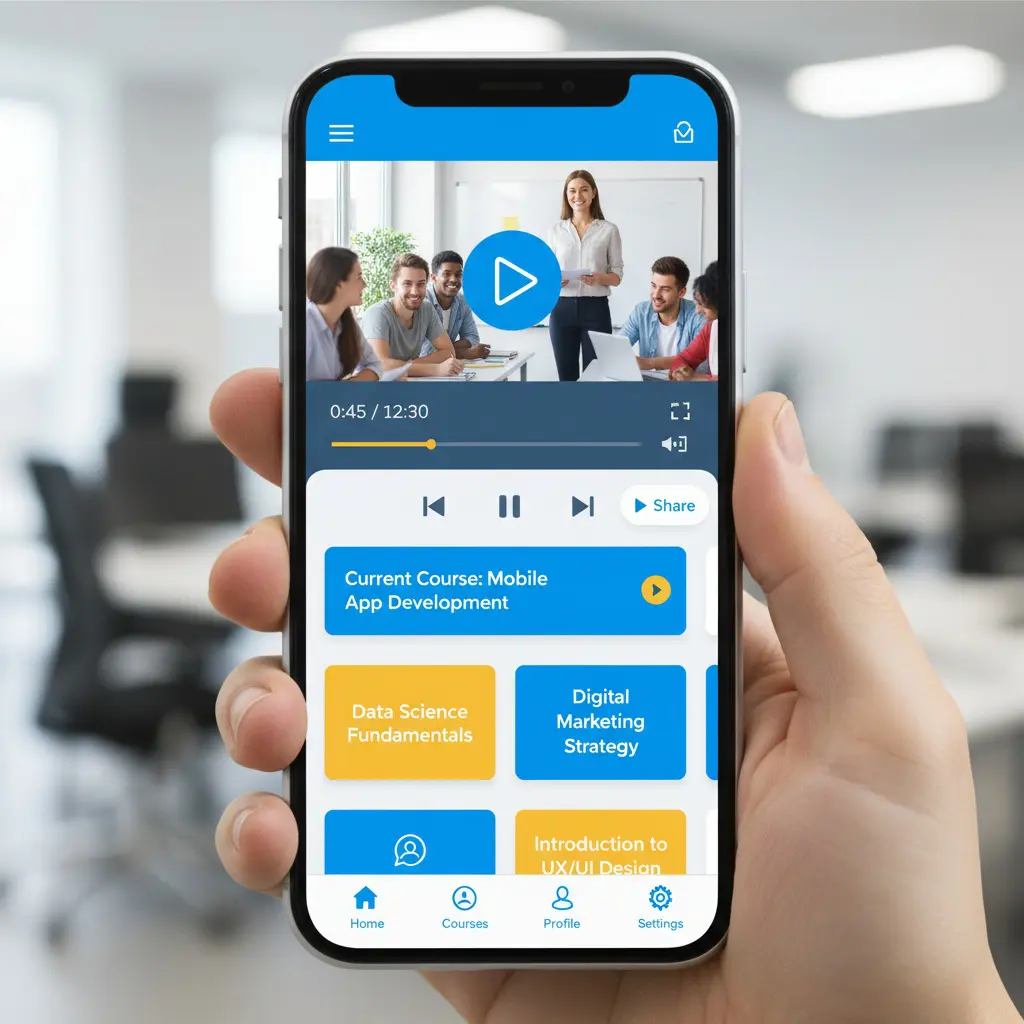
Coaching and Communication Features
Coaching Services 🎓
Session Booking
- View available coaching slots
- Book coaching sessions
- Reschedule appointments
- Cancel with proper notice
- Receive booking confirmations
Video Coaching
- Join video coaching sessions
- Screen sharing capabilities
- Audio-only option available
- Chat during sessions
- Record sessions (with permission)
Coaching Management
- View upcoming sessions
- Access session history
- Review coaching notes
- Track coaching progress
- Rate coaching experiences
Communication Tools
Messaging System
- Contact support team
- Message instructors
- Communicate with coaches
- Participate in discussions
- Receive notifications
Email Integration
- Receive course updates
- Get coaching reminders
- Access newsletter content
- Password reset emails
- Account notifications
Account Management Features
Profile and Settings ⚙️
Account Information
- Update profile details
- Change password
- Manage email preferences
- Update contact information
- Set language preferences
Privacy Controls
- Manage privacy settings
- Control data sharing
- Review connected devices
- Enable two-factor authentication
- Manage cookie preferences
Notification Management
- Customize notification types
- Set notification frequency
- Enable push notifications
- Manage email alerts
- Control SMS notifications
Payment and Billing
Purchase Management
- Buy courses on mobile
- Book coaching sessions
- Process secure payments
- View payment history
- Download invoices
Payment Methods
- Credit/debit card payments
- Digital wallet support
- Save payment methods
- Update billing information
- Manage subscriptions
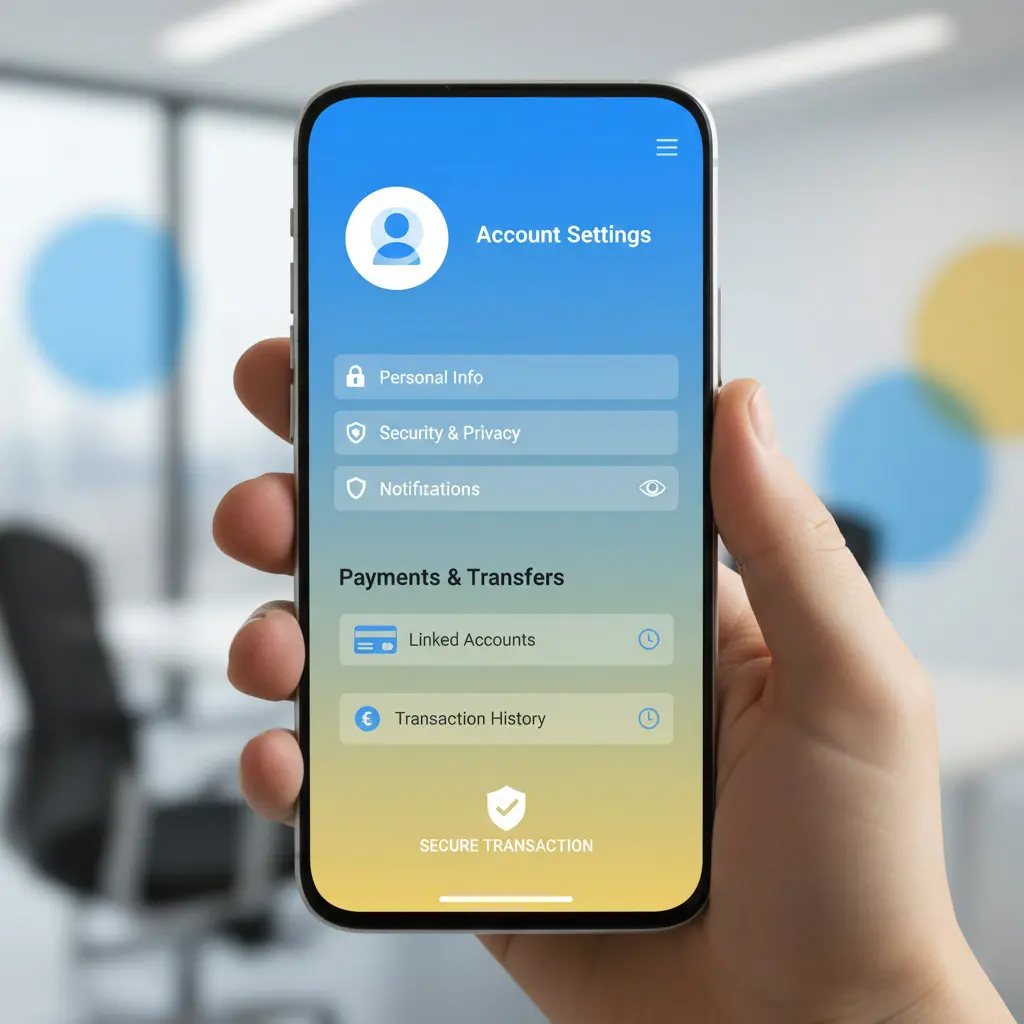
Social and Community Features
Engagement Tools 👥
Community Participation
- Join discussion forums
- Comment on blog posts
- Share learning achievements
- Connect with other learners
- Participate in study groups
Social Sharing
- Share course progress
- Post achievements on social media
- Invite friends to Mondosol
- Share course recommendations
- Celebrate milestones
Search and Discovery
Content Discovery 🔍
Search Functionality
- Search courses by keyword
- Filter by category
- Sort by relevance or popularity
- Advanced search options
- Save search preferences
Recommendations
- Personalized course suggestions
- Related course recommendations
- Trending courses
- New course notifications
- Curated learning paths
Offline Capabilities
Download Features 📥
Offline Content Access
- Download course videos
- Save course materials
- Access downloaded content offline
- Sync progress when online
- Manage downloaded files
Storage Management
- View storage usage
- Delete downloaded content
- Set download quality
- Choose download location
- Automatic cleanup options
Accessibility Features
Inclusive Design ♿
Accessibility Options
- Screen reader compatibility
- Adjustable text size
- High contrast mode
- Voice navigation support
- Keyboard navigation
Language Support
- 102 languages available
- Automatic translation
- Language switching
- Regional content adaptation
- Multilingual interface
Performance Features
Optimization Tools 🚀
Data Saving Mode
- Reduce data consumption
- Lower video quality
- Compress images
- Limit background data
- Monitor data usage
Performance Settings
- Adjust streaming quality
- Enable hardware acceleration
- Clear cache easily
- Optimize battery usage
- Reduce animations
Security Features
Protection Measures 🔒
Account Security
- Two-factor authentication
- Biometric login (fingerprint/face)
- Secure session management
- Automatic logout
- Login notifications
Data Protection
- Encrypted connections
- Secure payment processing
- Privacy controls
- Data backup options
- GDPR compliance
Mobile App vs Mobile Browser
Feature Comparison
Mobile App Advantages:
- Faster performance
- Offline access
- Push notifications
- Better integration
- Enhanced security
Mobile Browser Benefits:
- No installation required
- Always up-to-date
- Cross-platform compatibility
- Lower storage requirements
- Instant access
Upcoming Mobile Features
Planned Enhancements 🌟
Mondosol is developing:
- Enhanced offline capabilities
- Advanced collaboration tools
- Improved video conferencing
- AI-powered recommendations
- Augmented reality features
Feature Availability by Device
iOS Features
- Full feature parity with Android
- Apple Pay integration
- iCloud backup support
- Siri shortcuts
- Apple Watch companion (planned)
Android Features
- Google Pay integration
- Widget support
- Android Auto compatibility
- Google Assistant integration
- Wear OS support (planned)
Getting Started with Mobile Features
Quick Start Guide ✅
- Download Mondosol app or visit website
- Log in to your account
- Explore the course catalog
- Enroll in your first course
- Customize notification settings
- Download content for offline access
- Book your first coaching session
- Join the community discussions
External Resources
Learn more about mobile learning:
Ready to explore all mobile features? Download the Mondosol app or visit mondosol.com on your mobile browser. Need help? Contact our support team or check our FAQ page.
Content & Resources (1)
Yes, you can access materials offline through various methods. Download PDFs, eBooks, videos, and course materials to your device and access them anytime—with or without internet. Save resources locally, use offline mode on our platform, or sync across multiple devices for seamless learning anywhere. PDF downloads available for articles, guides, eBooks, and checklists (1-5 MB typically). Video downloads for course videos, tutorials, and webinars (100 MB – 1 GB per video, HD or Standard quality). Full course downloads include all lessons, materials, quizzes (view-only), transcripts, and resources (50 MB – 2 GB). eBook and guide downloads in PDF or EPUB format (1-10 MB). Resource library downloads include templates, checklists, worksheets in Excel, Word, PDF, or Google Sheets (editable). Device compatibility includes Windows, Mac, iPad, iPhone, Android, Kindle, and external drives. Sync across devices using cloud storage (Google Drive, Dropbox, OneDrive, iCloud) or platform sync. Learn at your own pace anywhere.
Estimated reading time: 8 minutes
Yes, you can access materials offline through various methods. Download PDFs, eBooks, videos, and course materials to your device and access them anytime—with or without internet. Save resources locally, use offline mode on our platform, or sync across multiple devices for seamless learning anywhere.
Key Takeaways
- You can access materials offline by downloading PDFs, videos, eBooks, and course materials for anytime use.
- Various offline access methods include PDF downloads, video downloads, course downloads, and resource library downloads.
- Ensure you have enough device storage for the content you wish to download, as file sizes vary.
- Use cloud storage to sync your downloaded content across multiple devices automatically.
- Enjoy learning at your own pace by preparing your study materials before traveling or in areas with limited connectivity.
Learn at your own pace, even when you’re traveling, commuting, or in areas with limited connectivity.
Table of contents
📱 Offline Access Methods
PDF Downloads
- Available for: Articles, guides, eBooks, checklists
- How to download: Click “Download PDF” button on article
- File size: Varies (typically 1-5 MB)
- Compatibility: All devices (computer, tablet, phone)
- Readers: Adobe Reader, Preview, any PDF app
- Storage: Save to computer, cloud, or device
What you get:
- Full article or guide in PDF format
- Formatted for printing
- Includes images and graphics
- Clickable links (if supported by reader)
- Searchable text
Video Downloads
- Available for: Course videos, tutorials, webinars
- How to download: Click download icon on video player
- Video quality: HD (1080p) or Standard (720p)
- File size: 100 MB – 1 GB per video
- Formats: MP4, WebM (device dependent)
- Storage: Requires adequate device storage
Download options:
- HD quality – Best for large screens, more storage needed
- Standard quality – Good for mobile, less storage
- Auto-quality – Adjusts based on device and connection
- Batch download – Download multiple videos at once
Course Downloads
- Available for: Entire courses or individual lessons
- How to download: Course settings → Download for offline
- What’s included: All lessons, materials, quizzes (non-interactive)
- File size: Varies by course (50 MB – 2 GB)
- Access: View lessons, read materials, take notes
- Limitations: Quizzes non-interactive, no progress sync until online
Download includes:
- All video lessons
- Lesson transcripts
- Downloadable materials (PDFs, worksheets)
- Course structure and navigation
- Quizzes (view only, can’t submit offline)
- Notes and bookmarks
eBook & Guide Downloads
- Available for: All eBooks, guides, templates, checklists
- Formats: PDF, EPUB (where available)
- How to download: Click “Download” on product page
- File size: 1-10 MB typically
- Devices: Computer, tablet, e-reader, phone
- Readers: Any PDF/EPUB reader app
What’s included:
- Full eBook or guide content
- Images and graphics
- Table of contents (clickable in EPUB)
- Bookmarks and highlights (in EPUB)
- Searchable text
- Print-friendly formatting
Resource Library Downloads
- Available for: Templates, checklists, worksheets, toolkits
- Formats: Excel, Word, PDF, Google Sheets
- How to download: Click resource → Download button
- Editable: Yes (for Word, Excel, Google formats)
- Customizable: Edit and save your own versions
- Storage: Save locally or to cloud
Resource types:
- Excel spreadsheets and calculators
- Word document templates
- PDF checklists and worksheets
- Google Sheets (can edit online)
- Presentation templates
- Planning and tracking tools

💾 Device Storage & Management
Storage Requirements
Typical file sizes:
- PDF article: 1-5 MB
- Video lesson: 100 MB – 1 GB
- Full course: 500 MB – 2 GB
- eBook: 5-20 MB
- Resource template: 1-5 MB
Storage Tips
- Check available space – Ensure device has enough storage
- Delete old files – Remove content you no longer need
- Use cloud storage – Save to Google Drive, Dropbox, OneDrive
- Organize folders – Create folders by course or topic
- Use external storage – USB drive, SD card, external hard drive
- Archive old courses – Move completed courses to archive
- Compress files – Use ZIP to save space if needed
Device Compatibility
| Device Type | Video | Courses | eBooks | Resources | |
|---|---|---|---|---|---|
| Computer (Windows) | ✅ | ✅ | ✅ | ✅ | ✅ |
| Computer (Mac) | ✅ | ✅ | ✅ | ✅ | ✅ |
| iPad/Tablet | ✅ | ✅ | ✅ | ✅ | ✅ |
| iPhone/Android | ✅ | ✅ | ✅ | ✅ | ✅ |
| Kindle/e-reader | ✅ | ❌ | ❌ | ✅ | ❌ |
| USB/External Drive | ✅ | ✅ | ✅ | ✅ | ✅ |
🔄 Syncing Across Devices
How to Sync Content
1: Cloud Storage
- Download content to cloud service (Google Drive, Dropbox, OneDrive)
- Access from any device with internet
- Automatic sync across devices
- No manual updates needed
2: Manual Sync
- Download on primary device
- Transfer via USB, email, or cloud
- Open on secondary device
- Update manually when new versions available
3: Platform Sync
- Log into your Mondosol account on any device
- Access downloaded content from account
- Automatic sync of progress and bookmarks
- Resume learning on any device
Cloud Storage Options
- Google Drive – Free 15 GB, automatic sync, accessible anywhere
- Dropbox – Free 2 GB, seamless sync, all devices
- OneDrive – Free 5 GB (Microsoft), integrated with Windows
- iCloud – Free 5 GB, Apple devices, automatic sync
- Amazon Drive – Free unlimited for photos, paid for other files
📖 Reading Offline Content
PDF Readers
Computer:
- Adobe Acrobat Reader (free, all platforms)
- Preview (Mac built-in)
- Microsoft Edge (Windows built-in)
- Google Chrome (built-in viewer)
Mobile:
- Adobe Acrobat Reader (iOS, Android)
- Apple Books (iOS)
- Google Play Books (Android)
- Microsoft Edge (iOS, Android)
Video Players
Computer:
- VLC Media Player (free, all platforms)
- Windows Media Player (Windows)
- QuickTime (Mac)
- Any web browser
Mobile:
- VLC (iOS, Android)
- Apple TV app (iOS)
- Google Play Movies (Android)
- Built-in video app (most devices)
eBook Readers
EPUB format:
- Apple Books (iOS, Mac)
- Google Play Books (Android)
- Calibre (computer, free)
- Kindle (convert EPUB to MOBI first)
PDF format:
- Any PDF reader (see above)
- Kindle (convert PDF first)
- Most e-readers support PDF
🔐 Offline Access & Licensing
Your Rights
- ✅ Download for personal use
- ✅ Access offline on your devices
- ✅ Print materials for personal use
- ✅ Share with family members (single household)
- ✅ Use for personal learning and reference
Restrictions
- ❌ Don’t share downloads with others outside household
- ❌ Don’t redistribute or resell content
- ❌ Don’t remove copyright or attribution notices
- ❌ Don’t use for commercial purposes without license
- ❌ Don’t modify or create derivative works
License Terms
All downloaded content is licensed for personal use only. You retain the right to:
- Access content offline indefinitely
- Print for personal reference
- Use on multiple personal devices
- Share with immediate family
- Delete and re-download anytime
🎓 Offline Course Learning
Taking Courses Offline
- Download course – Go to course settings → Download for offline
- Wait for download – May take several minutes depending on size
- Access offline – Open course from device storage
- View lessons – Watch videos, read materials, take notes
- Complete quizzes – View quizzes (can’t submit offline)
- Go online – Sync progress when reconnected to internet
- Submit work – Upload assignments and quiz answers online
Offline Course Features
Available offline:
- ✅ Video lessons (downloaded)
- ✅ Lesson materials and PDFs
- ✅ Course structure and navigation
- ✅ Notes and bookmarks
- ✅ Transcripts and captions
- ✅ Quizzes (view only)
- ✅ Downloadable resources
Requires internet:
- ❌ Submit quiz answers
- ❌ Upload assignments
- ❌ Post to community forum
- ❌ Live Q&A sessions
- ❌ Sync progress (until reconnected)
- ❌ Access new course updates
Progress Tracking
- Offline: Progress saved locally on device
- Online: Progress syncs to your account
- Resuming: Continue from where you left off
- Completion: Mark complete when online to earn certificate
📝 Tips for Offline Learning
Best Practices
- Download before travel – Get content before losing connectivity
- Use high-quality videos – Download HD for better viewing
- Organize by topic – Create folders for easy navigation
- Take notes – Use note-taking app while learning offline
- Set learning goals – Plan what to study offline
- Use bookmarks – Mark important sections in PDFs
- Print if needed – Print materials for reference
- Backup files – Keep copies in cloud storage
Storage Management
- Delete videos after completing course
- Archive old courses to external drive
- Use cloud storage for backup
- Compress large files to save space
- Remove duplicate downloads
- Clean up old notes and files
❓ Common Questions
Yes! Download videos from course lessons or individual video pages. They’ll play on any device with a compatible video player.
Yes. Your notes, bookmarks, and completed lessons sync automatically when you reconnect to the internet.
Yes. Go to course settings and select “Download for offline.” All lessons, materials, and resources will download to your device.
Quizzes are view-only offline. You can review questions and take notes, but must submit answers online.
Depends on what you download. A full course is typically 500 MB – 2 GB. Check your device’s available storage before downloading.
Yes. Download to cloud storage or transfer via USB/email, then access on any device.
PDF (all devices), MP4/WebM (videos), EPUB (eBooks), Excel/Word (resources), and more depending on your device.
Yes. PDFs and documents are print-friendly. Print for personal reference or study.
No. Downloaded content works completely offline. You only need internet to download and sync progress.
Indefinitely. You can keep downloaded content as long as you have the files on your device.
🔗 Related FAQs
- How do I access learning resources?
- How is course content organized?
- What types of content does Mondosol offer?
📞 Questions About Offline Access?
Email us at eliomondello@mondosol.com to:
- Report download issues
- Ask about specific content downloads
- Request offline versions of content
- Report compatibility problems
- Suggest offline features
Download, learn, and grow—anywhere, anytime! 🚀
- Downloadable PDF guides:
Easily save and refer to guides at your convenience.
- Saved course materials:
Store resources on your device for later use.
- Printable worksheets:
Reinforce learning with hands-on activities.
- Study resources:
Carry your study materials with you, even without internet access.
- Reference documents:
Quick access to important documents for revision.
Leave a Reply
Platform & Support (5)
Learn how to access Mondosol’s educational platform on your mobile device. Discover mobile browser compatibility, features, optimization tips, and troubleshooting for seamless learning on the go.
Accessing Mondosol on mobile devices is straightforward and optimized for learners on the go. Whether you’re using a smartphone or tablet, our platform delivers a seamless mobile learning experience. This ensures that Mondosol mobile access is convenient for every user.
📱 How to Access Mondosol Mobile
Step 1: Open Your Mobile Browser Launch your preferred mobile browser—Safari (iOS), Chrome (Android/iOS), Firefox, or Microsoft Edge. All modern browsers support Mondosol’s responsive design for optimal mobile access.
Step 2: Visit Mondosol.com Type mondosol.com into your browser’s address bar. The website automatically adapts to your screen size, providing an optimized mobile interface for easy access.
Step 3: Navigate and Learn Browse courses, coaching programs, and educational content directly from your mobile device. With Mondosol mobile access, all learning materials are at your fingertips.
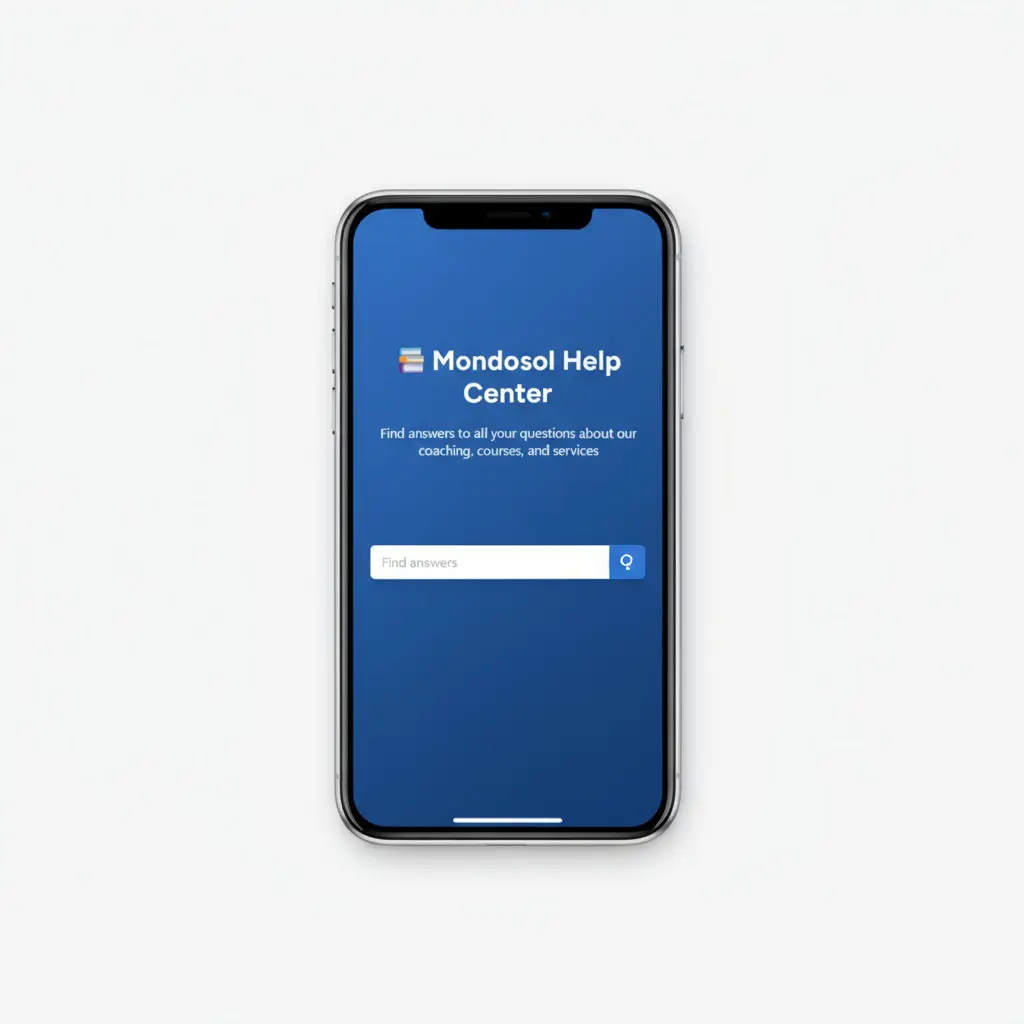
✨ Mobile Features Available
Our mobile platform offers comprehensive functionality:
- Course Access: View all educational courses and learning materials with Mondosol mobile features.
- Coaching Booking: Schedule sessions via our calendar system using Mondosol mobile access.
- Content Browsing: Read blog posts, FAQs, and travel guides, all accessible on your mobile.
- Account Management: Update profile settings and preferences, even on the go.
- Support Access: Contact our support team anytime with mobile connectivity.
🌐 Supported Mobile Devices
Mondosol works on:
- iOS Devices: iPhone, iPad (iOS 12+)
- Android Devices: Samsung, Google Pixel, Huawei (Android 8+), seamlessly supporting Mondosol mobile
- Tablets: iPad, Samsung Galaxy Tab, Amazon Fire
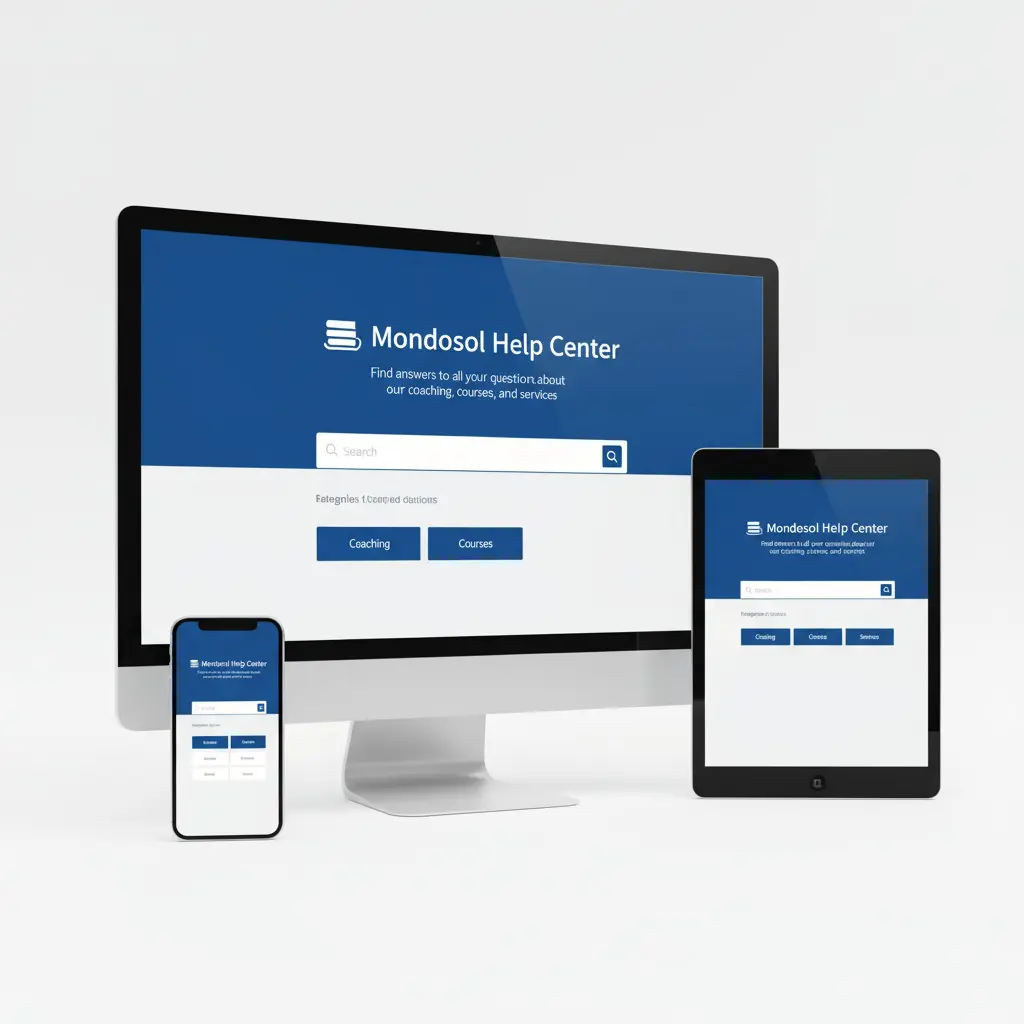
💡 Mobile Optimization Tips
Add to Home Screen: Create a shortcut for Mondosol mobile access. On iOS, tap the Share icon and select “Add to Home Screen.” On Android, tap the menu and choose “Add to Home Screen.”
Enable Notifications: Stay updated on course releases and coaching availability by enabling browser notifications through Mondosol mobile.
Use Landscape Mode: For video content and detailed course materials, rotate your device to landscape orientation for better visibility.
Stable Connection: Ensure a reliable Wi-Fi or mobile data connection for uninterrupted learning with Mondosol.
🔧 Troubleshooting Mobile Access
If you experience issues with Mondosol mobile access:
- Clear your browser cache and cookies
- Update your browser to the latest version
- Check your internet connection
- Try a different browser
- Contact support for technical assistance
📚 External Resources
Learn more about mobile learning best practices:
- Mobile Learning Guide – edX
- Responsive Design Basics – Google Web.dev
Need Help? Our team is available 24/7. Visit our FAQ page or contact us directly.
Read Also
Leave a Reply
Slow loading times on mobile devices can hinder the Mondosol learning experience. This guide identifies common causes of mobile performance issues, such as network quality and device limitations, and offers strategies for optimization. Essential tips include enhancing Wi-Fi, tuning device performance, and utilizing the Mondosol app for improved access.
Experiencing slow loading times on mobile devices can significantly disrupt your Mondosol learning experience. This comprehensive guide explores the reasons behind mobile performance issues and provides practical solutions to optimize your mobile learning speed.
Understanding Mobile Performance Challenges
Mobile learning platforms like Mondosol require efficient data transmission and device performance. Slow loading times can stem from various technical and environmental factors that impact your educational experience.

Why Mobile Speed Matters
Fast mobile access ensures:
- Seamless course navigation
- Smooth video streaming
- Quick quiz and assessment loading
- Uninterrupted learning momentum
Common Causes of Slow Mobile Loading
Network-Related Issues 🌐
Internet Connection Quality
- Weak Wi-Fi signals
- Limited mobile data bandwidth
- Network congestion
- Distance from Wi-Fi router
Connection Type Performance
- 3G/4G/5G speed variations
- Cellular network limitations
- Peak usage times
- Geographical network infrastructure
Device-Specific Performance Factors 📱
Hardware Limitations
- Older smartphone models
- Limited RAM
- Slow processor
- Insufficient storage space
Software Constraints
- Outdated operating system
- Overloaded device memory
- Background apps consuming resources
- Inefficient browser configuration
Diagnostic Steps for Performance Issues
Speed Testing Techniques 🚀
Internet Speed Assessment
- Use online speed test tools
- Compare Wi-Fi and mobile data speeds
- Check download and upload rates
- Measure latency and ping
Mondosol-Specific Performance Check
- Test loading times during different hours
- Compare performance across devices
- Use browser developer tools
- Monitor data consumption
Optimization Strategies
Network Optimization
Wi-Fi Improvements
- Move closer to router
- Reduce network interference
- Use 5GHz band
- Update router firmware
Mobile Data Enhancement
- Switch between 4G and 5G
- Disable power-saving mode
- Clear mobile network cache
- Reset network settings
Device Performance Tuning
Smartphone Maintenance
- Update operating system
- Clear app cache
- Close background applications
- Disable unnecessary widgets
Browser Configuration
- Update to latest browser version
- Clear browsing data
- Disable extensions
- Enable data-saving mode
Mondosol-Specific Optimization
Learning Platform Adjustments
Content Optimization
- Reduce video quality
- Download courses for offline access
- Use lightweight course materials
- Prefer text-based learning resources
App and Browser Settings
- Enable data-saving mode
- Minimize auto-play features
- Adjust streaming quality
- Use Mondosol mobile app
Advanced Troubleshooting
Performance Diagnostic Tools 🔍
Mobile Performance Apps
- Network diagnostics
- Resource monitoring
- Battery and data usage tracking
Mondosol Support Resources
- Performance troubleshooting guide
- Technical support consultation
- Community forum discussions
When to Seek Professional Help
Escalation Process
If performance issues persist:
- Document specific problems
- Collect performance metrics
- Contact Mondosol support
- Request technical consultation
Preventive Maintenance
Long-Term Mobile Performance
- Regular device updates
- Periodic app and system cleanup
- Invest in capable mobile hardware
- Maintain stable internet connection
- Stay informed about Mondosol updates
External Resources
Learn more about mobile performance:
Internal Resources
Need personalized assistance? Contact our support team or explore our comprehensive FAQ page.
Leave a Reply
Comprehensive guide to fixing common mobile issues on Mondosol. Learn practical solutions for login problems, app crashes, display issues, connectivity problems, and more to ensure seamless mobile learning.
Mobile issues can disrupt your Mondosol learning experience, but most problems have simple solutions. This comprehensive troubleshooting guide provides practical fixes for the most common mobile access issues, helping you get back to learning quickly.
Understanding Common Mobile Problems
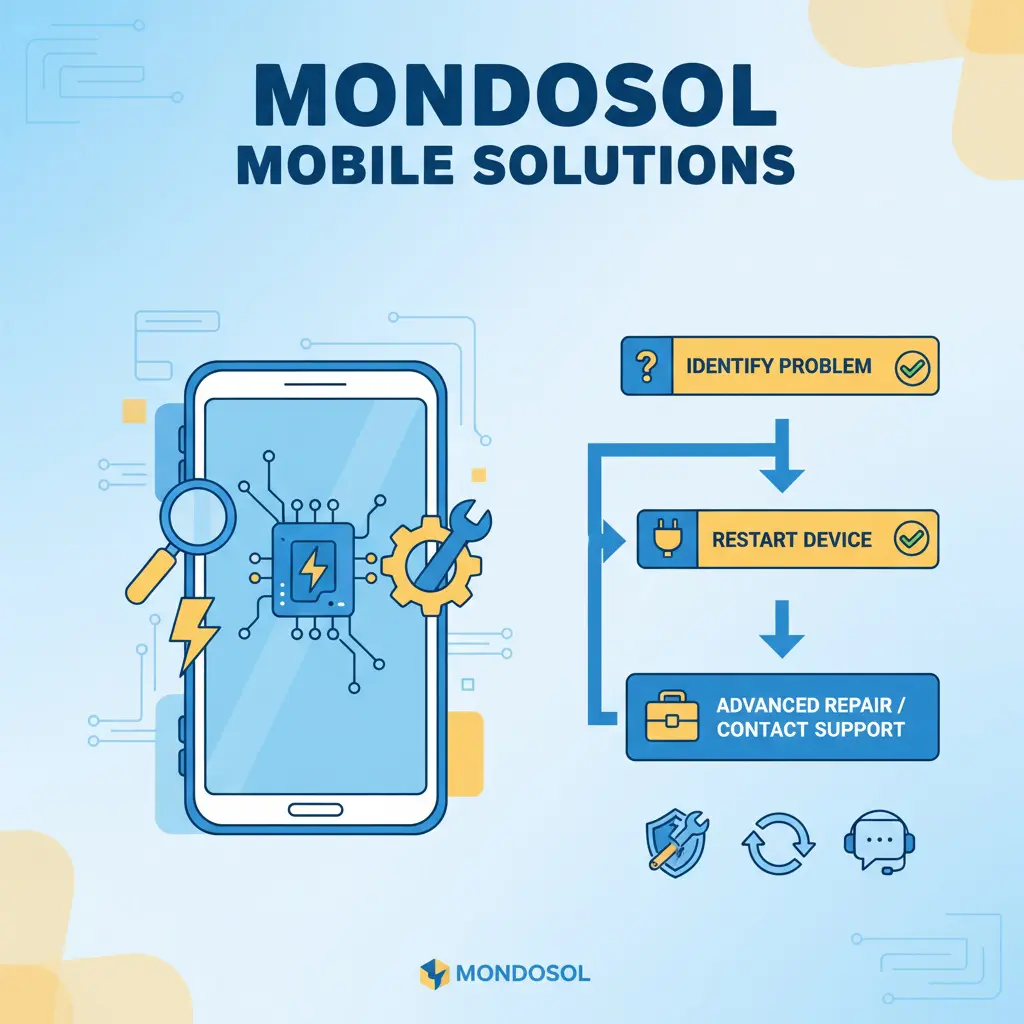
Mobile learning platforms face various technical challenges due to device diversity, network conditions, and software configurations. Identifying and resolving these issues ensures uninterrupted access to your Mondosol courses and coaching sessions.
Most Frequent Mobile Issues

Common problems include:
- Login and authentication failures
- App crashes and freezing
- Slow performance and loading
- Display and rendering problems
- Audio and video playback issues
Login and Authentication Issues
Cannot Log In to Mondosol 🔐
Problem: Unable to access your account on mobile devices.
Solutions:
Verify your credentials
- Double-check username and password
- Ensure caps lock is off
- Check for extra spaces
Clear browser data
- Delete cookies and cache
- Clear browsing history
- Restart browser
Reset your password
- Use “Forgot Password” feature
- Check email for reset link
- Create a strong new password
- Try logging in again
Check account status
- Verify email confirmation
- Ensure account is active
- Contact Mondosol support if locked
Two-Factor Authentication Problems
Problem: Not receiving 2FA codes.
Solutions:
- Check phone number accuracy
- Verify SMS delivery
- Use authenticator app instead
- Request backup codes
- Disable and re-enable 2FA
App Performance Issues
App Crashes or Freezes 📱
Problem: Mondosol app closes unexpectedly or becomes unresponsive.
Solutions:
Force close and restart
- Close app completely
- Clear from recent apps
- Reopen Mondosol app
Update the app
- Check app store for updates
- Install latest version
- Restart device after update
Clear app cache
- Go to device settings
- Find Mondosol app
- Clear cache and data
- Reopen app and log in
Reinstall the app
- Uninstall Mondosol app
- Restart device
- Download fresh copy
- Log in with credentials
Slow App Performance
Problem: App responds slowly or lags.
Solutions:
- Close background apps
- Free up device storage
- Disable battery-saving mode
- Update operating system
- Check internet connection speed
Display and Rendering Problems
Content Not Displaying Correctly 🖥️
Problem: Text, images, or videos appear broken or misaligned.
Solutions:
Refresh the page
- Pull down to refresh
- Close and reopen page
- Clear browser cache
Adjust display settings
- Rotate device orientation
- Adjust zoom level
- Check screen brightness
- Disable reading mode
Browser compatibility
- Update browser version
- Try different browser
- Enable JavaScript
- Disable browser extensions
Video Playback Issues
Problem: Videos won’t play or buffer constantly.
Solutions:
- Check internet speed
- Reduce video quality
- Switch to Wi-Fi connection
- Clear browser cache
- Update browser or app
- Disable VPN temporarily
Network and Connectivity Problems
Cannot Connect to Mondosol 🌐
Problem: Unable to access Mondosol website or app.
Solutions:
Check internet connection
- Verify Wi-Fi or mobile data
- Toggle airplane mode on/off
- Restart router
- Test other websites
Network troubleshooting
- Forget and reconnect to Wi-Fi
- Reset network settings
- Switch between Wi-Fi and mobile data
- Check data usage limits
Server status verification
- Check if Mondosol is down
- Try accessing from another device
- Contact support for updates
Slow Loading Times
Problem: Pages and content load very slowly.
Solutions:
- Move closer to Wi-Fi router
- Close unnecessary apps
- Clear browser cache
- Disable auto-play videos
- Use data-saving mode
- Restart device
Audio Problems
No Sound or Poor Audio Quality 🔊
Problem: Cannot hear course audio or coaching sessions.
Solutions:
Volume and settings
- Check device volume
- Unmute media volume
- Test with headphones
- Check app audio settings
Audio troubleshooting
- Restart app or browser
- Clear cache
- Update audio drivers
- Test other audio apps
- Check Bluetooth connections
Payment and Purchase Issues
Cannot Complete Payment 💳
Problem: Payment fails during course or coaching purchase.
Solutions:
- Verify payment information
- Check card expiration date
- Ensure sufficient funds
- Try alternative payment method
- Disable VPN
- Contact support
Notification Problems
Not Receiving Notifications 🔔
Problem: Missing course updates or coaching reminders.
Solutions:
- Enable app notifications
- Check device notification settings
- Verify email preferences
- Allowlist Mondosol emails
- Check spam folder
Download and Offline Access Issues
Cannot Download Course Materials 📥
Problem: Unable to save content for offline learning.
Solutions:
- Check available storage space
- Verify download permissions
- Use Wi-Fi for large files
- Clear app cache
- Update app version
Advanced Troubleshooting
Persistent Issues 🔧
If problems continue after basic troubleshooting:
Device diagnostics
- Run device performance check
- Check for malware
- Update operating system
- Factory reset (last resort)
Professional support
- Contact Mondosol support
- Provide detailed problem description
- Include screenshots
- Share device and OS information
Preventive Maintenance
Avoiding Future Issues ✅
- Keep apps and OS updated
- Regularly clear cache
- Maintain adequate storage
- Use reliable internet connections
- Backup important data
- Monitor device performance
When to Contact Support
Support Escalation
Contact Mondosol support when:
- Basic troubleshooting fails
- Account access issues persist
- Payment problems occur
- Technical errors continue
- You need personalized assistance
External Resources
Additional troubleshooting help:
Need immediate help? Contact our support team or visit our comprehensive FAQ page for more solutions.
Leave a Reply
Understand mobile access limitations on Mondosol and learn effective workarounds. Discover technical constraints, feature restrictions, and optimization strategies for the best mobile learning experience.
Understanding mobile access limitations helps you optimize your Mondosol learning experience. While our platform is designed for seamless mobile use, certain technical and practical constraints exist. This guide explains these limitations and provides workarounds for the best mobile learning experience.
Mobile Access Overview
Mondosol provides comprehensive mobile access to courses, coaching sessions, and educational resources. However, mobile devices have inherent limitations compared to desktop computers that may affect certain features and functionalities.
Platform Accessibility
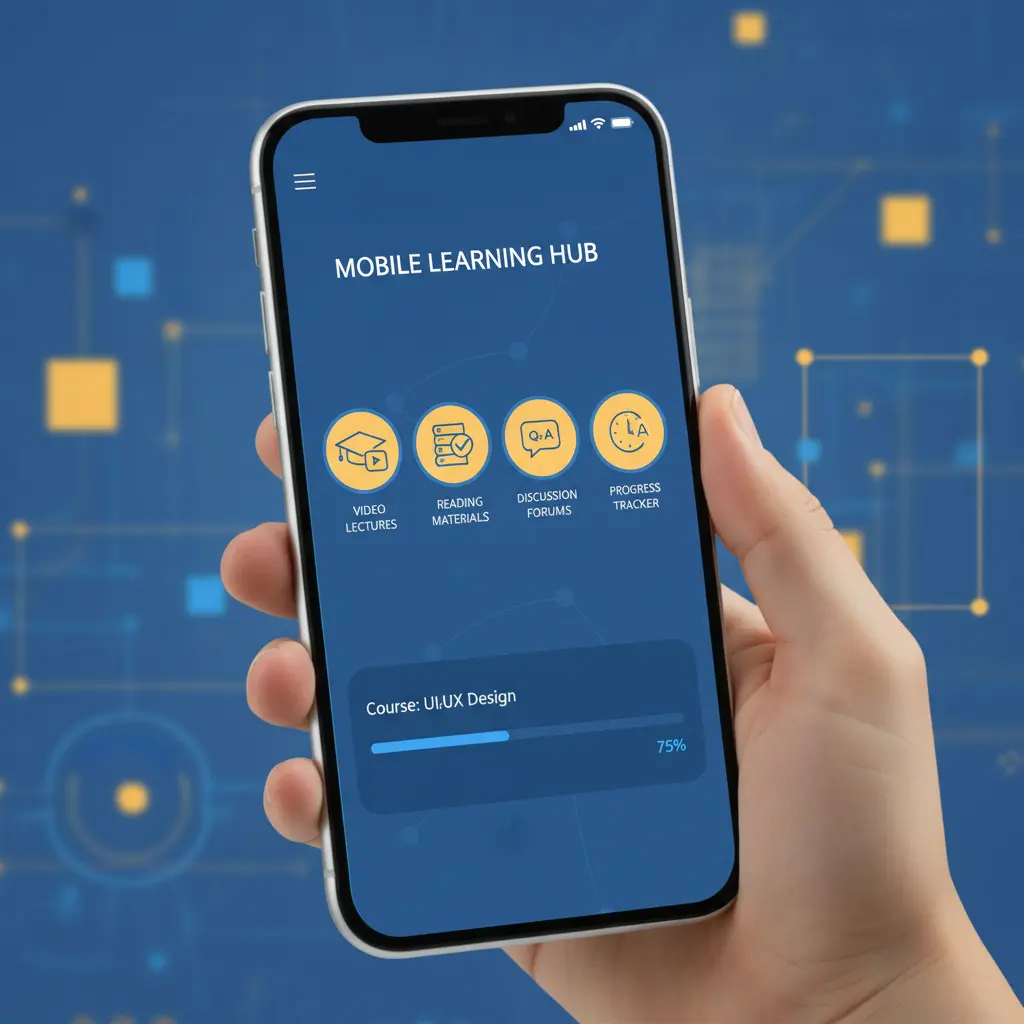
Mondosol mobile access includes:
- Full course catalog browsing
- Video and audio content streaming
- Quiz and assessment completion
- Coaching session booking
- Account management
- Progress tracking
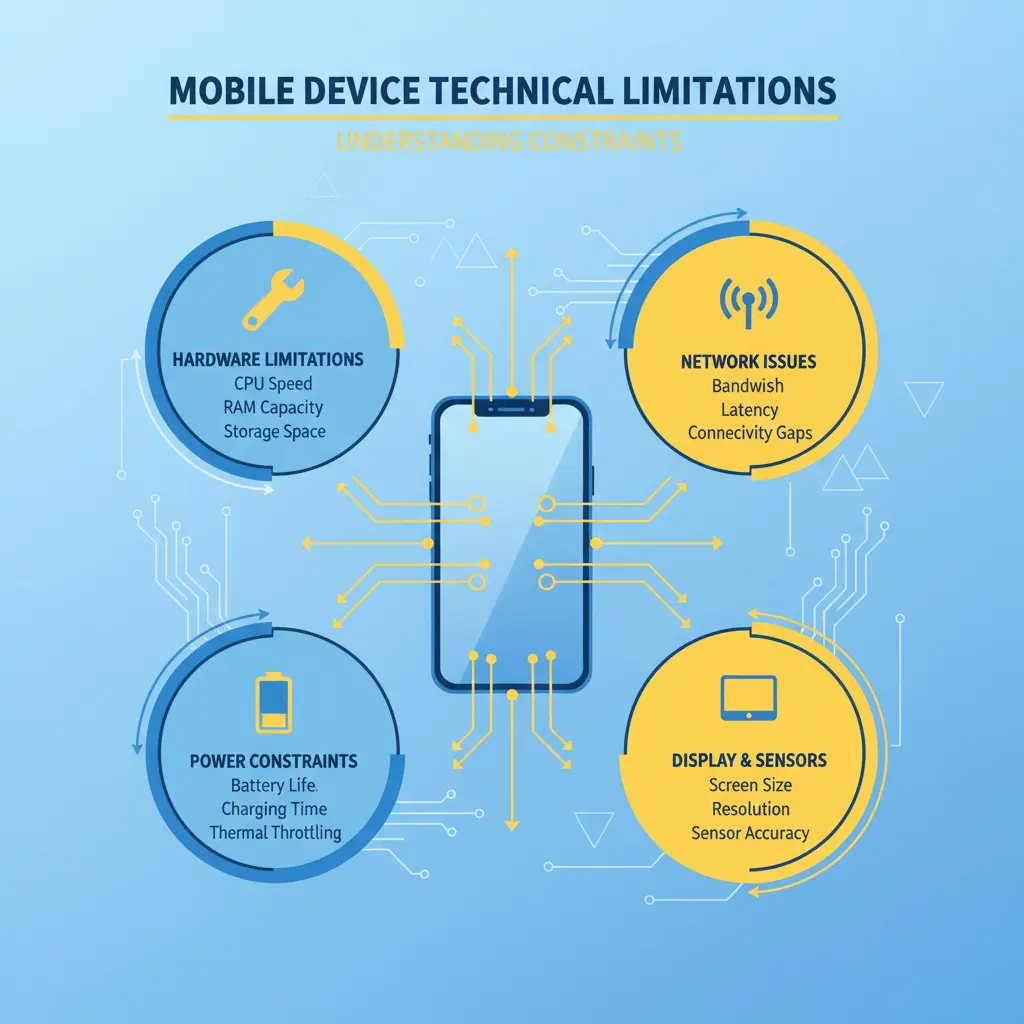
Technical Limitations
Device Hardware Constraints 📱
Screen Size Restrictions
- Smaller display area
- Limited multitasking capabilities
- Reduced visibility for detailed content
- Challenging navigation for complex interfaces
Processing Power
- Slower performance on older devices
- Limited RAM affects multitasking
- Battery consumption during extended use
- Heat generation during intensive sessions
Storage Capacity
- Limited space for downloaded content
- Restricted offline course access
- Cache size limitations
- App storage requirements
Network and Connectivity
Data Usage Considerations
- Video streaming consumes significant data
- Mobile data caps may apply
- Slower speeds on cellular networks
- Connection stability varies by location
Bandwidth Limitations
- Reduced streaming quality on slow connections
- Buffering during video playback
- Download speed restrictions
- Upload limitations for assignments
Feature-Specific Limitations
Content Interaction Restrictions 🎓
File Management
- Limited file upload sizes
- Restricted file type support
- Download limitations
- Attachment handling constraints
Editing Capabilities
- Reduced text editing functionality
- Limited formatting options
- Challenging document creation
- Restricted multimedia editing
Assessment Features
- Complex quiz formats may be challenging
- Limited screen space for multiple-choice
- Typing lengthy responses difficult
- File attachment restrictions
Multimedia Limitations
Video Features
- Maximum resolution restrictions
- Playback quality depends on connection
- Limited video editing capabilities
- Screen recording restrictions
Audio Functionality
- Microphone quality variations
- Background noise interference
- Audio recording limitations
- Playback device dependencies
Browser and App Limitations
Mobile Browser Constraints 🌐
Browser Compatibility
- Feature support varies by browser
- Extension limitations
- Pop-up handling differences
- Cookie and cache restrictions
Performance Issues
- Tab management limitations
- Memory usage constraints
- Background process restrictions
- Refresh and reload requirements
App-Specific Limitations
Platform Restrictions
- iOS vs Android feature differences
- Operating system version requirements
- App store update dependencies
- Platform-specific bugs
Offline Functionality
- Limited offline course access
- Sync requirements for progress
- Downloaded content expiration
- Storage space requirements

Practical Usage Limitations
Learning Experience Constraints 📚
Extended Study Sessions
- Eye strain from small screens
- Ergonomic challenges
- Battery life limitations
- Distraction susceptibility
Multitasking Difficulties
- Split-screen limitations
- App switching challenges
- Reference material access
- Note-taking complications
Communication Limitations
Coaching Session Constraints
- Video call quality dependencies
- Screen sharing limitations
- Audio quality variations
- Collaborative tool restrictions
Support Access
- Limited live chat functionality
- Reduced screen-sharing capabilities
- File sharing restrictions
- Response time variations
Workarounds and Solutions
Optimizing Mobile Learning ✅
Device Preparation
- Use latest device models when possible
- Maintain adequate storage space
- Keep operating system updated
- Close unnecessary background apps
Connection Optimization
- Prefer Wi-Fi over mobile data
- Download content for offline use
- Adjust streaming quality settings
- Use data-saving modes
Feature Alternatives
- Use desktop for complex tasks
- Switch devices for intensive work
- Plan downloads during Wi-Fi access
- Utilize mobile-optimized features
Hybrid Approach
Mobile for Convenience
- Quick course reviews
- Short video lessons
- Progress checking
- Communication and updates
Desktop for Intensive Work
- Detailed assignments
- Complex assessments
- Extended study sessions
- Content creation tasks
No Artificial Restrictions
Mondosol Commitment 🌟
Important clarifications:
- No intentional feature limitations
- Full course catalog access
- Complete coaching services available
- All payment options supported
- Unlimited learning time
- No mobile-specific pricing
Equal Access Philosophy
Mondosol ensures:
- Mobile-first design approach
- Responsive platform optimization
- Regular mobile improvements
- User feedback integration
- Continuous enhancement
Future Mobile Enhancements
Planned Improvements 🚀
Mondosol is working on:
- Enhanced mobile app features
- Improved offline capabilities
- Better multimedia support
- Advanced collaboration tools
- Performance optimizations
Comparison: Mobile vs Desktop
When to Use Mobile
Best for:
- On-the-go learning
- Quick reviews
- Video watching
- Progress tracking
- Communication
When to Use Desktop
Recommended for:
- Complex assignments
- Detailed note-taking
- Extended study sessions
- Content creation
- Multi-resource research
External Resources
Learn more about mobile learning:
Have questions about mobile access? Contact our support team or explore our FAQ page for detailed guidance.
Leave a Reply
Explore all mobile features available on Mondosol including course access, video streaming, coaching services, account management, offline capabilities, and more. Learn how to maximize your mobile learning experience.
Mondosol provides comprehensive mobile access to ensure seamless learning on smartphones and tablets. This guide explores all available mobile features, helping you maximize your educational experience while learning on the go.
Complete Mobile Feature Overview
Mondosol’s mobile platform delivers a full-featured learning experience designed specifically for mobile devices. Whether you’re using iOS or Android, you have access to nearly all platform capabilities available on desktop computers.
Mobile-First Design Philosophy
Mondosol prioritizes:
- Responsive interface design
- Touch-optimized navigation
- Mobile-friendly content delivery
- Seamless cross-device synchronization
- Optimized performance for smartphones
Core Learning Features
Course Access and Navigation 📚
Full Course Catalog
- Browse all available courses
- Search and filter courses
- View course descriptions
- Check course requirements
- Access course previews
Course Enrollment
- Enroll in courses directly
- Add courses to wishlist
- Track enrollment status
- Manage course schedule
- View enrollment history
Learning Progress
- Track course completion
- View progress percentages
- Monitor learning streaks
- Access achievement badges
- Review learning statistics
Content Consumption
Video Learning
- Stream course videos
- Adjust playback speed
- Enable subtitles and captions
- Download videos for offline viewing
- Resume from last position
Text-Based Content
- Read course materials
- Access PDF documents
- View presentations
- Read blog posts and articles
- Save content for later
Interactive Elements
- Complete quizzes and assessments
- Participate in interactive exercises
- Submit assignments
- Engage with multimedia content
- Access downloadable resources
Coaching and Communication Features
Coaching Services 🎓
Session Booking
- View available coaching slots
- Book coaching sessions
- Reschedule appointments
- Cancel with proper notice
- Receive booking confirmations
Video Coaching
- Join video coaching sessions
- Screen sharing capabilities
- Audio-only option available
- Chat during sessions
- Record sessions (with permission)
Coaching Management
- View upcoming sessions
- Access session history
- Review coaching notes
- Track coaching progress
- Rate coaching experiences
Communication Tools
Messaging System
- Contact support team
- Message instructors
- Communicate with coaches
- Participate in discussions
- Receive notifications
Email Integration
- Receive course updates
- Get coaching reminders
- Access newsletter content
- Password reset emails
- Account notifications
Account Management Features
Profile and Settings ⚙️
Account Information
- Update profile details
- Change password
- Manage email preferences
- Update contact information
- Set language preferences
Privacy Controls
- Manage privacy settings
- Control data sharing
- Review connected devices
- Enable two-factor authentication
- Manage cookie preferences
Notification Management
- Customize notification types
- Set notification frequency
- Enable push notifications
- Manage email alerts
- Control SMS notifications
Payment and Billing
Purchase Management
- Buy courses on mobile
- Book coaching sessions
- Process secure payments
- View payment history
- Download invoices
Payment Methods
- Credit/debit card payments
- Digital wallet support
- Save payment methods
- Update billing information
- Manage subscriptions
Social and Community Features
Engagement Tools 👥
Community Participation
- Join discussion forums
- Comment on blog posts
- Share learning achievements
- Connect with other learners
- Participate in study groups
Social Sharing
- Share course progress
- Post achievements on social media
- Invite friends to Mondosol
- Share course recommendations
- Celebrate milestones
Search and Discovery
Content Discovery 🔍
Search Functionality
- Search courses by keyword
- Filter by category
- Sort by relevance or popularity
- Advanced search options
- Save search preferences
Recommendations
- Personalized course suggestions
- Related course recommendations
- Trending courses
- New course notifications
- Curated learning paths
Offline Capabilities
Download Features 📥
Offline Content Access
- Download course videos
- Save course materials
- Access downloaded content offline
- Sync progress when online
- Manage downloaded files
Storage Management
- View storage usage
- Delete downloaded content
- Set download quality
- Choose download location
- Automatic cleanup options
Accessibility Features
Inclusive Design ♿
Accessibility Options
- Screen reader compatibility
- Adjustable text size
- High contrast mode
- Voice navigation support
- Keyboard navigation
Language Support
- 102 languages available
- Automatic translation
- Language switching
- Regional content adaptation
- Multilingual interface
Performance Features
Optimization Tools 🚀
Data Saving Mode
- Reduce data consumption
- Lower video quality
- Compress images
- Limit background data
- Monitor data usage
Performance Settings
- Adjust streaming quality
- Enable hardware acceleration
- Clear cache easily
- Optimize battery usage
- Reduce animations
Security Features
Protection Measures 🔒
Account Security
- Two-factor authentication
- Biometric login (fingerprint/face)
- Secure session management
- Automatic logout
- Login notifications
Data Protection
- Encrypted connections
- Secure payment processing
- Privacy controls
- Data backup options
- GDPR compliance
Mobile App vs Mobile Browser
Feature Comparison
Mobile App Advantages:
- Faster performance
- Offline access
- Push notifications
- Better integration
- Enhanced security
Mobile Browser Benefits:
- No installation required
- Always up-to-date
- Cross-platform compatibility
- Lower storage requirements
- Instant access
Upcoming Mobile Features
Planned Enhancements 🌟
Mondosol is developing:
- Enhanced offline capabilities
- Advanced collaboration tools
- Improved video conferencing
- AI-powered recommendations
- Augmented reality features
Feature Availability by Device
iOS Features
- Full feature parity with Android
- Apple Pay integration
- iCloud backup support
- Siri shortcuts
- Apple Watch companion (planned)
Android Features
- Google Pay integration
- Widget support
- Android Auto compatibility
- Google Assistant integration
- Wear OS support (planned)
Getting Started with Mobile Features
Quick Start Guide ✅
- Download Mondosol app or visit website
- Log in to your account
- Explore the course catalog
- Enroll in your first course
- Customize notification settings
- Download content for offline access
- Book your first coaching session
- Join the community discussions
External Resources
Learn more about mobile learning:
Ready to explore all mobile features? Download the Mondosol app or visit mondosol.com on your mobile browser. Need help? Contact our support team or check our FAQ page.
Leave a Reply