

Estimated reading time: 8 minutes
Key Takeaways
- The YG300 projector manual provides steps for connecting your phone, ensuring safe operation and maintenance.
- Always use proper packaging for transport and avoid exposing the projector to moisture or extreme heat.
- To connect devices, use HDMI for video and USB/SD for direct content playback.
- Safety precautions include keeping ventilation holes clear and avoiding direct eye exposure to the lamp.
- The YG300 projector features a lightweight design, high resolution support, and a long lamp life, making it ideal for various multimedia uses.
Table of contents
If you’re wondering how to connect your phone to the YG300 projector, you’re in luck. This manual will guide you through the steps. You will get your projector running quickly for watching movies, playing games, or giving presentations.
If you have any problems with your YG300 projector, look at the user manual for help and advice. So in case the issue continues, get in touch with the maker or customer support for more help.
If you’re moving your YG300 Mini Projector, use the original packaging or a padded carrying case to keep it safe. Secure all cables tightly and avoid exposing the projector to extreme heat or water. Safety first!
While this compact projector is great for on-the-go entertainment, it’s important to note that it is not waterproof. To ensure the longevity of your device, keep it away from moisture. Avoid any liquids, including vases or cups.
Don’t cover the ventilation holes of the YG300 projector with cloth or carpet. It can make the projector get too hot and mess up the device.
How to Connect the YG300 Projector
- Gather the necessary equipment:
an HDMI cable (purchased separately) for your iPhone or Android phone.
- Connect the power cable and ensure you have the correct plug for your country.
- Plug in the HDMI cable to the HDMI port on the YG300.
- Turn on your device and follow the projector’s source control to adjust the image.
Important Safety and Maintenance Information for the YG300 Projector
- Opening the YG300 projector voids the manufacturer’s warranty.
- It is recommended to seek professional assistance if needed to avoid any potential damage.
- Avoid looking directly at the projector lamp while it is in use.
- Direct exposure can cause damage to your eyes.
- Make sure proper ventilation by not covering the ventilation holes.
- Do not use materials like cloth or carpet, as this can lead to overheating.
Safety Notices
When operating the YG300 projector, it is crucial to adhere to safety precautions. This ensures your safety and the longevity of the device. These guidelines help prevent accidents and damage, allowing you to enjoy your projector for years to come.
- To use the YG300 projector properly, carefully read the instructions in the user manual.
- Use a power cable and cord that meet national standards with grounding for a stable power supply.
- Do not open the projector yourself; if it requires repair, seek professional assistance.
Powering the Device
You can turn on the YG300 projector by connecting the DC 12V adapter. Alternatively, you can plug it into a 5V power bank. The projector has a cooling system to avoid overheating.
Using the YG300 Projector
To start using the projector, press the “C.>” button on the device or the remote control. Adjust the keystone wheel for image clarity and choose a multimedia signal source for display.
Video Equipment Connect
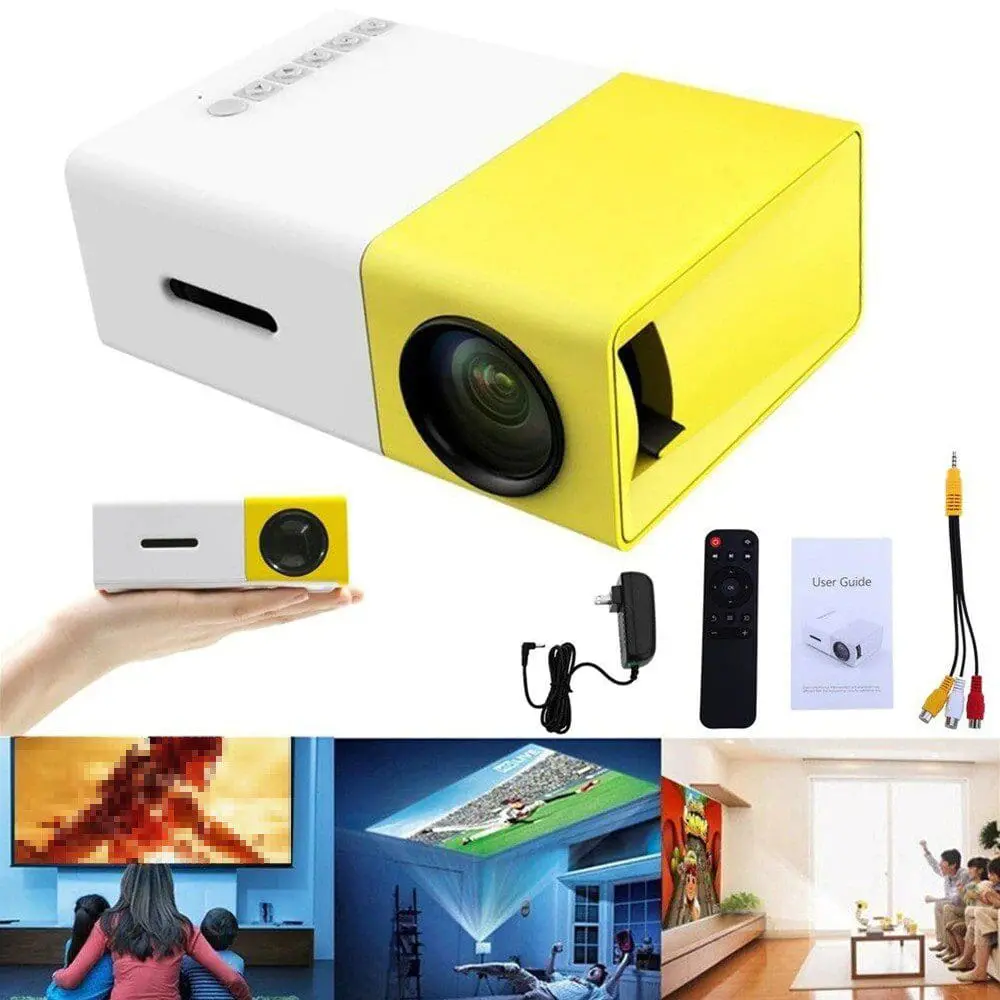
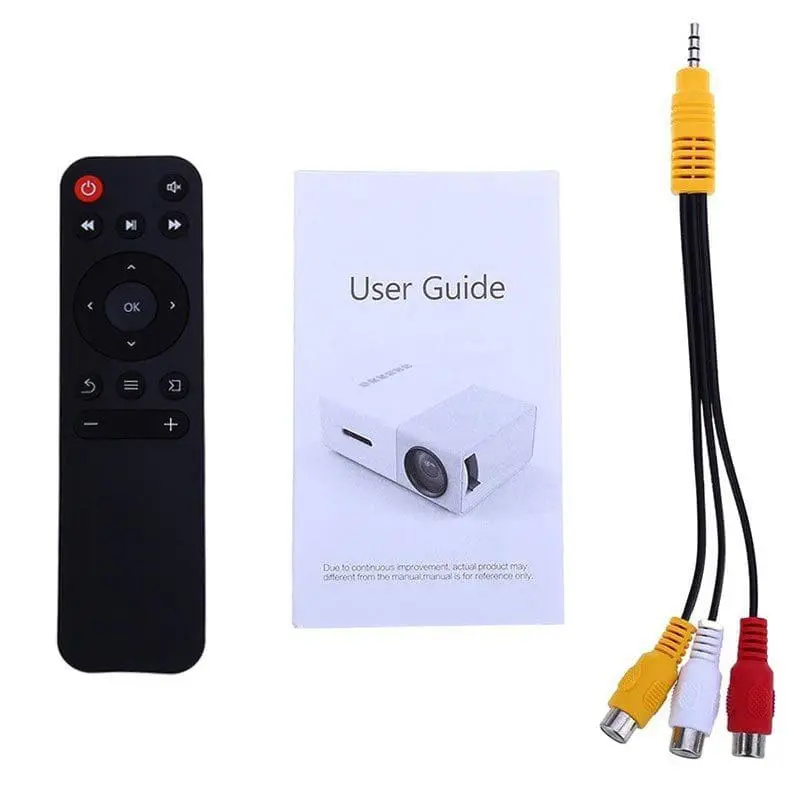
Use a 3-in-1 cable video converter for connecting video equipment and select “Video” as the signal source.
Storing the YG300 Mini Projector Securely
- Clean the lens and exterior before storage.
- Store in a cool, dry place away from direct sunlight and moisture, and remove batteries from the remote control.
- Turn off and unplug the projector when not in use for extended periods.
Connecting Your Device
To connect devices:
- For USB or SD card content, insert into the appropriate port.
- For HDMI, connect the device using the HDMI slot.
Menu Guide and Settings
- Access the main menu using the remote control to adjust picture and audio settings.
- Follow the instructions for setting the language, resetting, or upgrading software.
Features of the YG300 Projector
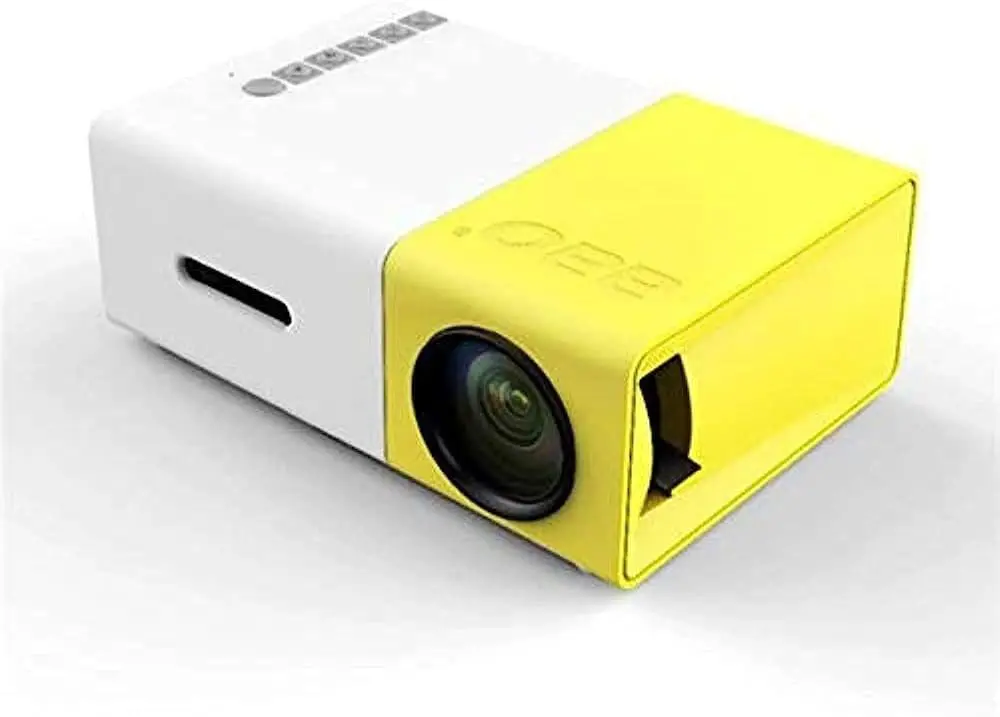
The YG300 projector has many features. These features make it an excellent choice for entertainment. It is also great for professional use. Here are the standout features:
Portable Design
- Compact and lightweight, making it easy to carry for presentations and outdoor movie nights.
- Dimensions of 121.5 x 85.8 x 47.7 mm make sure it fits easily in a bag or backpack.
High Resolution Support
- Supports resolutions up to 1920×1080, allowing for high-quality image and video playback.
- Native resolution of 320×240 pixels provides a good balance between quality and performance.
Brightness Output
- Brightness output ranges between 400 to 600 lumen, offering clear visuals even in moderately lit environments.
Long Lamp Life
- The projector features a lamp life of approximately 30,000 hours, reducing the need for frequent replacements and lowering maintenance costs.
Multiple Connectivity Options
- Equipped with HDMI, USB, and AV ports. This setup allows users to connect a variety of devices including smartphones, laptops, and gaming consoles.
- Compatible with USB and SD cards for easy playback of audio-visual content.
Built-in Battery
- Offers the convenience of a built-in battery, making it suitable for outdoor usage without being tied to a power outlet.
- The option to connect to a portable charger provides added versatility.
User-friendly Remote Control
- Comes with an intuitive remote control that allows easy navigation through menus and settings.
- Enables users to adjust image and audio settings without needing to access the device directly.
Keystone Correction
- Features a keystone wheel for easy adjustment of image distortion to ensure clear and square visuals.
Cooling System
- Integrated cooling system helps prevent overheating during long usage sessions, extending the projector’s lifespan.
Versatile Multimedia Support
- Can play various types of content including movies, photos, music, and presentations, making it a multi-functional tool.
Easy Setup
- Simple plug-and-play operation ensures that users can quickly set up and start using the projector without complicated procedures.
Technology Features
- Utilizes TFT LCD imaging technology for vibrant and sharp visuals.
- High contrast ratio of 800:1 ensures clear distinctions between light and dark areas of the image.
The YG300 projector’s features make it an ideal choice for anyone looking to enjoy high-quality visuals. It is perfect for movies, presentations, or gaming. The projector is also portable and user-friendly.
Specifications
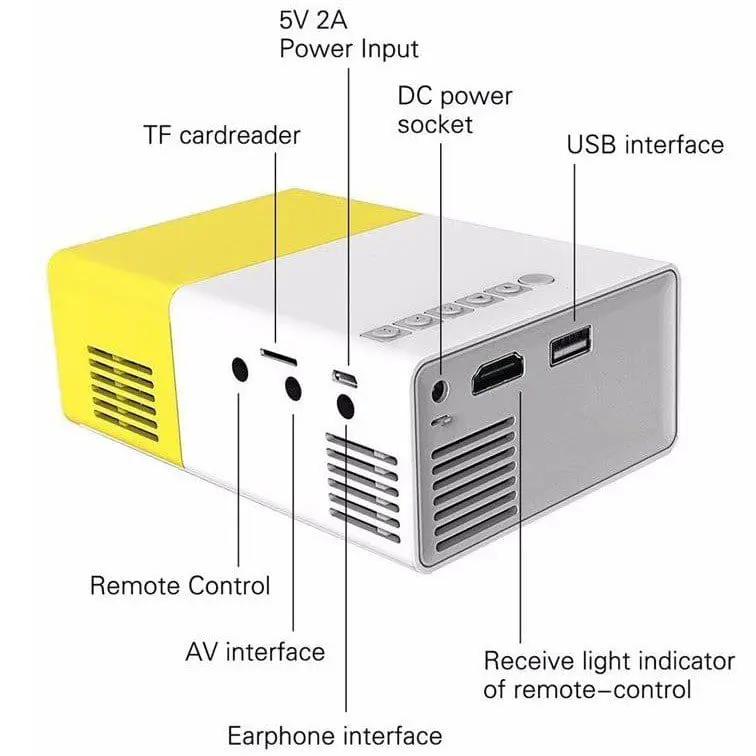
- Resolution: Supports resolutions up to 1920×1080.
- Native Resolution: 320×240 pixels.
- Brightness Output: Between 400 to 600 lumen.
- Lamp Life: Approximately 30,000 hours.
- Size: 121.5 x 85.8 x 47.7 mm.
Before using the YG300 projector
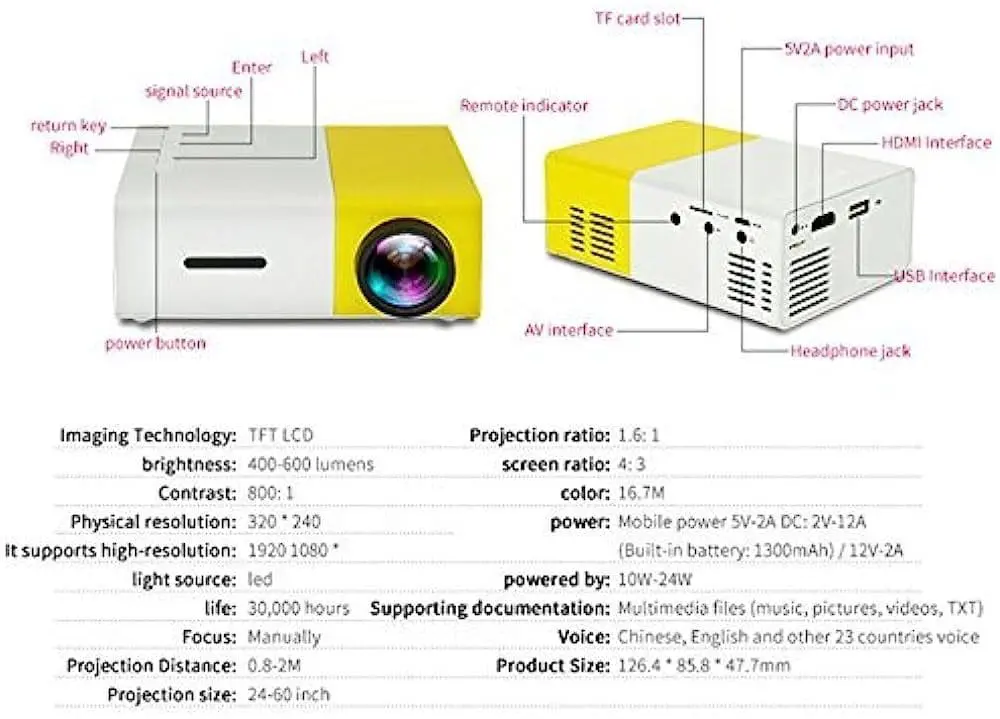
It is important to:
- Ensure you use the same power voltage as indicated on the projector.
- Avoid opening the projector or looking directly at the lamp while it is in use.
- Keep the ventilation holes clear and prevent the projector from getting wet.
- Do not attempt to fix the projector yourself if it requires repairs.
- Take a break after using the projector for 3-4 hours.
Before turning on the YG300 projector, follow these steps:
- Connect the power adapter (DC 12V/1.5A).
- Wait for the projector’s indicator light to turn on.
- Press the “C.>” button on either the projector or the remote control to turn it on.
- Adjust the keystone wheel until the picture is clear.
- Select a multimedia signal source to display on the projector.
Documents / Resources
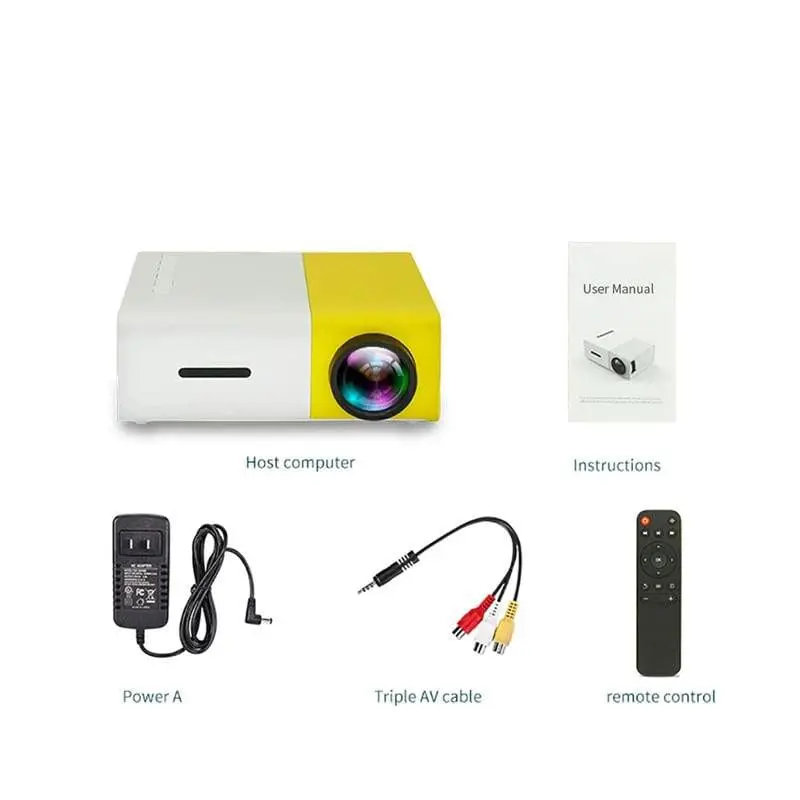
For further information and the user manual, consult the next link:
Conclusion
In summary, operating the YG300 projector safely is essential for enjoying its features. Focus on safety by avoiding direct exposure to the lamp and ensuring good ventilation. Use the right ports, like HDMI, to connect devices. Adhering to these precautions can enhance your experience and prolong the projector’s life.
People Also Read
For more information on how to use your YG300 Mini Projector, consult the manual provided with your device. Alternatively, you can download the YG300 Projector Manual.






Leave a Reply